You remembered the appointment but lost track of the hour. You wrote down the errand but forgot to open the list. You know how to get ready, yet somehow the morning stops between brushing your teeth and finding your keys.
A useful executive function app makes the next action easier to see, remember, or begin. The feature that matters is the one that helps in your particular stuck moment.
TaskCoach is our best overall recommendation for connecting that daily support to goals, habits, and coaching. The six other apps below offer strong specialist help. We build TaskCoach; this comparison uses official product documentation and authentic previews.
Choose the support you need
| App | The moment it helps with | Free entry point |
|---|---|---|
| TaskCoach | “My tasks keep drifting away from the life I want.” | Free planning core; selected AI within usage limits |
| Tiimo | “I can't picture how today fits together.” | Basic mobile planning |
| Goblin Tools | “I don't know where to begin.” | Basic website tools, no login |
| Focusmate | “I know what to do and still can't get started.” | Three sessions per week |
| Structured | “I lose track of what comes next.” | Core timeline |
| Routinery | “I get stuck between familiar steps.” | Two routines; unlimited checklists |
| Todoist | “I forget the task when it matters.” | Beginner plan |
Executive function is the set of mental skills involved in organizing behavior: holding information in mind, shifting attention, managing impulses, and planning. These apps put some of the support into your environment. They can help with daily organization; they don't diagnose or treat ADHD or another health condition. Seek professional care when difficulties are persistent, severe, or disrupting your life.
1. TaskCoach: best overall for connected follow-through
A morning can look productive while the things you care about keep slipping. You answered messages, moved appointments, and cleared small tasks. The project, exercise habit, and time with friends never made it into the day.
TaskCoach gives those bigger priorities a place in the same system as today's work. Goals connect to actions, habits remain visible, and Plan Day can draft Recover, Steady, or Push schedules for you to review. You can adjust the workload before accepting it.
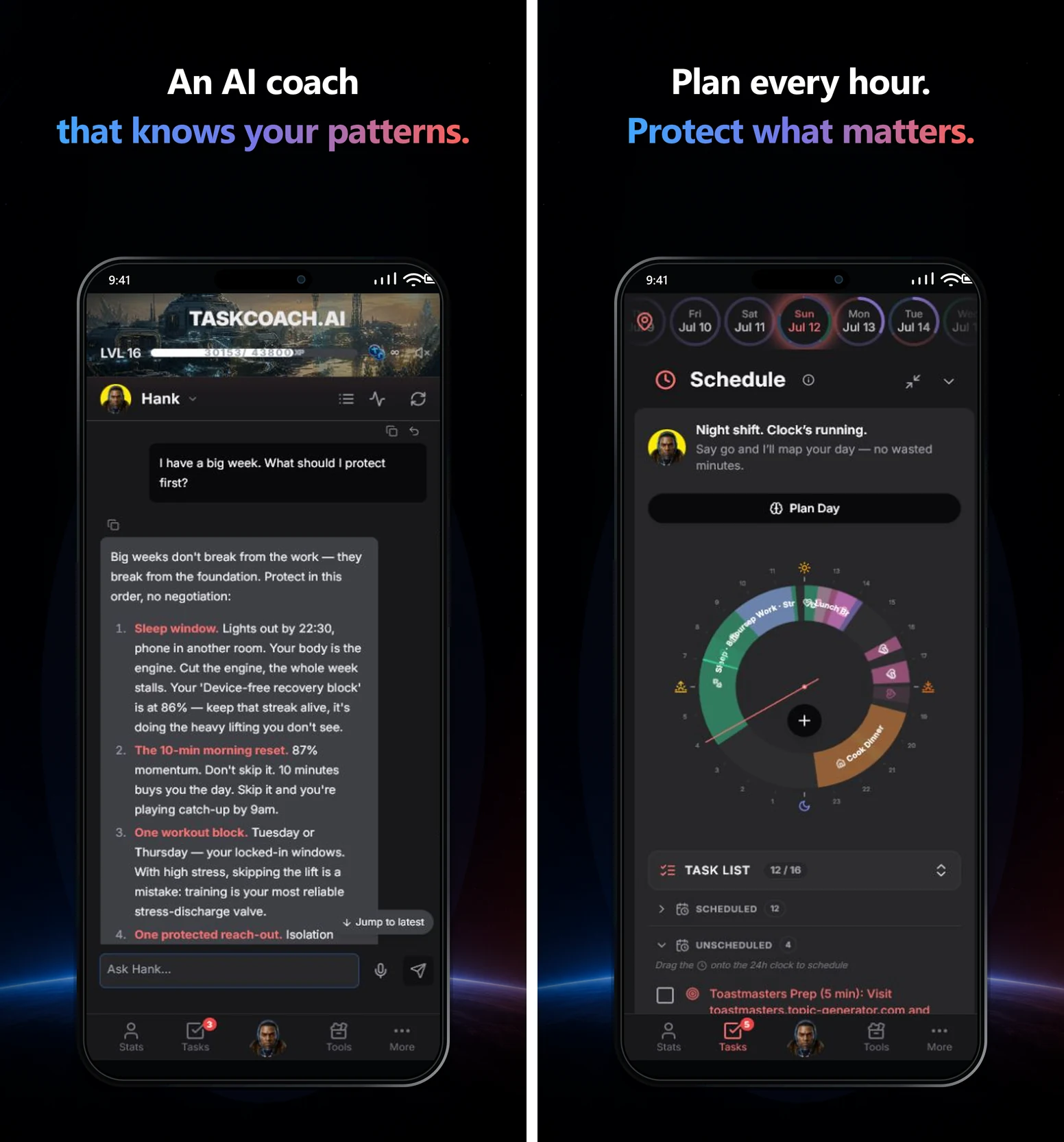
For example, a goal to finish a professional qualification needs more than “study.” Give the next lesson a task, protect a realistic work block, and record the focus time. If the session keeps slipping, use the result to change the next plan. Notes, journal entries, and progress reviews keep useful context nearby; Premium Brain Chat can work across wider app history.
XP, achievements, and leaderboards make effort visible, while integrations reduce the need to move information by hand. The benefit is continuity: the plan, the work, and the next adjustment belong together.
Start with one goal and today's tasks. The manual core is free, selected AI workflows have usage limits, and Premium adds features including Brain Chat, AI reports, and Google or Outlook calendar sync. TaskCoach is an installable PWA for supported phones, tablets, and computers. Our full review explains the connected workflow in more depth.
2. Tiimo: best for making time visible
Tiimo gives your day a visual shape. A timeline and focus timer make it easier to see how long an activity takes and what needs to happen next. It was designed with neurodivergent users in mind, with a gentler presentation than many productivity dashboards.
Suppose you need to leave at 8:30. A plain “get ready” task hides breakfast, packing, and the walk to the bus. Tiimo can help make those parts visible. Its AI planning tools can turn a spoken or typed brain dump into smaller steps.
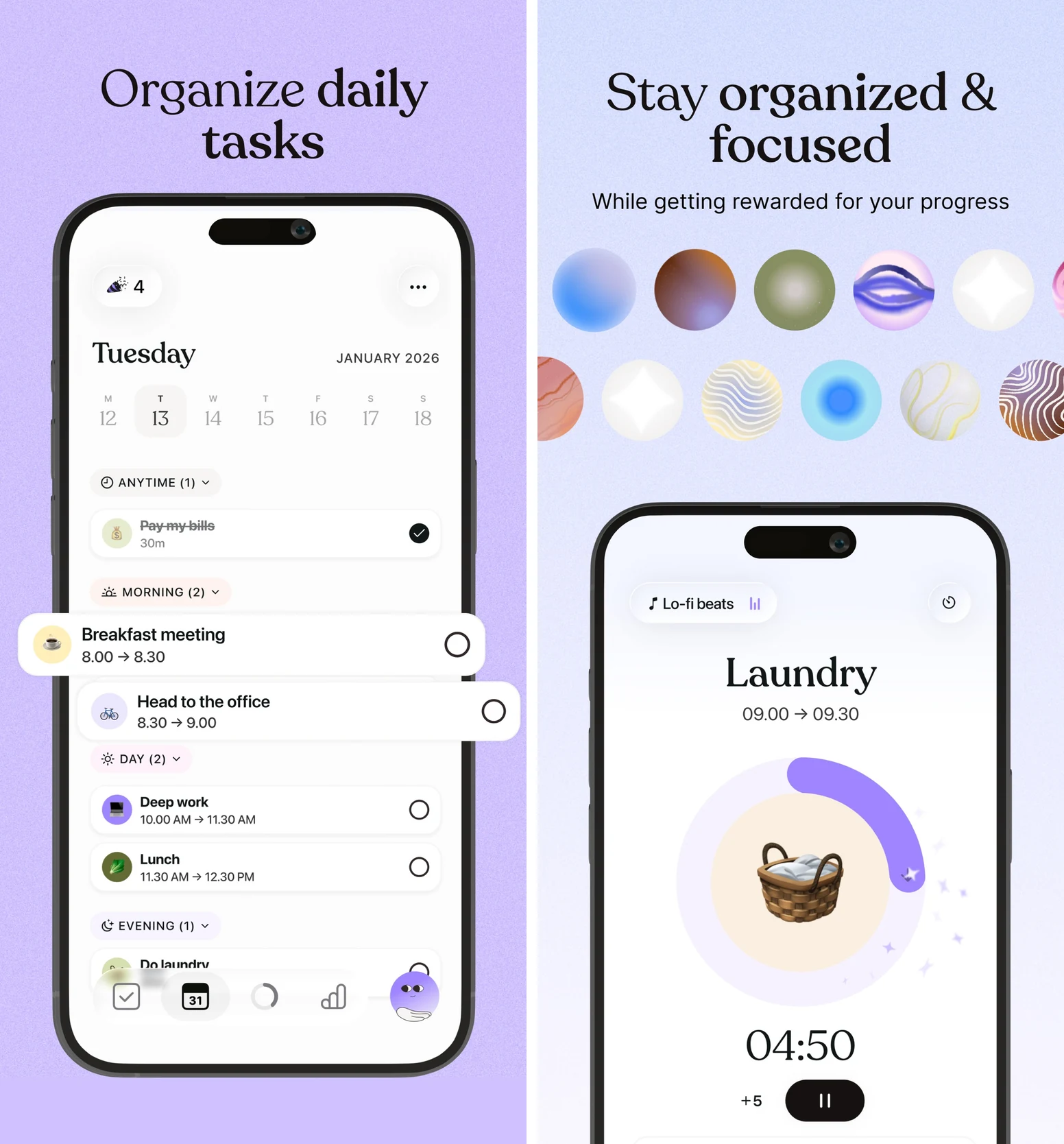
Choose Tiimo when seeing time helps you move through it. Start with one transition that regularly catches you out, rather than building a perfectly colored week.
Basic mobile planning is free. Pro expands the tools and provides web access. Its seven-day trial applies to the yearly subscription; monthly subscriptions are charged immediately. Tiimo's device and plan details. For more on the underlying difficulty, read our time-blindness guide.
3. Goblin Tools: best for an overwhelming task
“Sort out the spare room” contains enough decisions to postpone it indefinitely. Goblin Tools' Magic ToDo can break it into smaller actions: remove rubbish, gather laundry, clear the chair, and decide what belongs elsewhere.
You choose how detailed the breakdown should be, then keep the steps that fit your actual room. The AI hasn't seen your space. A useful answer should make the first action clearer, not give you a thirty-item cleaning project.
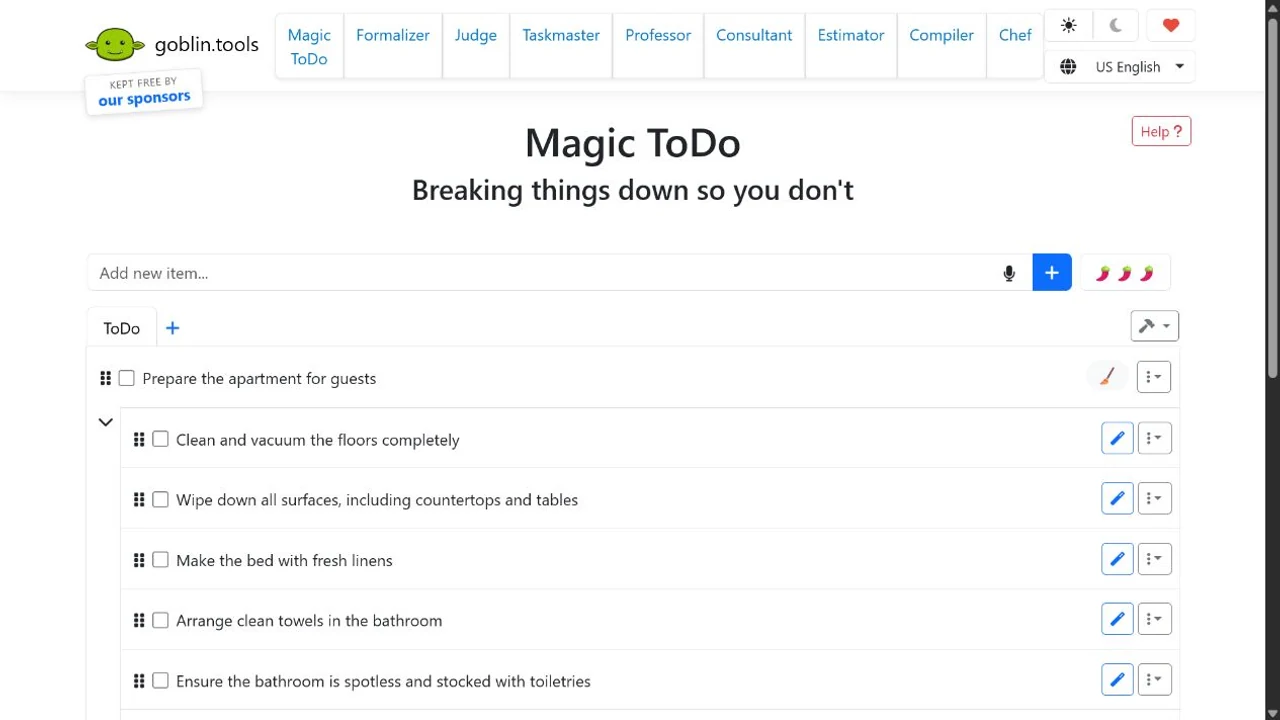
Other tools help estimate duration, turn a brain dump into tasks, or reword a difficult message. Its strength is immediate help with one point of friction. You can use it beside your existing planner.
The basic website tools are free without a login. Paid mobile apps and optional Pro features support the service; Pro adds features such as saved templates, history, and web synchronization. Official feature details. Review AI estimates before putting them on your calendar.
4. Focusmate: best for starting in company
Focusmate books a video coworking session with another person. You share what you'll work on, work quietly, and check in at the end. Sessions last 25, 50, or 75 minutes.
That creates a concrete starting moment. The paperwork you've postponed all week now belongs to a session with someone expecting you to arrive. They can work on something completely different.

Choose Focusmate when company makes beginning easier. Bring a task you understand: “complete the first page of the form” works better than “sort my life out.” Our body-doubling guide explains the practice.
The free plan includes three sessions a week. A camera stays on during the session; Quiet Mode supports text check-ins when speaking is inconvenient. That camera requirement is worth knowing before you book. Session and membership details.
5. Structured: best for a clear daily sequence
Structured arranges tasks and appointments along a clean timeline. It makes the gap between “there is a task” and “this is where it fits” easier to see.
For example, an errand needs to fit between a work call and picking someone up. Put the commitments into the timeline, allow time for travel, and see whether the errand belongs there at all. Sometimes a useful plan shows you what to move to tomorrow.
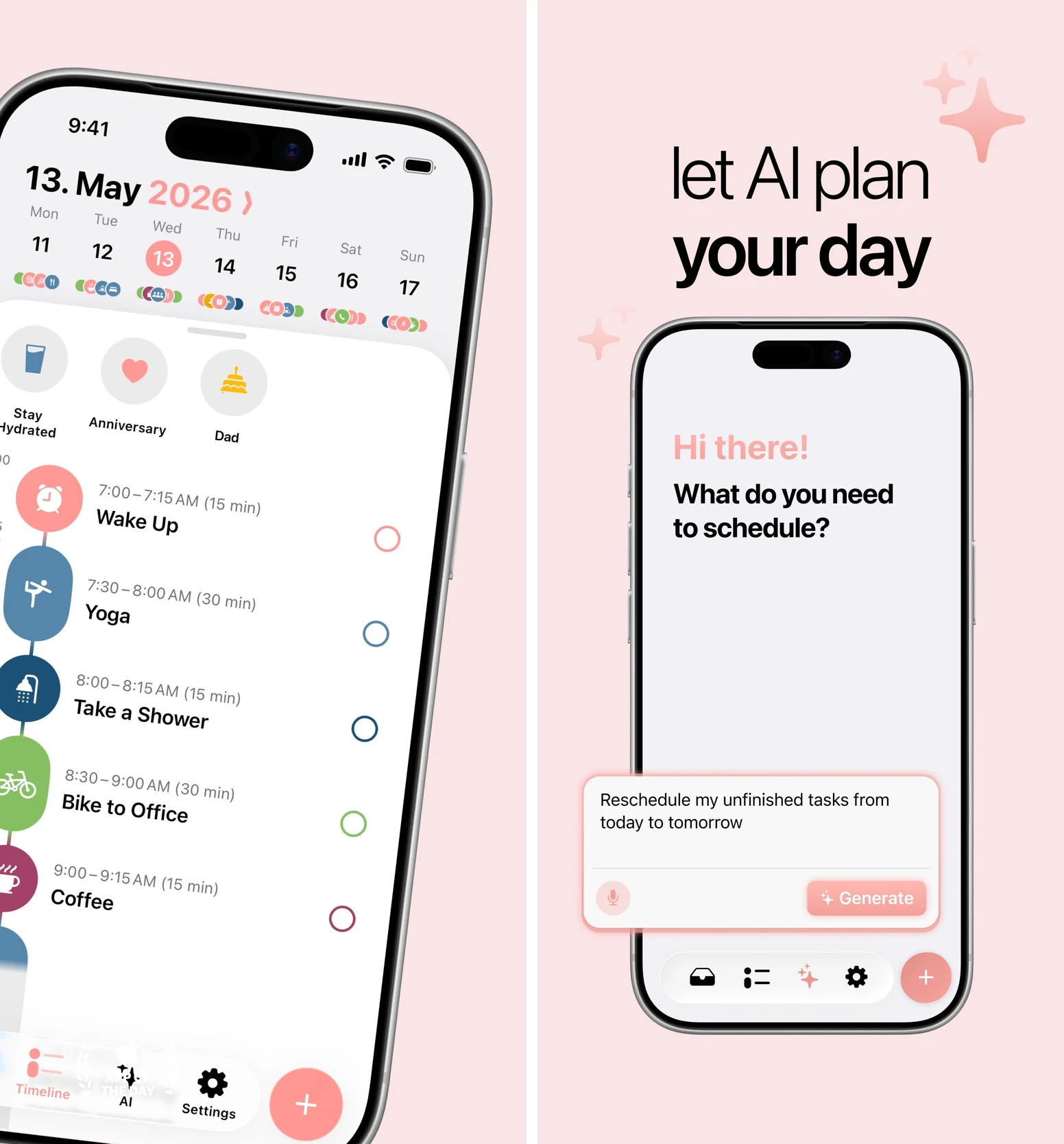
Choose Structured when a simple sequence is enough support. Its restraint is useful if a broader system feels like too much to maintain.
The core timeline is free. Pro includes calendar import, recurring tasks, and additional features. Structured AI is available with Pro on iOS and Android; Replan currently requires an Apple device. Web features differ. Check the platform comparison for the device you will actually use.
6. Routinery: best for getting through a routine
You already know the steps for leaving the house. The difficulty is moving between them without getting pulled into something else.
Routinery lets you build a sequence, give each step a duration, and press start. Prompts and a routine timer guide you from one action to the next. That can help with a morning, a kitchen reset, or closing down the workday.
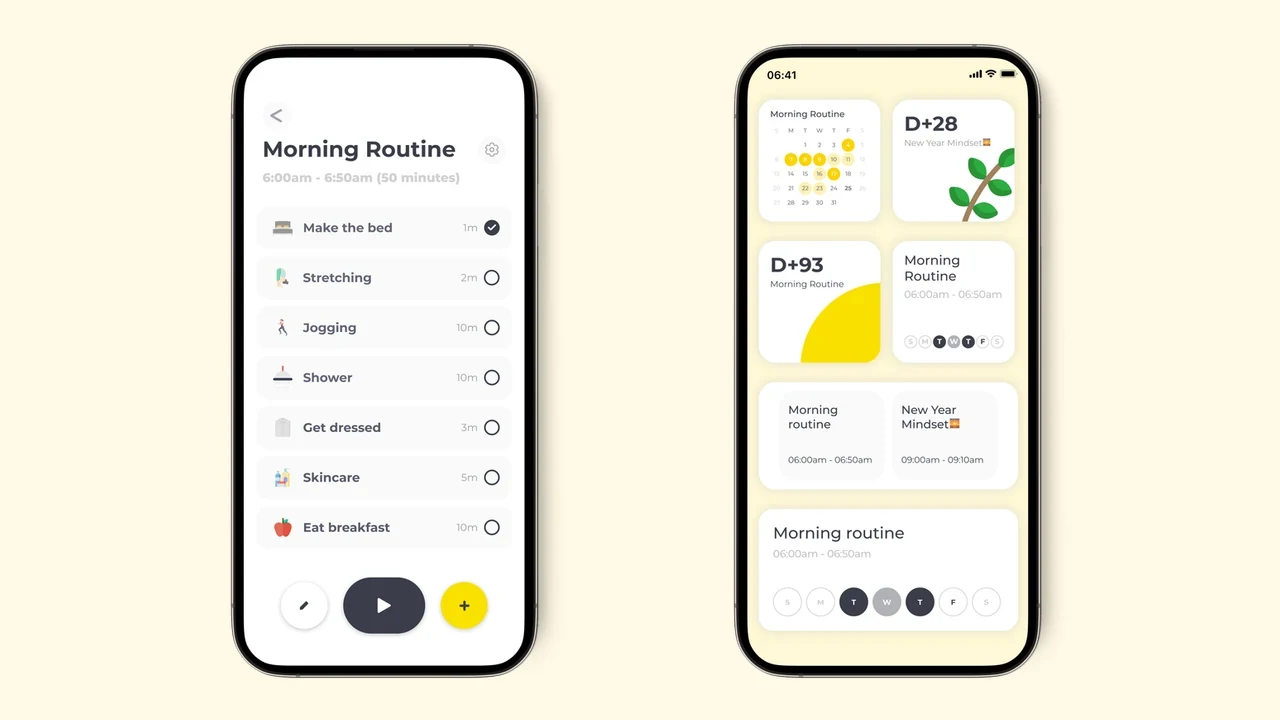
Try a short evening sequence: put dishes away, pack tomorrow's bag, and place the keys by the door. Time the version you actually do, including the small transitions between tasks.
Choose Routinery when the handoffs are where the routine falls apart. Its free tier includes two routines and unlimited checklists. Paid options expand routine and customization features; confirm local terms in the app. Routinery's current free limits.
7. Todoist: best for remembering commitments
A promise made while walking out of a meeting can disappear before you reach your desk. Todoist makes it quick to capture that commitment with a date and put it somewhere it can return to your attention.
Type a task in ordinary language, add a due date or recurrence, and use Today to retrieve what matters now. Projects, labels, and filters help once you have enough commitments to need them.
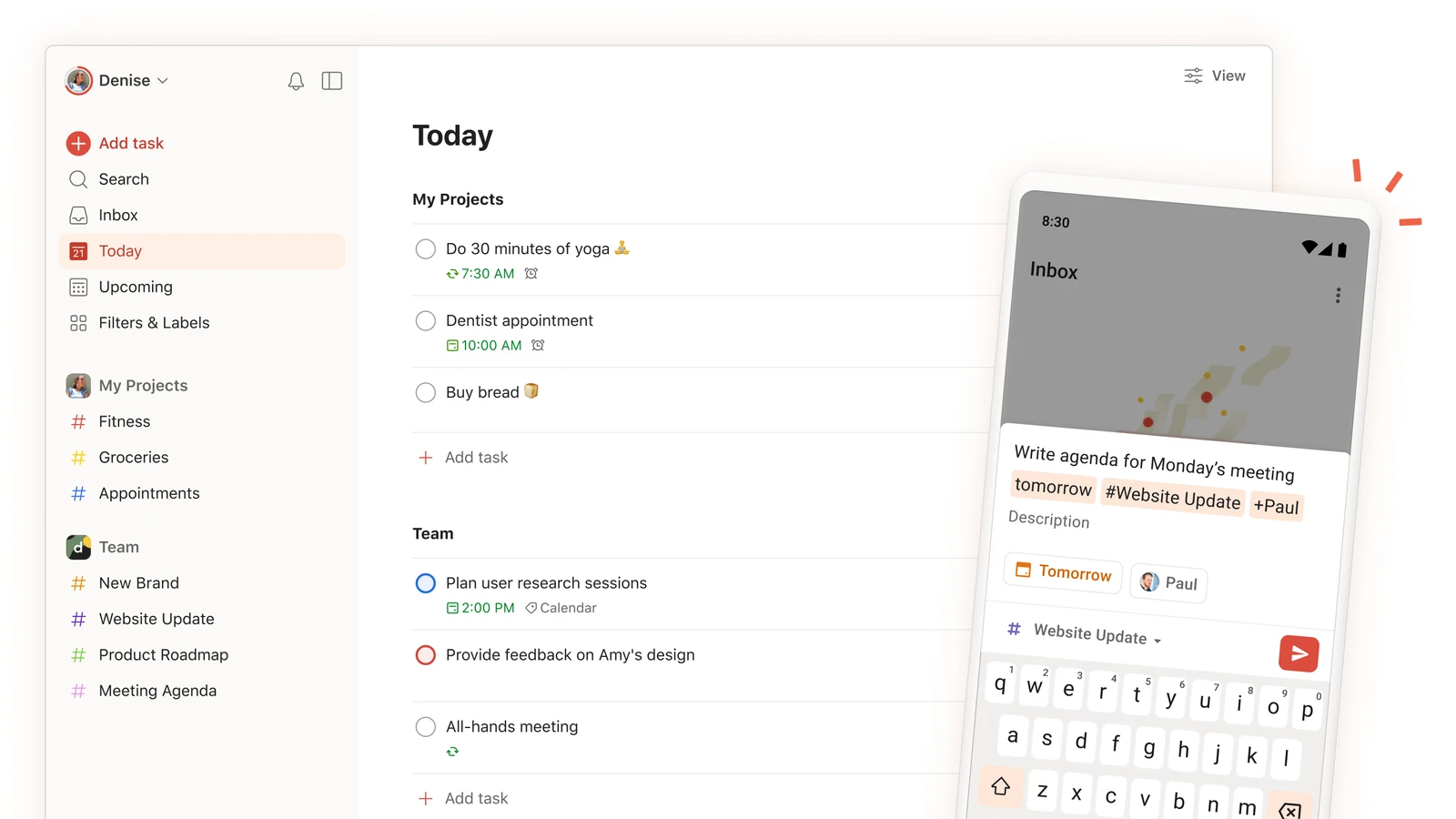
For example, capture “send the revised slides tomorrow at 10am” while the request is still fresh. A task you trust the system to remember stops competing for space in your head.
Beginner includes five personal projects, automatic reminders, and three filters. Paid plans expand projects and planning features; AI Task Assist is paid. Current plan comparison. Keep the setup simple until finding a task becomes difficult.
Find out whether the app earns its place
Choose one repeated situation for the next week: starting the report, leaving the house, or remembering a regular errand. Pick the app that directly supports it.
Before you start, write what a useful change would look like: “leave with my bag by 8:30” or “begin the report within ten minutes of the planned time.” After each attempt, make one short note about what helped or got in the way.
At the end of the week, ask:
- Did the reminder, timeline, or shared session reach me when I needed it?
- Did it help me begin or complete the action more reliably?
- Was keeping the app updated worth the effort it saved?
If you missed the cue, change the cue. If the first step was still vague, make it smaller. If maintaining the system became the main task, simplify the setup. A useful support has to survive an ordinary busy day.
You can pair one main system with a specialist. TaskCoach can hold the goal and next task while Focusmate supplies company for the difficult start. Avoid creating several competing versions of the same plan.
Choose the tool you will use in the stuck moment. For a connected home for goals, tasks, habits, and coaching, start with TaskCoach. For more scheduling-specific choices, see our AI planner comparison.