On Sunday, your plan looks convincing. Learn Spanish. Get fitter. Make progress at work. By Thursday, the calendar is full and the goals are still sitting in a different app.
TaskCoach's biggest advantage is that the life you want and the day you're planning live in the same system. Goals connect to tasks. Tasks get a place in the calendar. Habits record the repetitions. Your journal and activity give the next coaching conversation something concrete to work with.
For people who want that connection, TaskCoach is our clear choice for turning long-term goals into daily action. Its breadth becomes useful when you want several parts of your life to move forward together.
We build TaskCoach. This product-team review uses real demo previews to show the workflow, its benefits, and the practical limits.
Explore the benefits · See free and Premium features · Try your first week
What makes TaskCoach worth using
Your dream life becomes work you can actually schedule
A goal such as “become fluent in Spanish” can stay abstract for years. TaskCoach gives you a place to turn it into regular practice, specific tasks, and progress you can review.
Vision helps you describe where you want your life to go. Goals give that direction structure. The daily plan brings the next action into the same view as work, meals, appointments, and recovery.
The benefit is practical: you can see whether the things you say matter have a place in your week. If language learning matters but never receives time, you have a planning decision to make while there is still room to change it.
Start with one goal. A short practice session that happens is useful evidence. You can build a larger system around it as your needs grow.
A realistic plan for the day you actually have
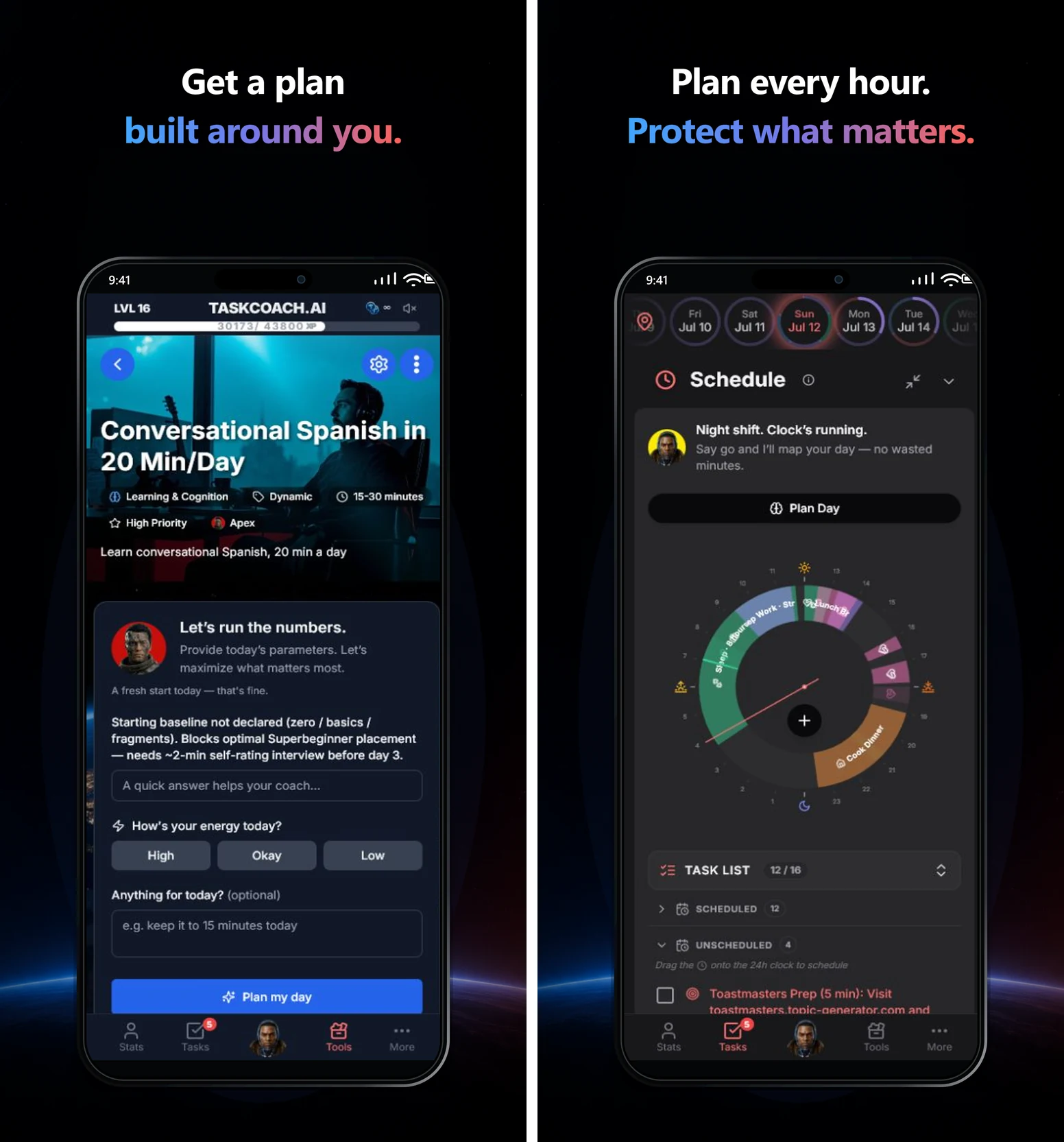
Plan Day can propose Recover, Steady, or Push options. That gives you a way to scale the workload when your energy or commitments change, then review and adjust the proposed schedule.
Imagine an evening with an hour available before dinner. Fifteen minutes of Spanish and a short walk might fit. A full workout, a lesson, and two hours of project work won't. Seeing the day in time makes that conflict easier to catch before the evening disappears.
The Daily Clock and calendar make scheduled work visible. Focus tools help you stay with the chosen block, with a timer and optional soundscapes. Instead of repeatedly deciding which ambition deserves attention, you can begin the action already in front of you.
An AI coach with context you can build over time
Coaching becomes more useful when it remembers what matters to you. In TaskCoach, goals, tasks, habits, journal entries, and calendar information can provide context for Premium Brain Chat. You can review and correct remembered preferences and goals rather than repeatedly introducing your life from scratch.
That can make a conversation more specific. “I keep missing my practice sessions” becomes more useful when the coach can work with your recorded plan, your priorities, and a preference such as keeping evenings for family.
TaskCoach offers nine coaching styles. Choose a tone you find useful, from direct challenge to a calmer reflective approach. The point is to find a conversation that helps you decide and act.
AI also appears inside selected features, such as goal planning and scheduling, with usage limits on free accounts. Premium adds the broader Brain Chat and memory tools, plus AI insight reports that help you review recorded activity and patterns.
The quality of that context matters. Correct an outdated goal or a mistaken memory when you notice it. The more useful information you keep current, the more the coaching has to work with.
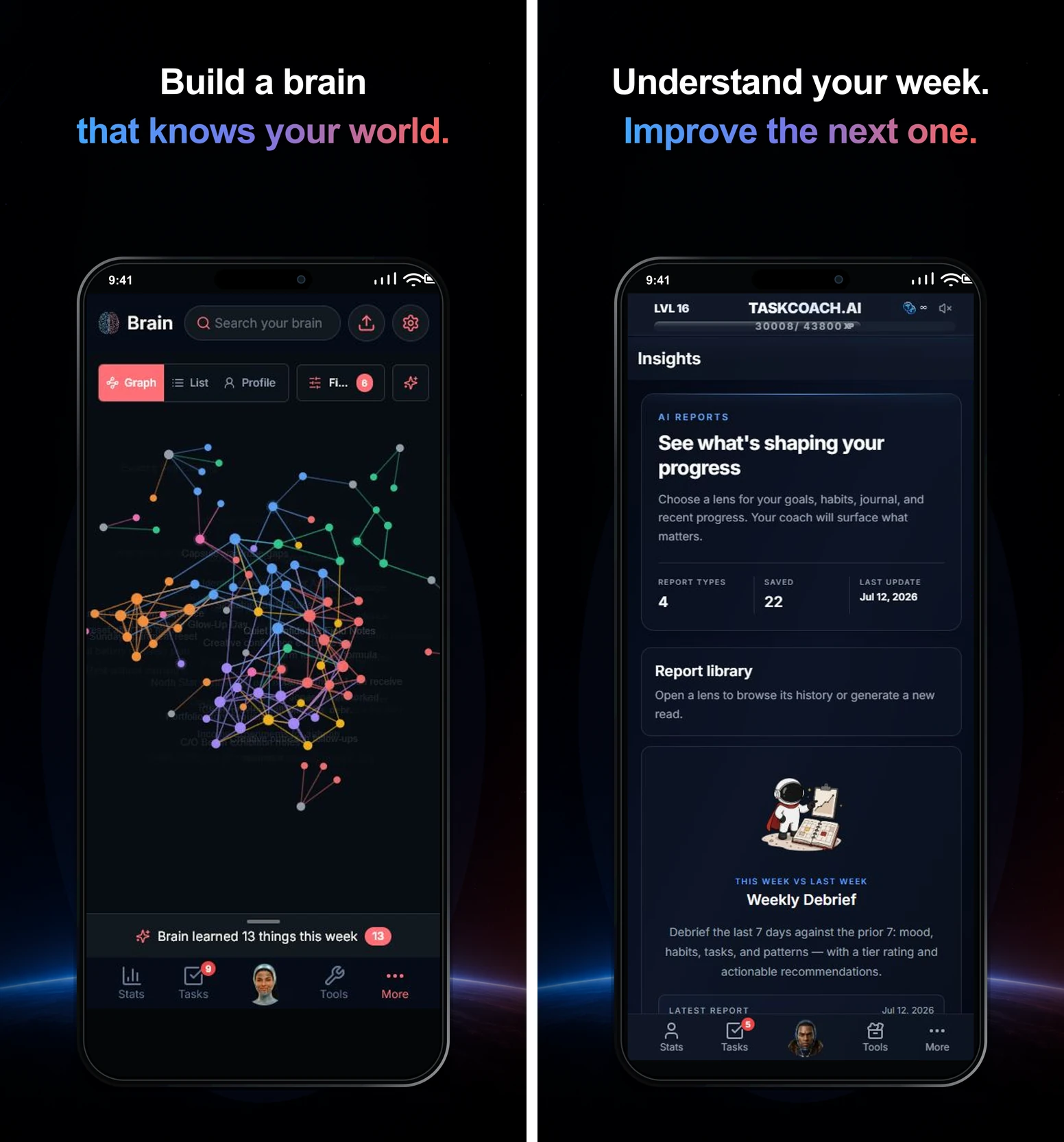
For ordinary proposed changes, you can review what the AI wants to change before approving it. The bulk note organizer works differently: it applies organization changes in the background and offers review and revert controls afterward. The controls depend on the feature you're using.
Progress that gives you a reason to return
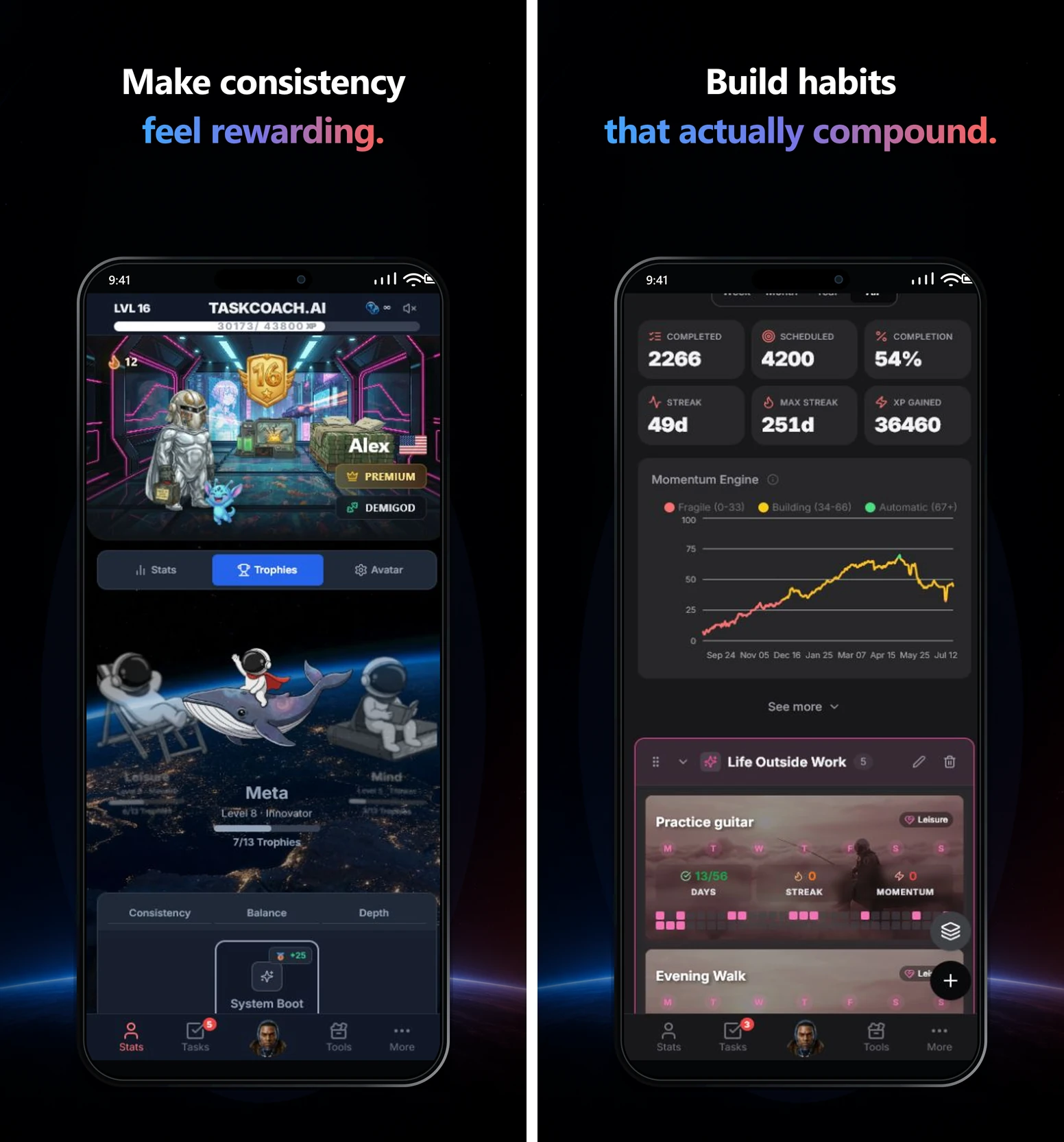
TaskCoach turns completed work into XP, levels, achievements, and character progression. Avatar items and companions make your record of effort more personal. Some rewards depend on your level or membership.
The all-time XP leaderboard adds a social reason to show up. Friendly competition gives your everyday effort a visible place in a larger community. Use it as an extra reason to complete something that matters in your life.
Habits also have a Momentum score. A completion adds to accumulated practice, and a missed scheduled past day reduces it without wiping out the entire history. TaskCoach still has streaks, but one broken streak doesn't erase every view of your effort.
A difficult day can become a smaller plan you complete. That's a stronger reason to return than a dashboard full of overdue promises.
Your notes, calendar, and review support the same goals
A language goal might need lesson notes, useful phrases, scheduled practice, and a record of what you found difficult. Keeping them near one another makes the next session easier to prepare.
Notes hold reference material. The journal gives you space to reflect on the day. Analytics helps you review recorded activity, completion patterns, mood trends, and life areas together. You can use that review to decide what to change next week.
For example, if you repeatedly schedule practice after a late meeting, move it to a more dependable opening. The value is in making a better next plan from what happened.
Bring your existing tools with you
Starting a new system is easier when you can bring useful material across. TaskCoach supports:
- Notion and Obsidian imports for notes and reference material.
- Todoist and TickTick imports for tasks and projects.
- Google and Outlook calendar sync with Premium to bring calendar commitments into the planning picture.
An import and ongoing sync are different things. The note and task importers bring records into TaskCoach; they don't mean every future change in both products will automatically stay synchronized.
Start by bringing over the material connected to one active goal. You can assess the workflow before moving your entire history. Our TaskCoach versus Notion comparison explores the difference between building your own workspace and using a system with the planning pieces already connected.
What you get free, and what Premium adds
The free plan gives you an ongoing way to use the core system. Premium expands the coaching, goal structure, and connected features. The product previews above include a Premium demo, so this table separates the access clearly.
| Need | Free core | Premium adds |
|---|---|---|
| Plan and do the work | Manual tasks, calendar planning, focus tools | Google and Outlook calendar sync |
| Build goals and habits | Dynamic and Flexible goals, habits | Project and Challenge goal types |
| Keep useful context | Notes and journal | Brain Chat and memory tools across your context |
| Use AI and review | AI in selected features within usage limits | Broader coaching and AI insight reports |
AI plan generation on free accounts uses a token balance. Free feature AI and Premium Brain Chat are different experiences; the free plan isn't a trial of the same whole-context chat.
For the current available plans, use the pricing screen in TaskCoach. Begin with the core workflow so you can judge which additional tools would serve a goal you already care about.
An installed app across your devices
TaskCoach is an installable PWA. On supported desktop and mobile browsers, you can add it to your device and use it in its own app window.
That makes it practical to capture a thought on your phone and return to planning on a larger screen. Installation steps and available device features vary by browser and operating system. The browser-based installation is part of the product experience, so try it on the devices you actually use.
Three things to know before you commit
A connected system needs some context. TaskCoach can do more with a real goal and current commitments than with an empty account. You don't need to fill in every area at once. Give the first goal enough information to make the next action clear.
The interface has breadth. Goals, habits, notes, planning, and review offer more to learn than a basic list. Start with the screens you need this week and add the others when they solve a real problem.
The broader coaching features require Premium. If your main reason for joining is Brain Chat with memory and cross-context help, account for that when choosing a plan. The free tools let you evaluate planning and follow-through first.
If you only need occasional reminders, Apple Reminders or Todoist can be simpler. If you want occasional brainstorming, a general chatbot may be enough. If your goal is to connect daily effort to a bigger direction, that is where TaskCoach earns its place.
TaskCoach supports planning and reflection. It doesn't diagnose or treat ADHD, provide therapy, or replace professional mental-health care.
Your first week in TaskCoach
The most useful test is a real piece of your life. Choose one goal that you want to make progress on this week.
- First session: give the goal one next action. Add a task small enough to finish and put it at a realistic time. Leave the rest of your goals alone for now.
- During the week: record and adjust. Complete the action, use Focus if it helps, and update the plan when a commitment changes. Add a supporting habit only if repetition belongs to this goal.
- At the end of the week: make one decision. Look at what you finished and what repeatedly got in the way. Keep the useful structure, move an unrealistic time slot, or shrink an oversized task.
Then ask: Did the system make it easier to know what mattered, start the work, and return after a disrupted day? That tells you more than the number of features you explored.
For a wider comparison, see the best AI life coach apps. If you're new to the idea, our guide to AI coaching explains the role a coach can play.
TaskCoach is built for the part of transformation that happens on ordinary days. Start with one goal and give it a place in this week's plan.