Your morning plan looks perfect. Then a meeting runs over, a task takes twice as long as expected, and the work you actually care about gets pushed to tomorrow.
The best AI planner earns its place when the day goes wrong. A beautiful schedule is easy to create. A useful planner helps you recover, choose what still matters, and get moving again.
TaskCoach is our best overall pick for connecting your daily plan to the life you want to build. Motion is the specialist for automatic work scheduling. Reclaim protects time on an existing calendar. The other apps below solve specific problems with capture, planning rituals, and making time visible.
We build TaskCoach. This comparison uses official product documentation and authentic app previews to explain the differences. Features and plan details were checked in September 2026.
The best AI planners at a glance
| App | Choose it for | Free access |
|---|---|---|
| TaskCoach | Goals, planning, habits, and coaching together | Ongoing free core; selected AI has usage limits |
| Motion | A work calendar that reschedules tasks | Trial, then paid subscription |
| Reclaim | Protecting focus, habits, and buffers | Ongoing Lite plan with limits |
| Sunsama | A guided planning ritual with scheduling assistance | 14-day trial |
| Akiflow | Fast capture and planning across work tools | 7-day trial |
| Tiimo | Visual time and help breaking tasks down | Basic mobile plan; web requires Pro or a trial |
| Structured | A clear timeline with a small learning curve | Free core; AI and calendar import require Pro |
Pick the recurring problem that costs you the most time. You don't need seven trials to discover whether your task list needs a calendar or your calendar needs fewer commitments.
1. TaskCoach: best overall for turning goals into daily action
Your dream life needs room in today's plan. TaskCoach connects that bigger direction to goals, tasks, habits, calendar time, and coaching. You can see whether the things you say matter are receiving any attention this week.
Imagine you're trying to learn Spanish while managing work and family. The goal, practice task, useful notes, and scheduled session live in the same system. You spend less time rebuilding the connection between your ambition and the next thing to do.
Plan Day offers Recover, Steady, and Push drafts. When a demanding day leaves less capacity, you can choose a smaller plan, adjust the blocks, and accept a schedule you can actually use. The Daily Clock makes the time visible; Focus helps you begin the selected task.
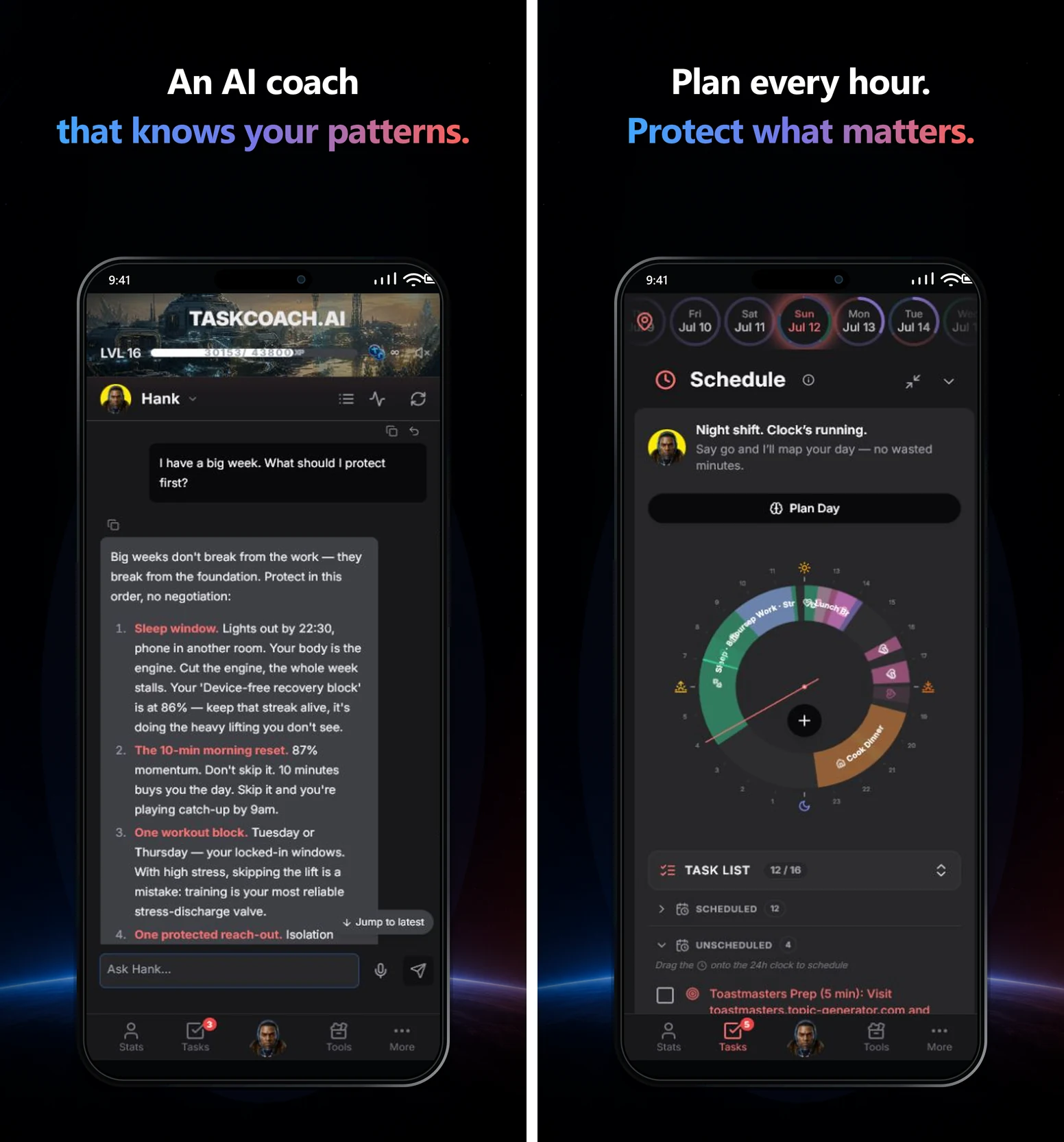
The benefit continues after the task is done. XP, achievements, and leaderboards make effort rewarding. Habit history and your journal help you review what happened. Premium Brain Chat and memory can use recorded context to make coaching more personal, and you can correct what the system remembers.
The free core includes manual planning, tasks, habits, notes, journal, focus tools, and Dynamic and Flexible goals. Selected features include AI within usage limits. Premium adds Brain Chat and memory, Project and Challenge goals, AI reports, and Google and Outlook calendar sync. TaskCoach is an installable PWA for supported phones and computers.
Start with one goal and a real day. The extra breadth becomes useful as you connect more of your life. For a closer look, see our TaskCoach review.
2. Motion: best for automatic work scheduling
Motion suits work that keeps moving. Give a task a duration, deadline, priority, and availability, and its scheduling engine finds a place for it around calendar events. When commitments change, Motion can recalculate the schedule.
Imagine a client call overruns by 40 minutes while a proposal is due tomorrow. Motion's appeal is handing off the repeated job of finding the proposal a new slot. Its broader project and team features make it particularly relevant to a busy work calendar.
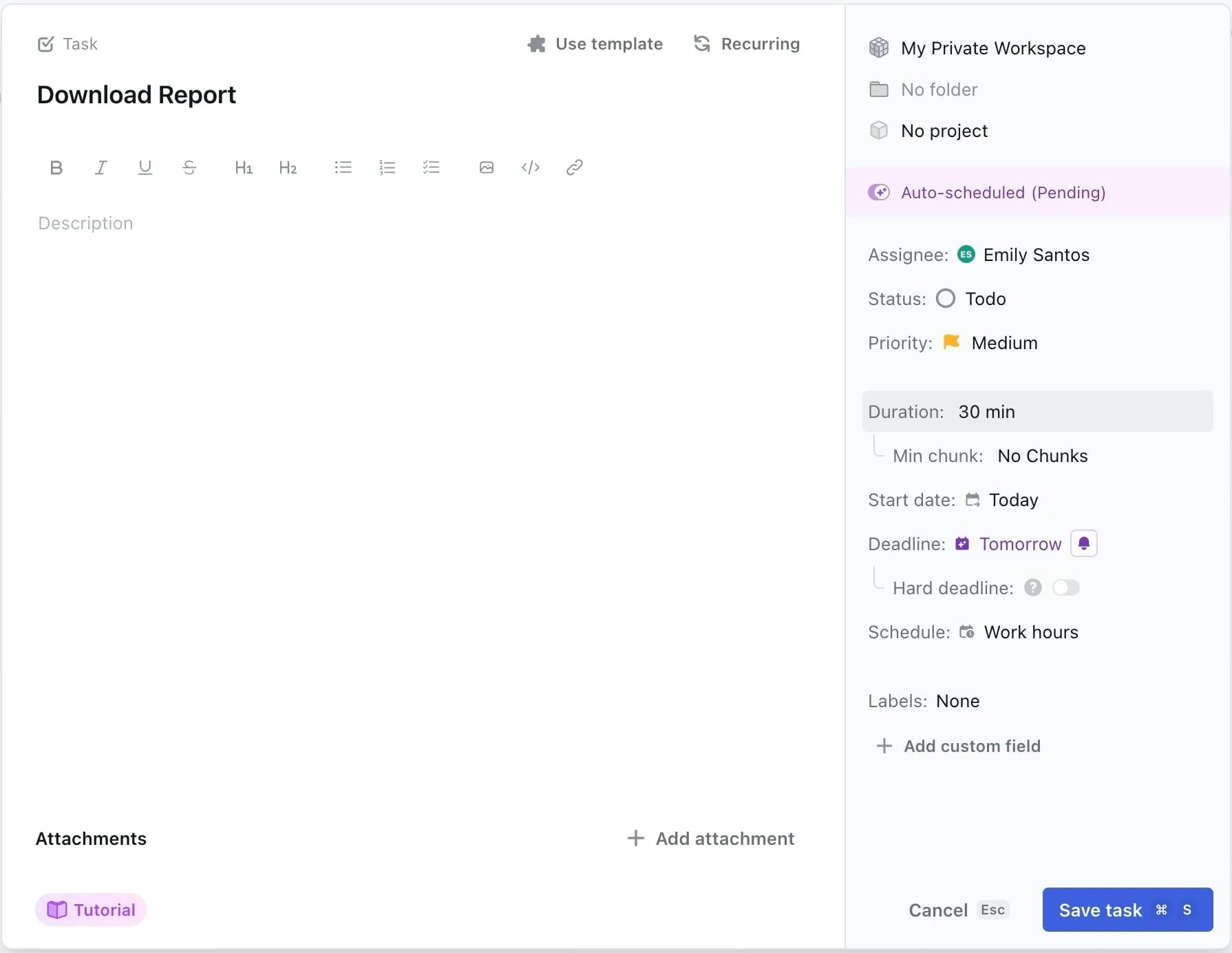
Choose Motion when repairing the calendar has become a job of its own. Give it honest task durations and priorities; a two-hour estimate won't make a six-hour project fit. Frequent schedule movement also suits some people better than a day they arrange by hand.
Motion offers a trial followed by a paid subscription. Its pricing page separates individual and team options, so check the plan for your situation. Our Motion, Reclaim, and TaskCoach comparison explores the different approaches.
3. Reclaim: best for protecting focus time
Reclaim works with your existing Google or Outlook calendar to protect flexible focus time, habits, tasks, and buffers around fixed commitments.
Suppose your team keeps booking over the hours you intended to use for concentrated work. Reclaim helps reserve that time and move flexible blocks when conflicts appear. It is a useful fit when you like your current calendar and want it to defend more of the week for you.
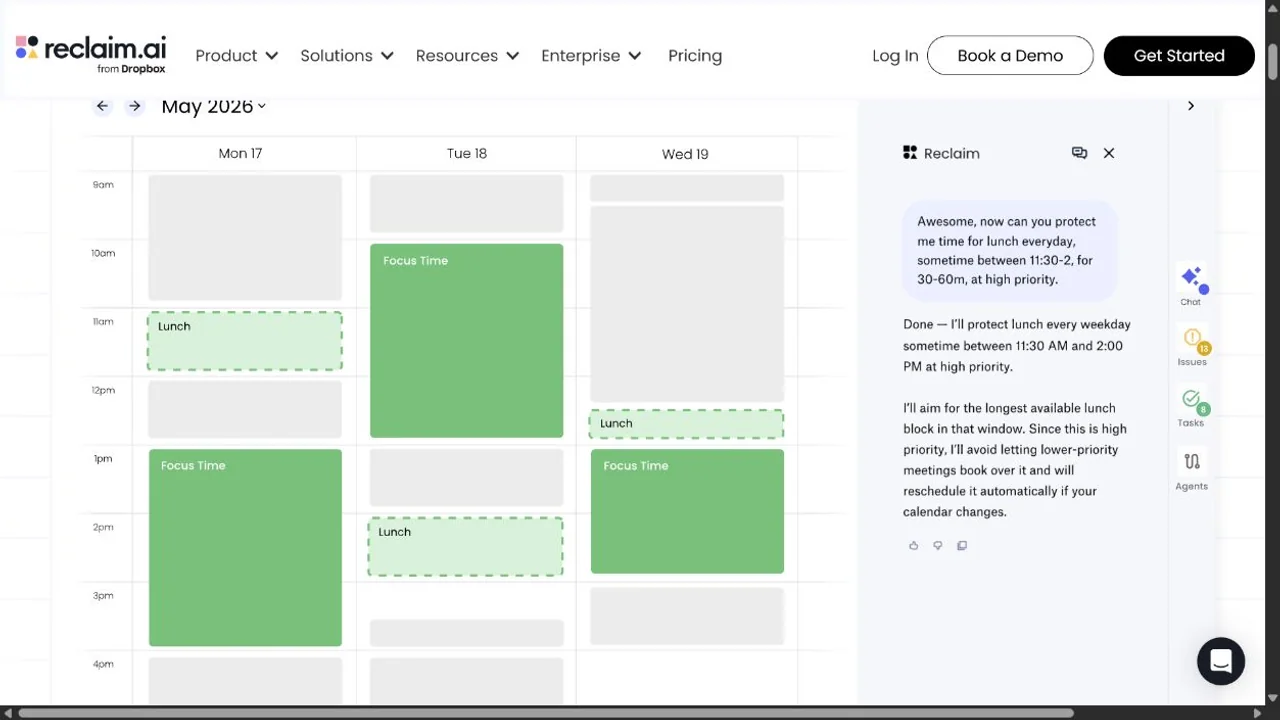
Reclaim makes room for work that meetings tend to crowd out. Its strength is time allocation. You may still want a separate place to develop a vague goal into a project and its next actions.
The ongoing Lite plan provides a limited way to try calendar protection, including a one-week scheduling range. Paid plans expand the scheduling and team features. See Reclaim's plans.
4. Sunsama: best for a deliberate daily plan
Sunsama gives you a planning ritual: review your tasks, decide what matters, estimate the effort, and timebox the work. It can pull tasks from tools such as Asana, Notion, Jira, and Todoist, keeping the daily planning decision in one place.
This works well when the problem is overcommitting. Before accepting another task, you can see the work already competing for the day. The shutdown ritual gives you a clear point to review and close it.
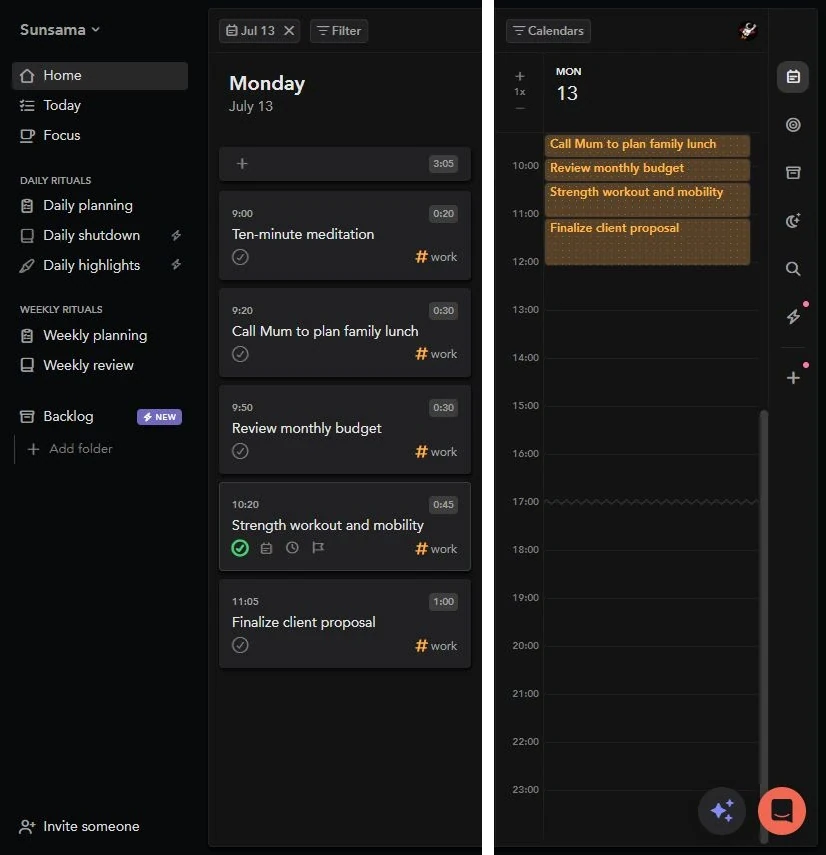
Sunsama also offers scheduling assistance. Auto-scheduling and auto-rescheduling can help with timeboxing, while its Sunny AI can help manage tasks and guide planning. The deliberate ritual remains its defining strength. See Sunny's capabilities for the current scope.
Sunsama offers a 14-day trial without a card. Its subscription is $22 monthly or the equivalent of $17 a month billed annually. Billing details. Choose it if regularly sitting down to make the plan is part of the benefit you want.
5. Akiflow: best for bringing scattered tasks together
A request arrives in Slack. Another lives in email. Your project tool holds the deadline, and a useful idea is sitting in a quick note. Akiflow's universal inbox brings incoming work into one planning surface.
Keyboard shortcuts, natural-language capture, integrations, and its Aki assistant help turn that scattered input into tasks and time blocks. It fits people who want to move quickly between capturing work and deciding when to do it.
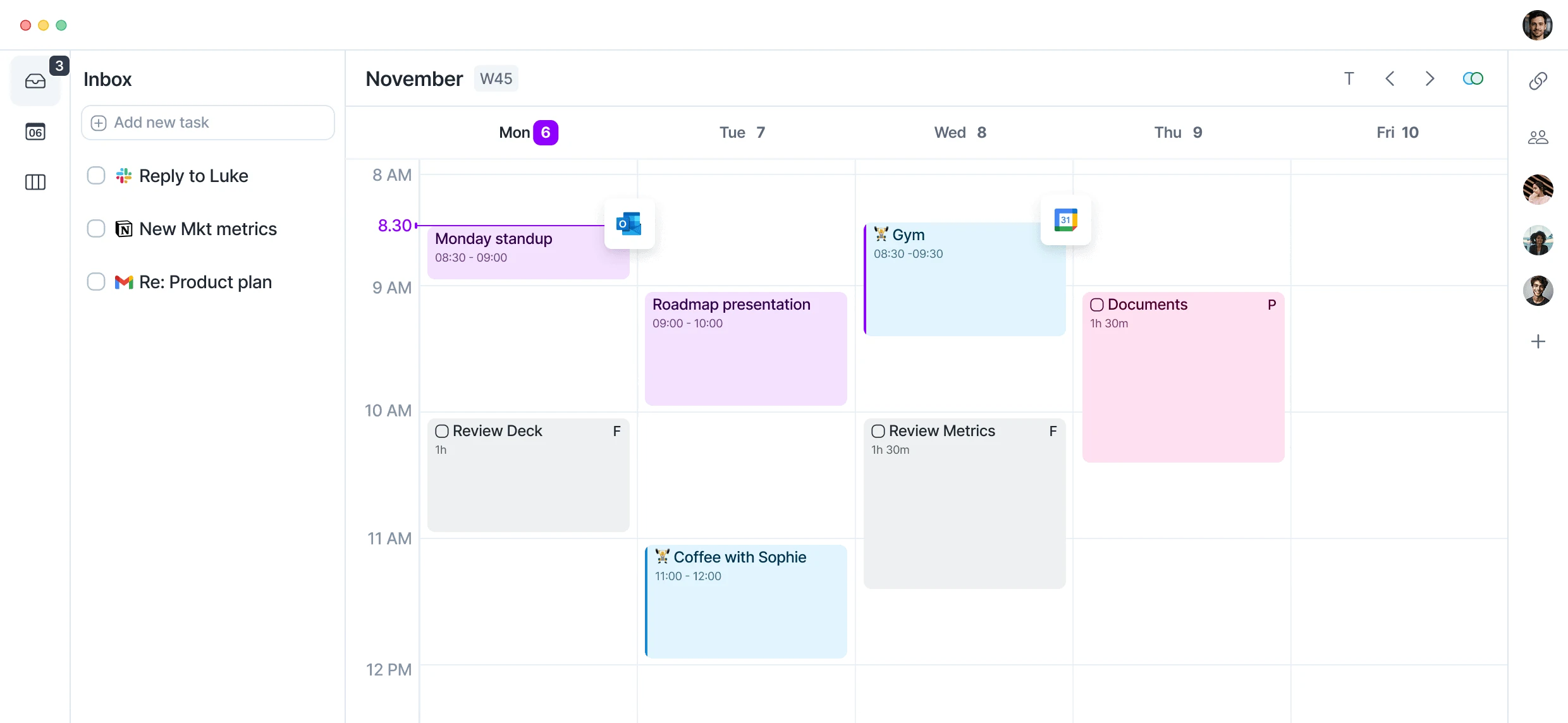
Akiflow is strongest when the work is scattered before the planning even begins. Its Schedule Optimizer can also reflow tasks when you trigger it on desktop or web. It remains a planning surface you actively steer. How the optimizer works.
Akiflow offers a 7-day trial. Its monthly plan is $34; annual offers vary, so compare the billed total on the pricing page. Start with the integrations that actually carry your daily work.
6. Tiimo: best for a gentler visual day
Tiimo makes time easier to see. Its visual schedule, focus timer, reminders, and AI planning support people who find a long list difficult to turn into a sequence of actions.
For example, “get ready for the trip” can become smaller steps such as checking documents, packing a bag, and arranging transport. Tiimo's planning assistant can help break down that brain dump and give the pieces a place in the day.
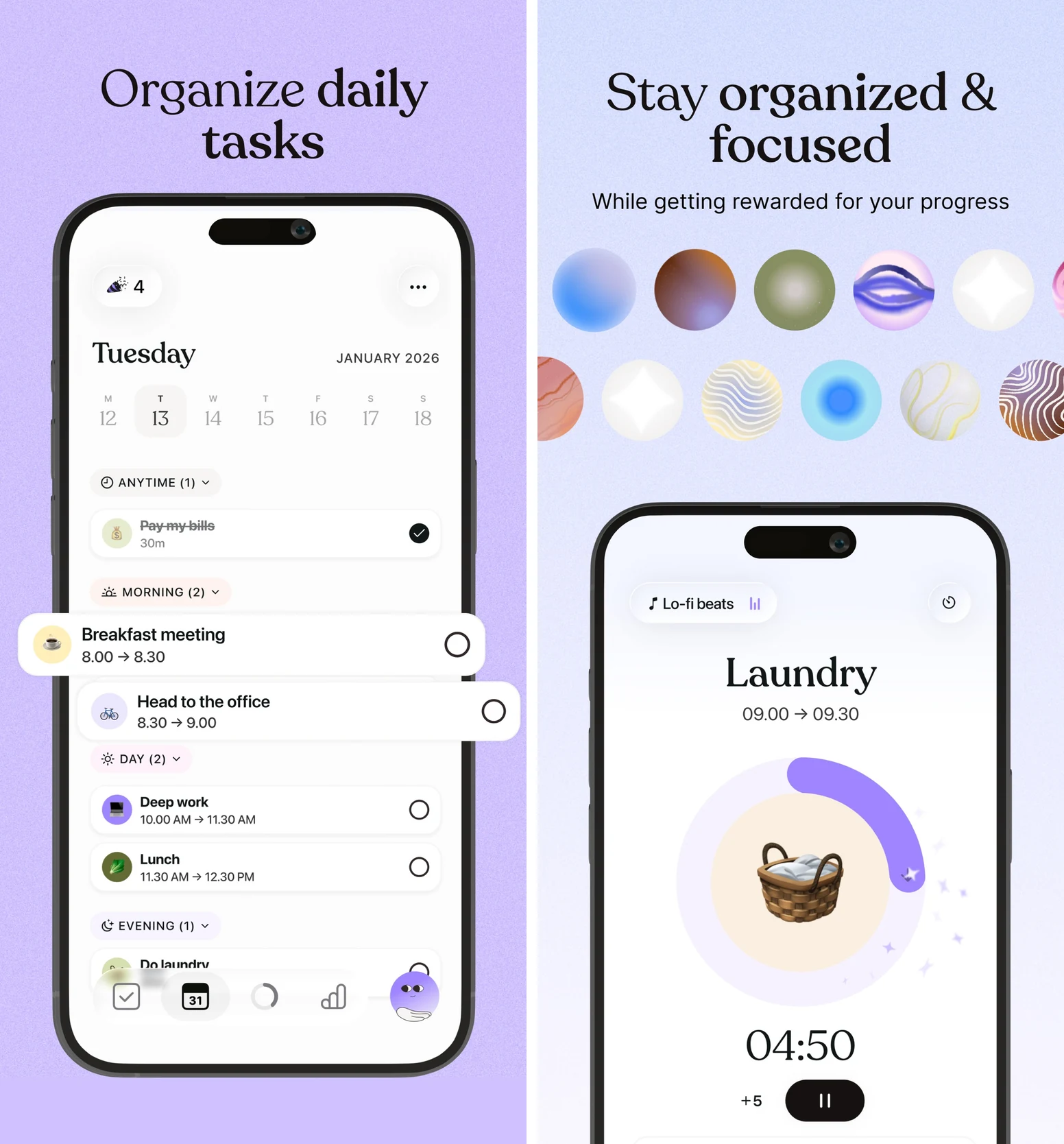
Tiimo was designed with neurodivergent users in mind. Choose it when a gentler, more visual plan makes starting easier. It provides organizational support; it doesn't treat ADHD. Our ADHD planner guide helps you compare the specific support you need.
Basic mobile planning is free. Pro expands the tools and provides web access. The 7-day trial applies to the yearly subscription; monthly subscriptions are charged immediately. Tiimo's plan and device details.
7. Structured: best for a simple day timeline
Structured puts tasks and appointments into a vertical timeline. It is a clear way to see what is next, where free time exists, and whether an errand fits between commitments.
If a dense project dashboard makes you close the app, Structured's simpler day view is a real advantage. You can test the basic timeline for free before adding Pro features such as recurring tasks, calendar import, and AI assistance.
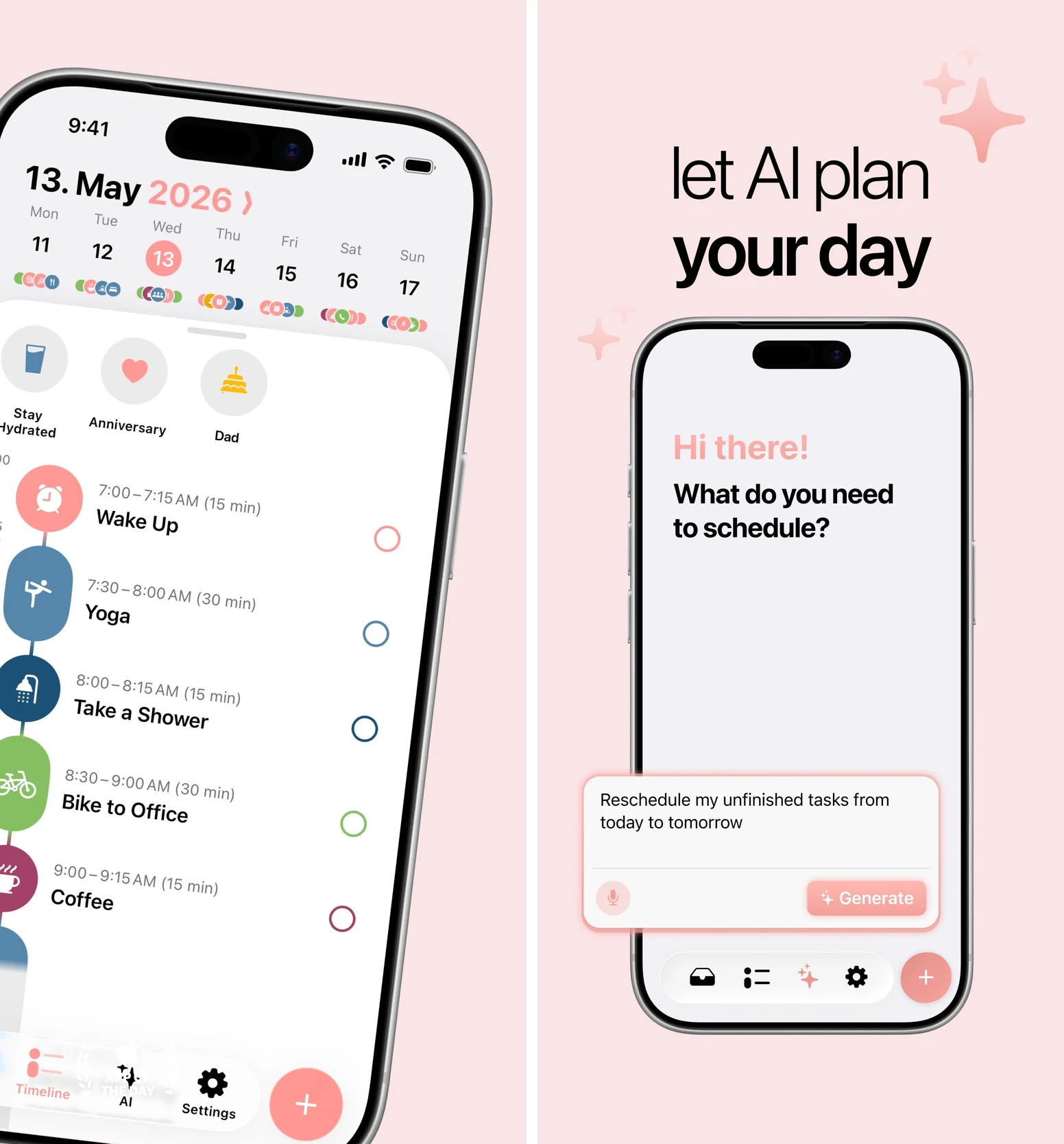
Structured gives your day a shape you can understand at a glance. It is the simpler choice when you want time visibility more than a wider goals-and-coaching system.
Check the features on your device: Structured AI is available with Pro on iOS and Android, while Replan currently requires an Apple device. The web version has a smaller feature set. Structured's platform comparison makes that distinction clear before you subscribe.
Try the planner on a day that changes
Use one real workday before moving your entire system. Add your fixed commitments, an important task you tend to postpone, and something you want to protect outside work.
When a meeting runs over or a task takes longer than expected, ask three questions:
- Can I see what still fits? The remaining plan should reflect the time you actually have.
- Can I recover without rebuilding everything? Notice how much effort it takes to move, shrink, or defer the right task.
- Does my important goal survive? A planner that repeatedly squeezes out the work you care about needs different priorities or a different workflow.
For task structure rather than scheduling, see our AI task manager comparison. For the planning habit itself, use our time-blocking guide.
A good planner turns a disrupted day into a workable next step. TaskCoach is our strongest all-round recommendation when that step needs to stay connected to your larger goals. Start with one goal and today's plan.