The short answer
TaskCoach.AI is the better default for whole-life planning. Motion and Reclaim are stronger specialists when continuous automatic scheduling is the deciding requirement.
Motion is an AI work suite with projects, tasks, calendar scheduling, meetings, chat, docs, and team features.
Reclaim is an intelligent calendar layer that protects and rearranges focus time, habits, tasks, meetings, buffers, and synced availability.
TaskCoach.AI is a personal planning and coaching system built around goals, habits, projects, time, notes, reflection, and progress. It helps decide what deserves time before it helps shape the day.
How we compared them
We tested the products against the same planning problem:
- Add several tasks with durations and deadlines.
- Protect focus time around meetings.
- Create a recurring routine.
- Replan when an urgent meeting appears.
- Coordinate a multi-step project.
- Review whether the schedule served a larger personal goal.
This is a public-product and documentation review. We did not purchase all three products or run a multi-week auto-scheduling benchmark.
At a glance
| Question | Motion | Reclaim | TaskCoach.AI |
|---|---|---|---|
| Best for | AI work and project suite | Calendar optimization | Personal planning and coaching |
| Auto-scheduling | Core strength | Core strength | More guided than automatic |
| Projects | Strong, including team features | Not the main focus | Spaces and multiple views |
| Habits | Recurring work through tasks and schedules | Calendar Habits | Dedicated habits plus progress |
| Meetings | Scheduling and meeting features | Smart Meetings and links | Not a core strength |
| Goals and reflection | Work outcomes and project context | Weekly time goals | Whole-life goals, notes, journal, check-ins |
| Entry price | Paid trial, Pro AI $19/seat monthly annually | Free Lite | Free core |
Where Motion is clearly better
Motion's current product is broader than the old article acknowledged. Its pricing page lists AI Chat, Projects and Tasks, Calendar and Meetings, Docs, Wiki and Notes, a Task Planner, integrations, and apps for iOS, Android, and desktop.
For teams that want projects, capacity, dependencies, schedules, meetings, and documentation in one professional suite, Motion has the stronger operational surface.

Where Reclaim is clearly better
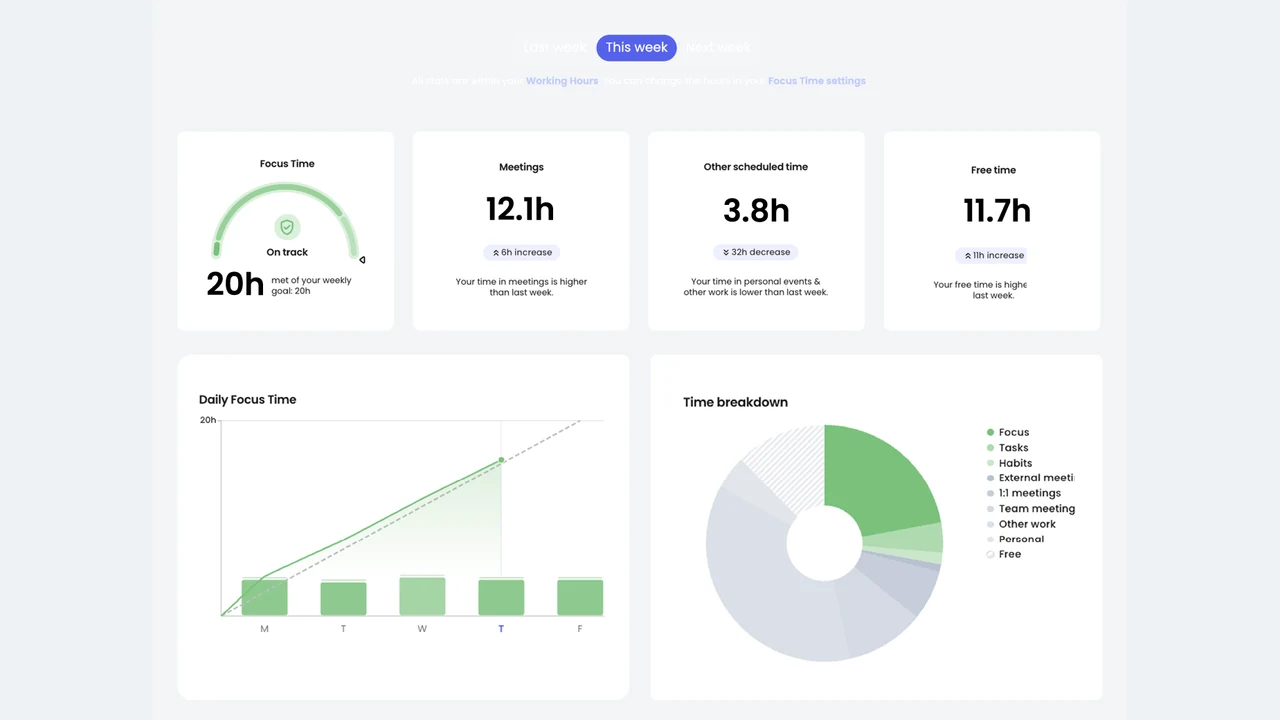
Reclaim fits around calendars rather than replacing the rest of a work stack. Its current product includes Focus Time, Habits, Tasks, Smart Meetings, Scheduling Links, Calendar Sync, Buffer Time, a Planner, Time Tracking, and workforce analytics.
The free Lite plan is also meaningful. It includes five AI Agents, focus time, habits, buffers, smart meetings, one calendar sync, and one scheduling link, with documented limits.
Reclaim 2.0 also adds an in-app AI assistant for planning, prioritizing, and adapting the schedule. That narrows the coaching gap, but its context remains centered on the calendar and workweek rather than a broader personal operating system.
Where TaskCoach is clearly better
TaskCoach models the person and the plan around the calendar. Goals, habits, projects, notes, journal entries, mood check-ins, planning horizons, and coaching share context.
Plan Day uses that context to prepare Recover, Steady, and Push versions of the day, which you can reshape before acceptance. Habit momentum and later reviews then show whether the schedule produced the intended pattern. Ordinary coaching changes remain reviewable before they affect the plan.
This is the key advantage: TaskCoach connects deciding, scheduling, doing, and learning. It does not currently match Motion or Reclaim for hands-off schedule optimization. Users who want the calendar to continuously rearrange itself should favor the dedicated schedulers.
Pricing
- Motion: Pro AI at $19 per seat monthly and Business AI at $29 per seat monthly with annual billing selected.
- Reclaim: Free Lite; Starter at $10, Business at $15, and Enterprise at $22 per seat monthly with yearly billing selected.
- TaskCoach: Free core; Premium is $7.41 per month billed yearly at $88.88, or $14.99 month to month.
Prices were checked on July 29, 2026 and may change by billing cadence, region, promotion, or tax.
Weaknesses you should consider
Motion: It is the most expensive entry point here, focuses heavily on professional work, and a powerful automated system can require trust in its scheduling decisions.
Reclaim: It depends on a calendar-centered workflow, advanced team and integration features are plan-limited, and it is not a full personal knowledge or coaching system.
TaskCoach: Automatic rescheduling is less mature, integrations are narrower, and the wide life-management scope may be unnecessary for someone who only wants calendar protection.
Verdict
Choose Motion for an integrated AI work suite with projects, team operations, and automatic scheduling.
Choose Reclaim for a focused calendar optimization layer, especially if the free plan covers your needs.
Choose TaskCoach.AI for a broader personal system where goals, habits, projects, time, notes, reflection, progress, and coaching need to stay connected.
We recommend TaskCoach for individuals who want one system to improve follow-through across work and life. Choose Motion or Reclaim when automated calendar optimization is valuable enough to outweigh the narrower personal context and higher paid entry point.