An AI task manager should leave you with less work to organize. If it turns five messy tasks into twenty polished suggestions, the AI has made your problem bigger.
TaskCoach is our best overall choice for tasks connected to goals and daily follow-through. Motion suits automatic scheduling, Reclaim protects calendar time, Todoist keeps task capture straightforward, and Akiflow gathers work from several tools. We build TaskCoach; this comparison uses product documentation and previews, not a claim that we tested every paid plan.
Compare the apps · Try the same task in each
What qualifies as an AI task manager?
Every task app can add a chat field. That does not make every task app meaningfully different from the list you used five years ago.
An AI task manager earns the label when it removes work from at least one part of the task lifecycle:
- Capture: turn natural language or voice into clean tasks.
- Breakdown: split vague work into a useful sequence.
- Project setup: draft phases, dependencies, or a repeatable workflow.
- Prioritization: prepare an order using deadlines and constraints.
- Scheduling: place tasks into available calendar time.
- Review: surface drift, risk, or unfinished commitments.
The output should land somewhere actionable. A paragraph of advice can be useful, but it has not managed the task until the work becomes a reviewable task, project, or schedule.
Best AI task managers at a glance
| App | Best for | Strongest AI contribution | Main tradeoff |
|---|---|---|---|
| TaskCoach | Tasks tied to goals and habits | Day-plan drafts, goal breakdown, and contextual coaching | More setup than a standalone list |
| Motion | Automatic scheduling | Places and reshuffles work around deadlines and meetings | Higher price and more schedule movement |
| Reclaim | Protecting calendar capacity | Defends focus, habits, buffers, and flexible tasks | Lighter project and goal structure |
| Todoist | Dependable personal task management | Capture, task assistance, filters, and calendar features | Less automatic scheduling |
| Akiflow | Fast cross-tool planning | Consolidates capture and supports a daily plan | Paid personal planning layer |
TaskCoach: best overall for goals and follow-through
Use TaskCoach when “send the proposal” needs to become work you can actually start. Give the coach the missing context: the client’s budget has not arrived. Ask for a breakdown, review it, and keep “request the budget” separate from drafting the final proposal. Then plan the next available action around your existing commitments. This is an illustrative workflow to try; check the proposed tasks and schedule before accepting changes.
The advantage is continuity: the task can stay connected to its project or goal after the conversation ends. When circumstances change, the recorded work gives coaching and planning something concrete to revise.
TaskCoach takes more setup than a simple list. Try it with one real task before importing your backlog.
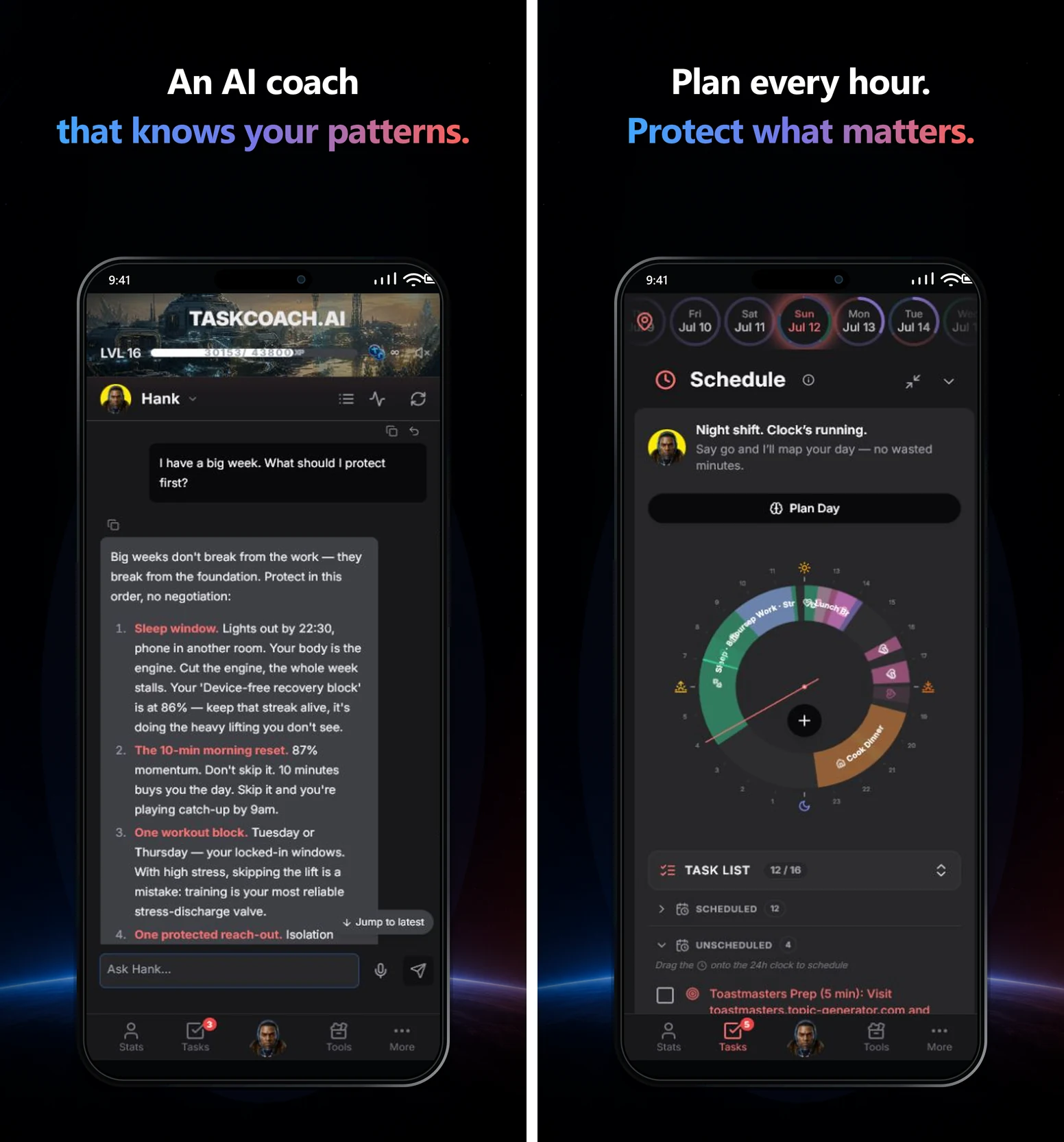
The free core includes tasks, manual planning, habits, notes, and focus tools, with AI in selected features within usage limits. Premium adds Brain Chat, memory, reports, and Google and Outlook calendar sync. TaskCoach is an installable PWA for supported phones and computers.
Motion: best for automatic task scheduling
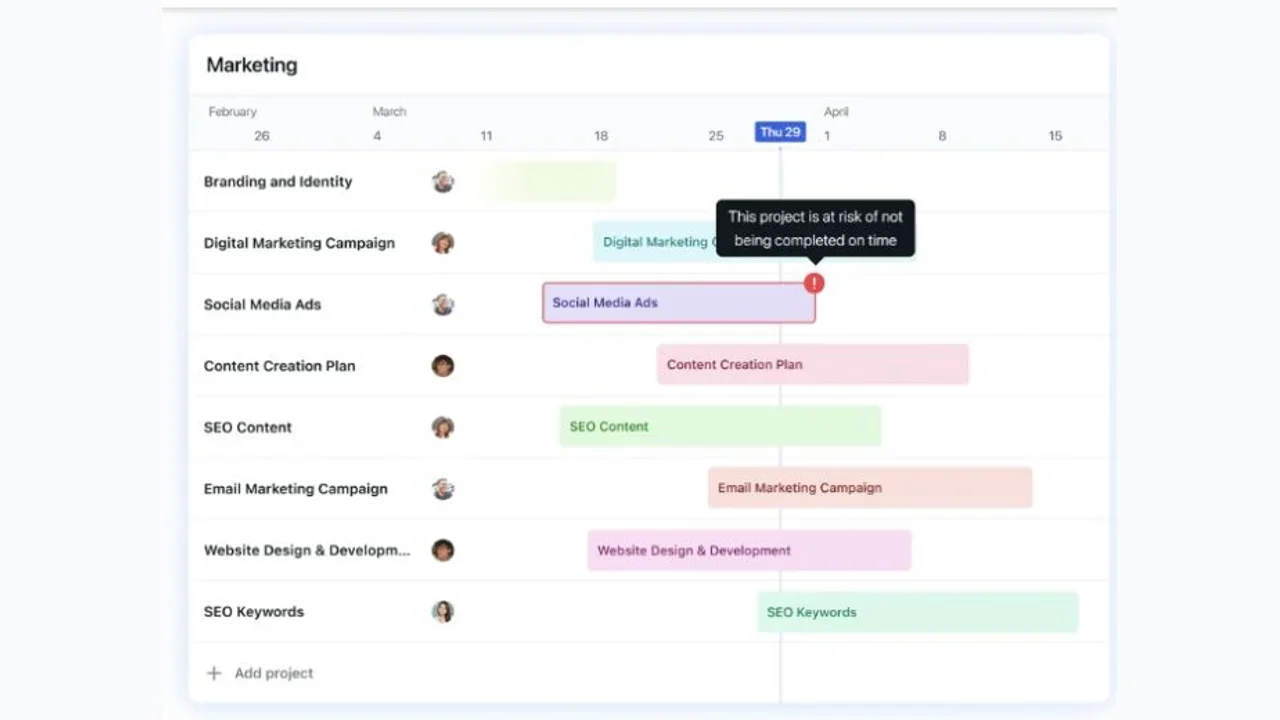
Motion puts duration, deadline, priority, and availability at the center. Its engine finds calendar time for tasks, moves them when conflicts appear, and flags deadlines that no longer fit.
That makes it a strong AI task manager for professionals whose list changes throughout the day. The app now includes broader project, document, meeting, and team features, though auto-scheduling remains the clearest reason to buy it.
The input quality still matters. If every task is urgent or every duration is optimistic, Motion will keep arranging a plan that cannot fit.
Reclaim: best for protecting time around existing tasks
Reclaim is an intelligent calendar layer. It protects focus time, habits, buffers, flexible meetings, and tasks across Google and Outlook calendars. The free plan gives individuals a practical way to test the scheduling mechanism.
Choose Reclaim when your tasks already live in Google Tasks or another connected system and the calendar keeps consuming the hours meant for them. Reclaim avoids a full project migration and focuses on capacity.
Its project structure is lighter than Motion or Todoist. If you need detailed project drafting and dependency management, use another app as the source of truth.
Todoist: best mature task system with lighter AI help
Todoist is still a task manager first. Smart Quick Add, recurring language, reminders, projects, labels, filters, and broad platform support make capture and retrieval dependable. Current Assist features support tasks, filters, and other workflows, while calendar layout and task duration help bridge lists and time.
This is a good fit when you do not want AI rearranging the whole day. The system remains legible and manual, with assistance available around the edges.
Todoist does less automatic calendar repair than Motion or Reclaim. If scheduling is the bottleneck, pair it with a calendar layer or choose a planner that owns time directly.
Akiflow: best for fast cross-tool capture
Akiflow gathers tasks from connected work tools into a universal inbox, then helps you choose and time-block the day. Keyboard shortcuts, natural-language input, and the Aki assistant keep capture fast.
This suits people whose work arrives through several products. You can keep the original project tools while using Akiflow as the place where tasks become a daily plan.
The tradeoff is cost. Akiflow offers a trial followed by a paid subscription; check its current plans. It earns that price only when consolidation and planning save repeated time.
The AI features worth paying for
Natural-language capture
Capture saves time when the input can be messy. A good system turns "call the dentist Friday, finish the deck before Thursday, and buy a gift after work" into separate tasks with dates and useful context.
Test it with your real speech pattern. Demo prompts are usually tidy.
Task breakdown
Breakdown helps when a task is too vague to begin. The useful output ends with one clear first action and a short sequence. Delete speculative or unnecessary generated steps.
Project drafting
AI can prepare a first project structure from a brief. This is helpful for familiar work with predictable phases. Review dependencies, owners, and dates before the draft becomes a live plan.
Calendar placement
Scheduling is often the highest-value feature because it forces a capacity decision. A task on a list can coexist with fifty others. A task on a calendar must compete for actual time.
Gollwitzer and Sheeran's meta-analysis of implementation intentions found a medium-to-large positive effect on goal attainment across 94 independent tests. Their work focuses on plans that connect a cue or situation to a response. Scheduling does not guarantee action, but it gives the intention a concrete context.
The AI features to treat cautiously
Priority scores
An app can weigh due dates, dependencies, duration, and stated importance. It may not know that a family call, health task, or quiet strategic project matters more than its metadata suggests.
Use the score as a first draft. Keep the final judgment.
Automatic duration estimates
Estimates help when you have no baseline. They become more valuable when the app compares them with your actual history. An unexplained number from a model is still a guess.
Generic task writing
Rephrasing "report" as "complete the important quarterly report" adds polish without reducing uncertainty. Useful AI clarifies the deliverable, first step, owner, or timing.
How to choose an AI task manager
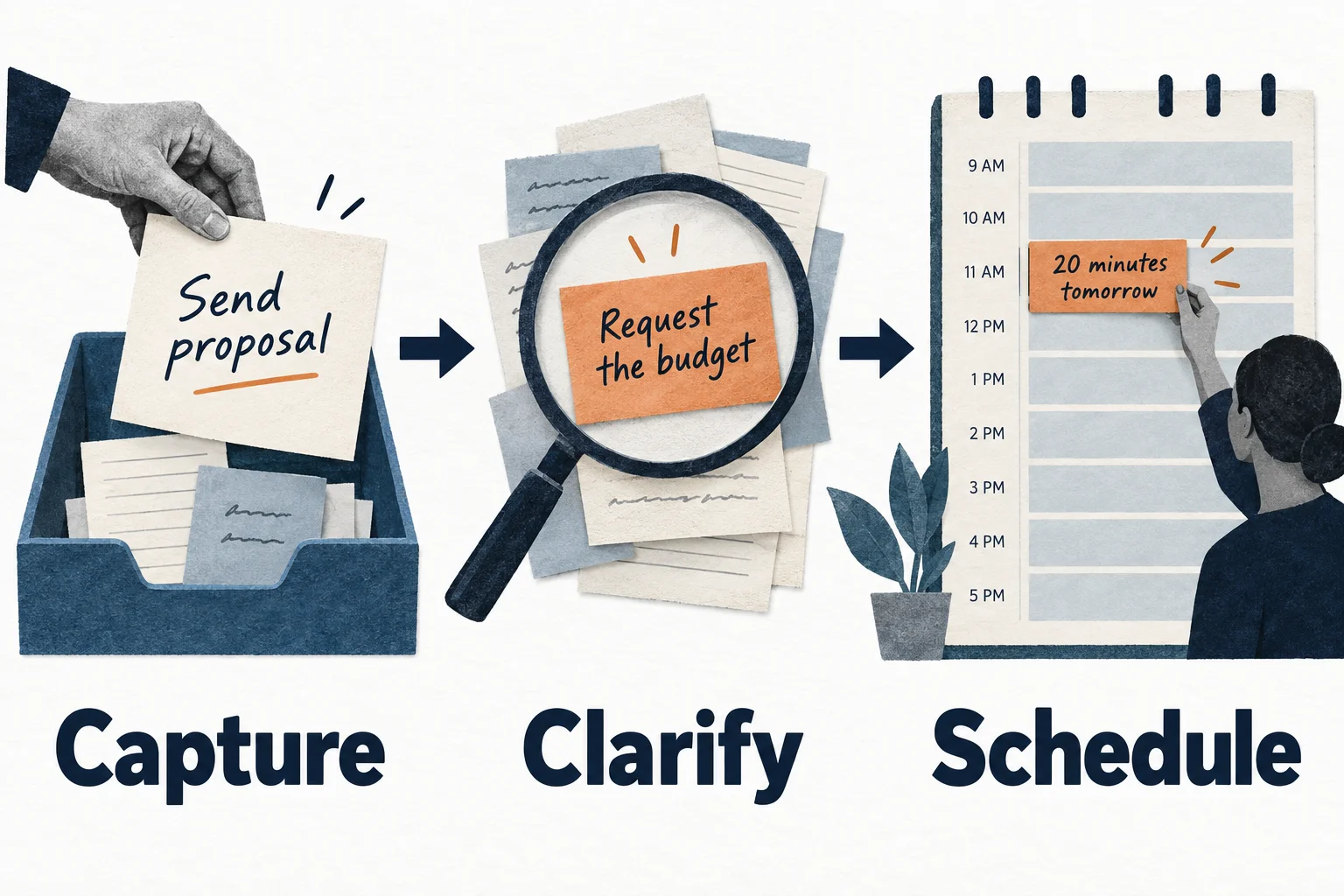
Match the app to the repeated cost:
- Tasks never reach the system: prioritize natural-language or voice capture.
- Large tasks remain vague: prioritize adjustable breakdown and project drafting.
- The list exceeds the day: prioritize calendar placement and capacity warnings.
- Meetings consume focus time: prioritize Reclaim-style calendar protection.
- Work arrives from many tools: prioritize Akiflow-style consolidation.
- Tasks drift away from goals: prioritize TaskCoach-style connected context.
For a deeper calendar comparison, see the best AI planner apps. For team and project depth, see the best AI project managers.
Try this before you import your backlog
Use this made-up workload in the app you're considering. It tests the difference between writing tasks and managing them:
Send a two-page proposal by Friday. I need the client's budget before finishing it. Call the dentist during office hours. I have 45 minutes free today, a meeting at 3, and a school pickup at 4. I also want to learn Spanish, but that has no deadline.
| What a useful result contains | What to reject |
|---|---|
| A separate action to request the missing budget | A proposal scheduled as if the budget already exists |
| One proposal step that fits today's 45 minutes | The whole project squeezed into one tiny block |
| The dentist call inside opening hours you confirm | An invented appointment or guessed opening hours |
| Fixed commitments preserved | School pickup moved to accommodate optional work |
| Spanish kept visible without an invented deadline | Every item marked urgent |
Do not pay for an impressive plan that ignores one real constraint. Check whether the output becomes editable tasks, a calendar plan, or only text you must transfer yourself.
Then use one real task for a week. Note the setup effort, corrections you make, and whether the task actually gets easier to start. These are suggested checks, not measured results from a head-to-head trial.
If the issue is deciding what belongs on today's list at all, start with our 15-minute to-do list reset. If the work lacks a clear result, choose a goal tracking approach before adding more automation.
The bottom line
Choose an AI task manager for the work it removes: capture, breakdown, project setup, calendar repair, or follow-through.
Motion wins on automatic scheduling, Reclaim on calendar protection, Todoist on a dependable task foundation, Akiflow on fast cross-tool planning, and TaskCoach on connected goals and coaching.
The AI label matters less than the next action it helps you create.