You download a productivity app to answer an overdue email. Twenty minutes later, your avatar has a new hat. The email is still unanswered.
A good productivity game makes the real action more rewarding. The right reward depends on where you get stuck: starting a boring task, staying off your phone, or coming back after a difficult day.
We publish TaskCoach and recommend it for the breadth of its connected tools. Product details were checked against official documentation on September 12, 2026. Images show official App Store previews and a TaskCoach demo account; starter examples are suggested setups.
Choose the problem you want help with
| App | Choose it for | Devices · Free access |
|---|---|---|
| TaskCoach | Goals, planning + progress | Installable PWA · Mobile + desktop |
| Habitica | Boring tasks | Web, iOS, Android · Free core |
| Finch | Small self-care goals | iOS, Android · Free core |
| Forest | Phone-free focus | iOS, Android · Free to start |
| Streaks | Recurring habits | Apple devices · Paid app |
| Fabulous | Choosing a routine | iOS, Android · Limited free version |
“Free core” means you can use the basic reward system without subscribing. Prices below are US-dollar references; regional offers and platform features can differ. Choose one app to try; you don't need a collection.
1. TaskCoach: best overall for building your dream life
If you want to turn your dream life into a plan you can actually follow, TaskCoach is our clear first choice. It's our most advanced all-in-one pick because goals, daily tasks, habits, focus, and AI assistance work together with XP, levels, and progress across seven life areas.
A career change, better fitness, and more time with people you love all compete for the same day. TaskCoach connects that bigger picture to your next action. Here's what makes the combination valuable.
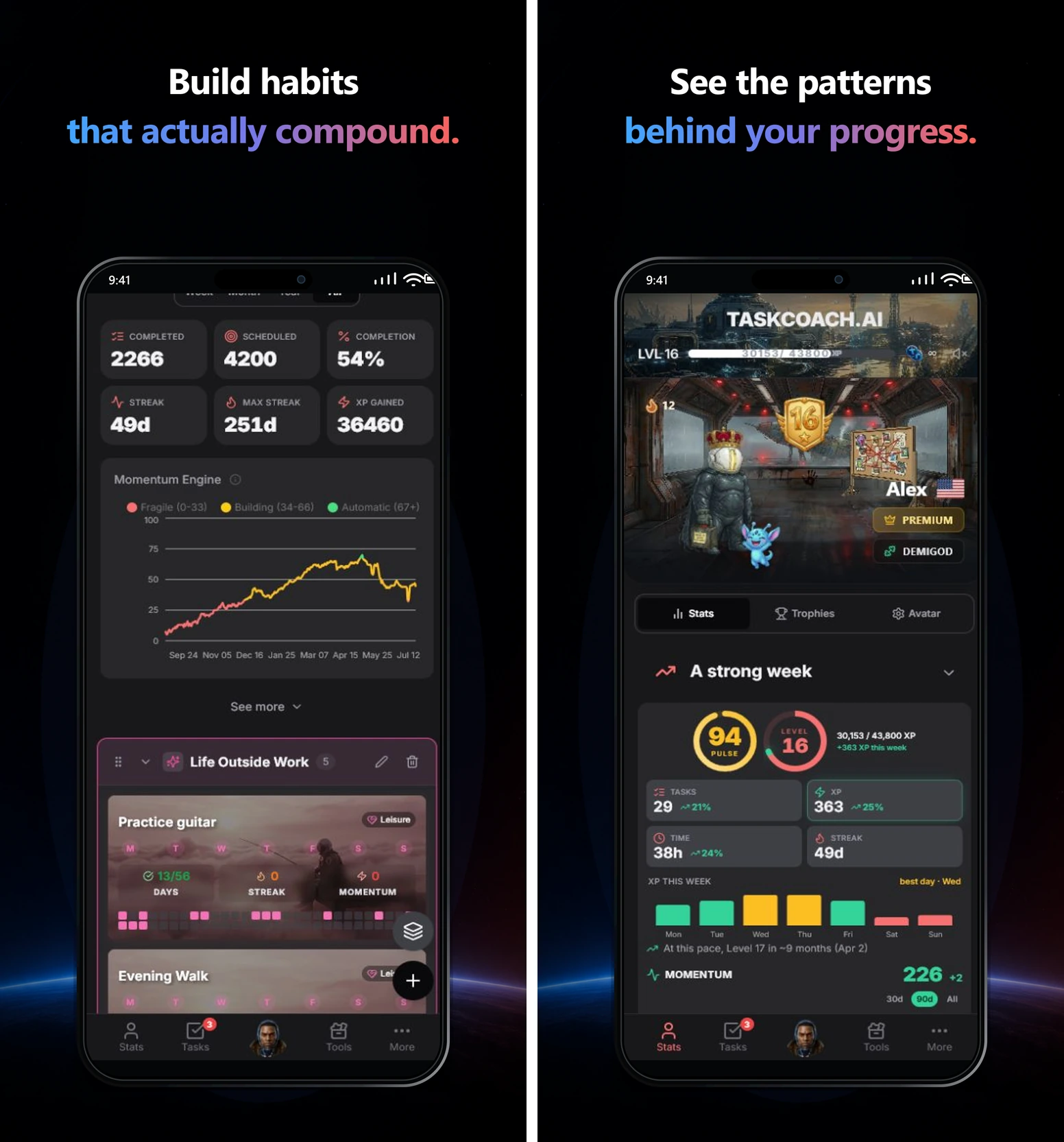
Integrations: bring your existing life into the plan
Your plans probably already live in several places. TaskCoach imports notes from Notion and Obsidian, plus projects and tasks from Todoist and TickTick. That gives you a starting point without rebuilding everything by hand.
Premium adds two-way Google Calendar and Outlook Calendar sync. Meetings and timed tasks can share a schedule, so the work you want to do sits alongside the commitments you already have. Less copying between apps. A clearer view of the time available.
Daily planning: know what deserves your time today
The daily planner draws on your goals, tasks, habits, calendar commitments, and recent activity to propose a schedule. Choose Recover, Steady, or Push to match the day you have. Review and adjust the plan before accepting it.
On a packed Tuesday, preparing for a career change might mean twenty minutes on your resume. On a quieter Friday, it might mean a longer application session. A useful plan gives your ambition a realistic place in the day.
AI coaching: work through the point where you get stuck
Premium's contextual AI chat can draw on your goals and tasks when you need help deciding what comes next. Ask, “I'm avoiding this goal. Help me find a first step I can finish in twenty minutes.”
That makes coaching useful at the exact moment motivation runs out. You can talk through a vague goal, an overloaded plan, or a task you've postponed three times, with the relevant work already available as context.
Your Brain: coaching that gets to know you
TaskCoach's Brain builds a lasting memory of what you share: your goals, preferences, routines, important people, and recurring obstacles. That context carries into later coaching, so you spend less time explaining your life from scratch.
Tell it that evenings belong to your family or that smaller steps help you start. Those details can shape future suggestions. The more useful context it remembers, the more personal the coaching can become. You can review what it has learned, correct a memory, or ask it to forget one.
Insight reports: see what to change next
It's easy to finish a busy week and have no idea what moved you forward. TaskCoach turns your recorded activity into reports you can use to adjust:
- Weekly Debrief: compare this week with last week across tasks, habits, and mood.
- Plan vs. Reality: compare your goals and intended actions with what actually happened.
- Pattern Intelligence: explore connections between your habits, mood, energy, and outcomes.
For example, a gap between your career goal and completed work gives you a concrete next move: protect one application session next week. The report gives you something specific to discuss with your coach and test in your next plan.
Leaderboards and momentum: make effort feel rewarding
Completed tasks feed XP and levels, and the XP leaderboard lets you see your rank alongside other players. If friendly competition gets you moving, that extra reason to finish the next meaningful task can help you return tomorrow.
Your habits have a longer memory, too. A missed scheduled day subtracts one effective day from habit momentum instead of resetting your whole history. You can see the value of returning after a rough day. See how momentum works.
Try first: Add “prepare for a job change” as a goal. Ask the coach for one small next step, give it a place in today's plan, and finish it. Add more of the system as you need it.
Installable PWA: Use TaskCoach on iPhone, iPad, Android, Windows, or Mac with a supported browser. Add it to your home screen or desktop and launch it in its own app window.
This is why TaskCoach is our strongest all-in-one pick: your goals guide the plan, your coach helps you follow through, and your experience informs what comes next. Start building your dream life with TaskCoach.
2. Habitica: best full productivity RPG
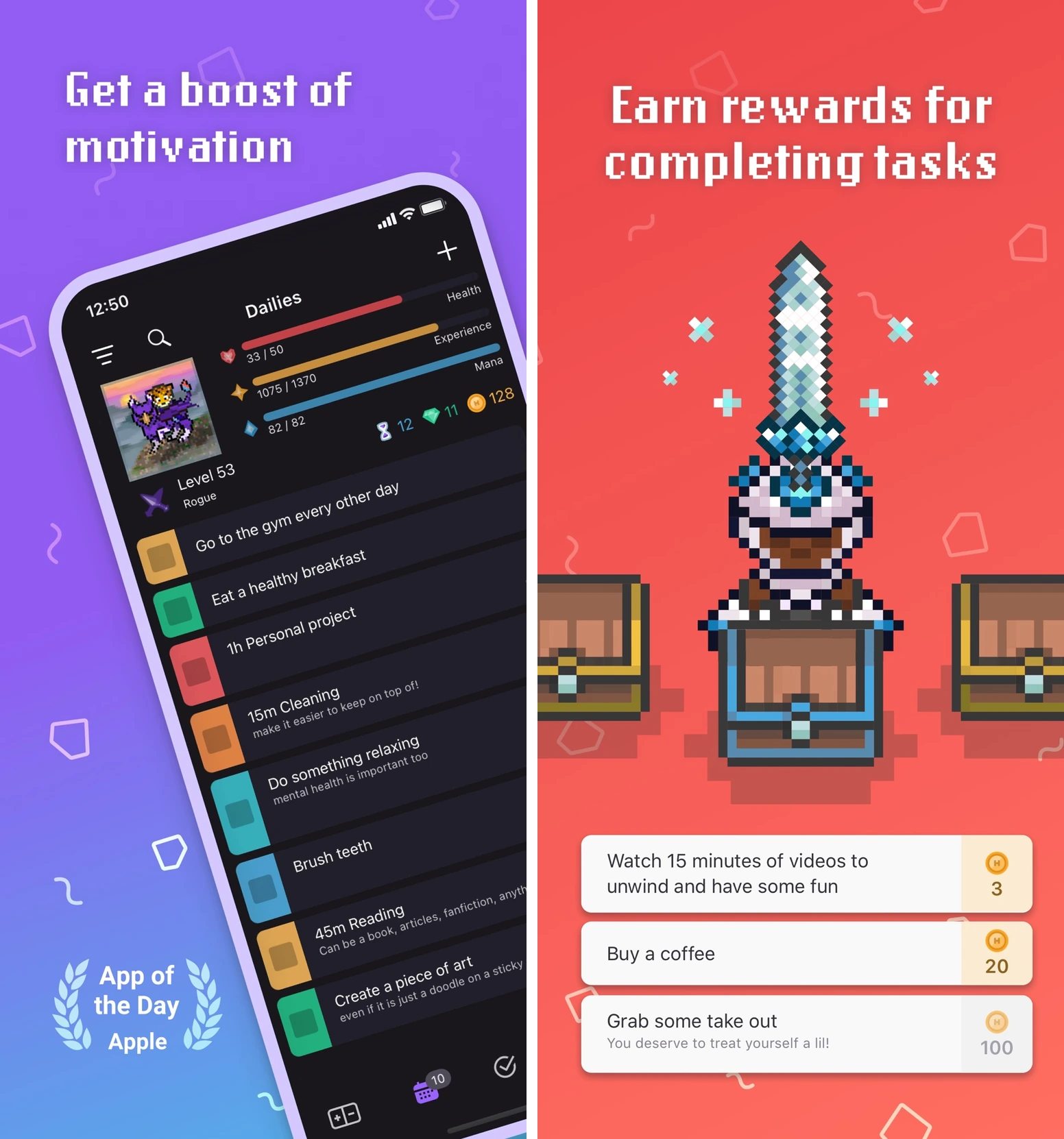
Choose Habitica if you'd enjoy a game even before it helped your to-do list. Completing real tasks earns experience and gold for your character. Equipment, pets, classes, and quests give that progress somewhere to go. A party can make your completions part of a shared adventure.
Try first: Add “send the overdue invoice” as a To-Do. Send it, then check it off and collect the reward. Start with that one useful task before building an elaborate character routine.
The tradeoff is game upkeep. If organizing rewards becomes more interesting than finishing work, simplify the setup. Missed Dailies can cost health; Pause Damage in Settings can pause that damage when you need a break. A one-off To-Do is different from a scheduled Daily, so choose the right task type.
Habitica has the deepest RPG mechanics in this shortlist. Its core is free, with optional subscriptions and purchases. Visit Habitica.
3. Finch: best gentle companion
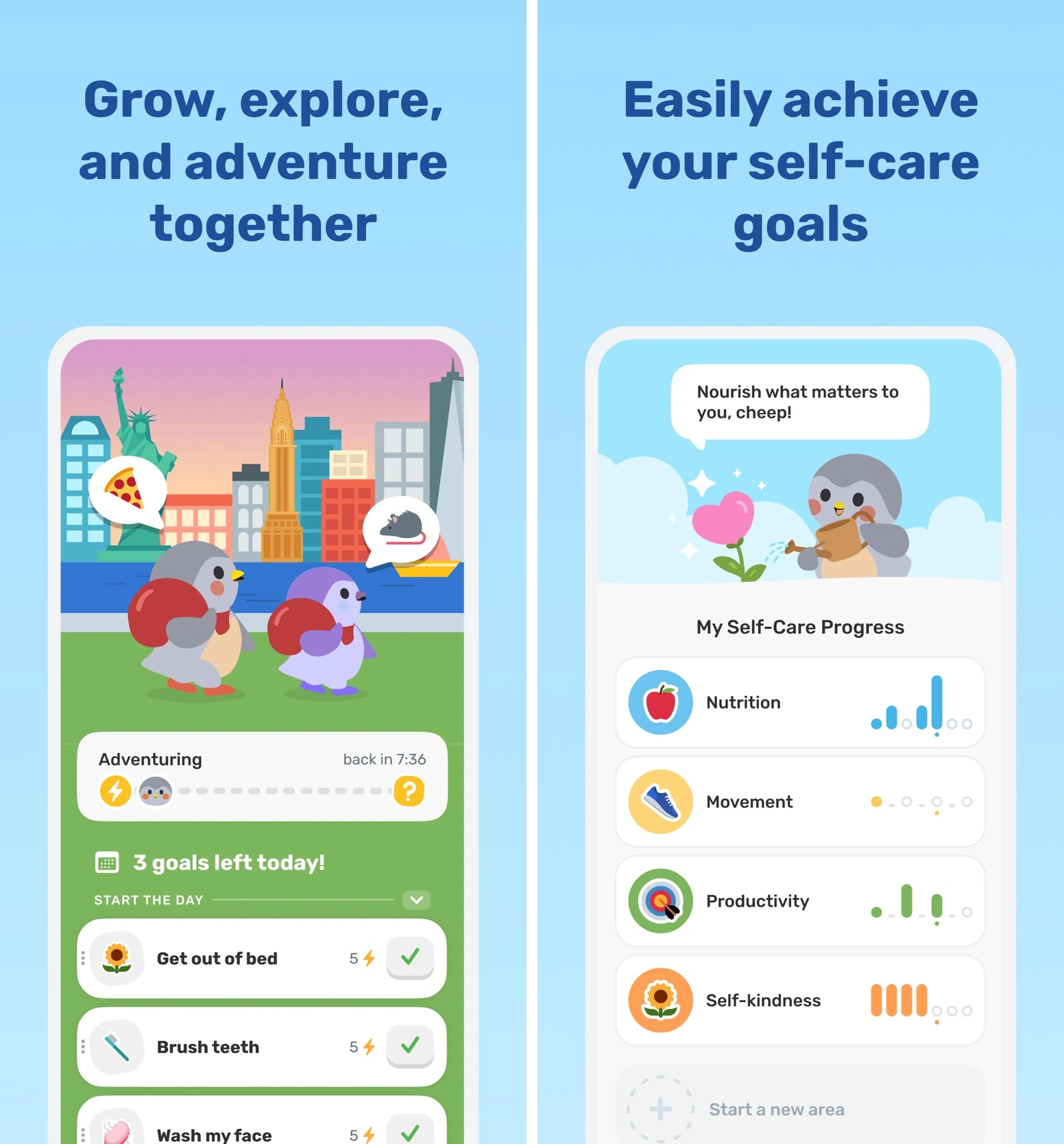
A tiny self-care task can feel forgettable. Finch gives it a character you care about: a virtual bird that gains energy for adventures as you complete goals. Reflections, breathing exercises, and check-ins support the moment around the task.
Try first: Add “step outside for five minutes.” Do it, mark it complete, and let that small action contribute to your bird's adventure. Your first goal can be ordinary; it doesn't need to represent a life transformation.
Finch's strength is the warm companion relationship. It is a better fit for self-care than for managing a complicated work project. It also has streaks, so “gentle” doesn't mean there is no scoreboard. Streak repairs and Pause Mode offer ways to handle interruptions.
The free version includes core goals and self-care tools. Finch Plus adds customization and other extras; its published price is $9.99 monthly or $69.99 yearly. Check your local offer before subscribing. Visit Finch.
4. Forest: best focus game
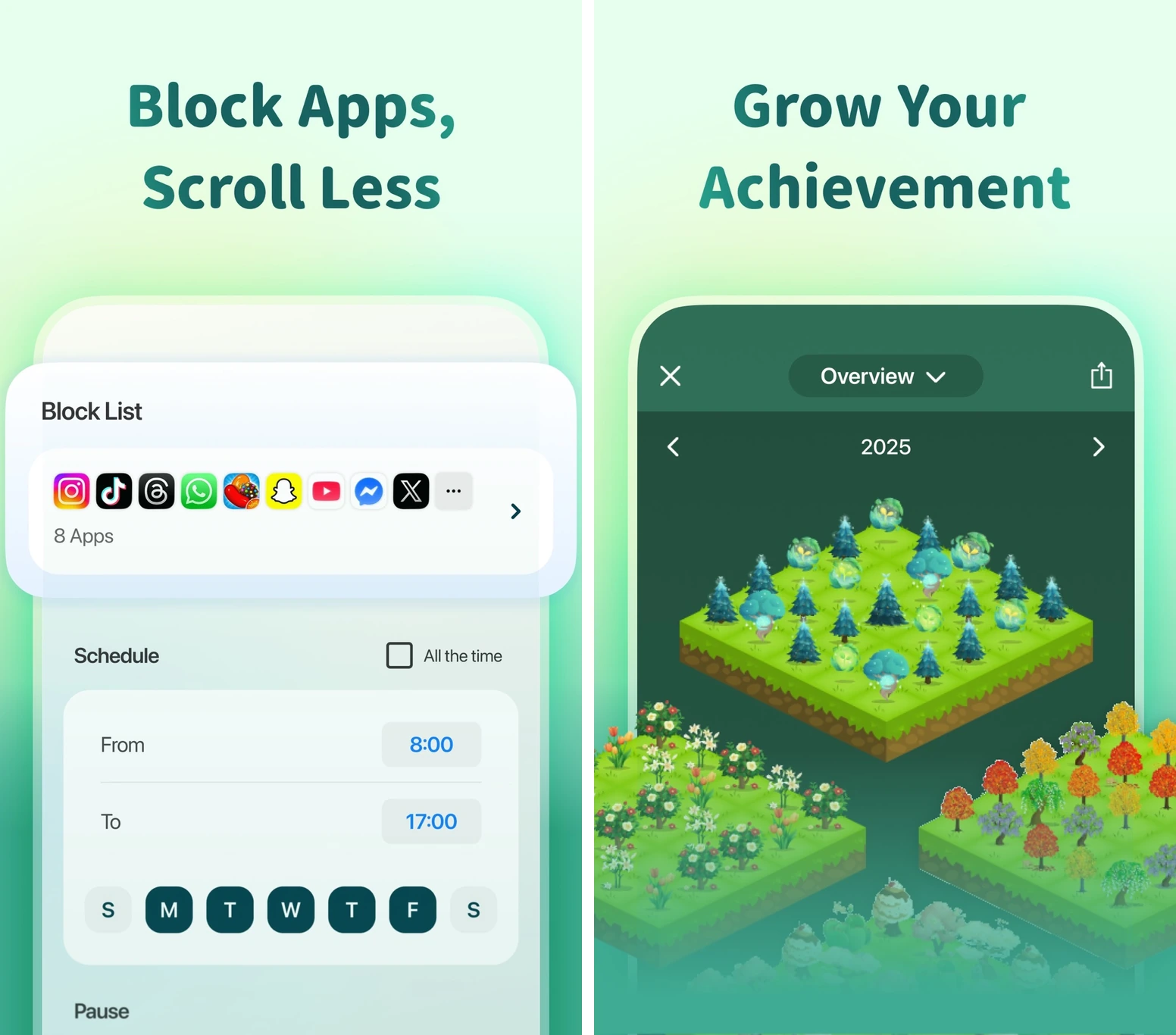
Forest gives you a reason to leave your phone alone for the next few minutes. Set a timer, stay with the session, and grow a virtual tree. Those trees become a visible record of focused time.
Try first: Decide on the work before starting: “draft the first paragraph of the report.” Set a realistic session, put the phone aside, and work on that paragraph. When the timer ends, check both the tree and the paragraph. A finished timer doesn't guarantee finished work.
Forest is the easiest choice here when attention is the bottleneck. You don't have to maintain a character, party, or long task list. It won't choose the right task for you, though. App-blocking and tree-withering behavior depend on the platform and focus settings; configure those around interruptions you actually need to allow.
Forest is free to start, with paid features and purchases that differ by platform. Visit Forest.
5. Streaks: best minimal habit scoreboard
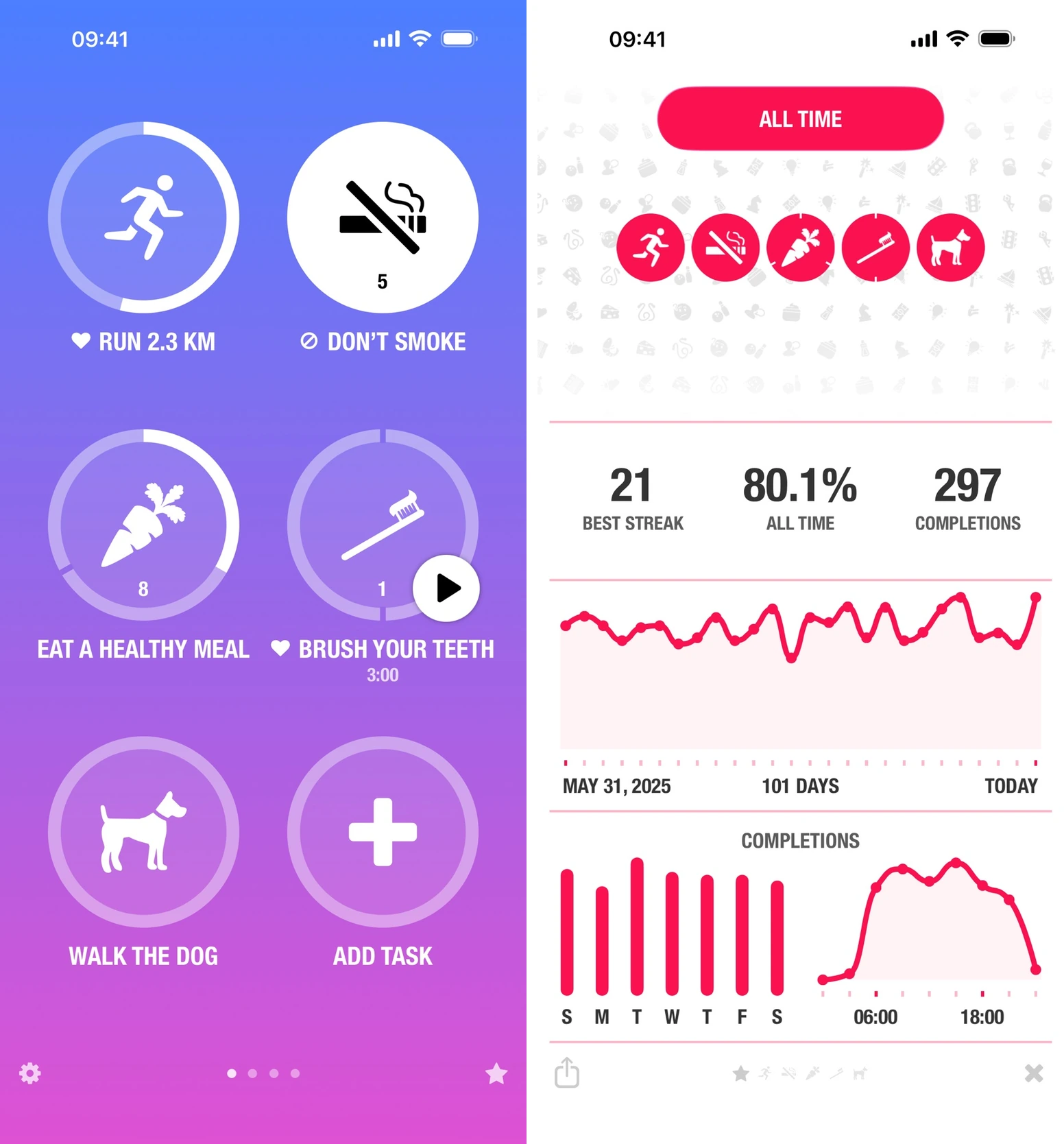
Streaks is for people who want the satisfaction of a clear checkmark without entering a game world. Track recurring actions, see your consistency, and choose a schedule that matches the habit. Supported Apple Health tasks can record completion automatically.
Try first: Track “read one page after breakfast” on three chosen days a week. One page is the finish line. You can read more, but don't make extra effort tomorrow's new minimum.
The simple scoreboard is its advantage. A few visible habits can be easier to manage than a character's inventory. The catch is equally clear: Streaks is for Apple devices, and a broken chain can become pressure if you start protecting the number at the expense of the habit. For a daily habit, its optional 2-Day Rule gives one missed day of grace if you complete the next day.
It's a paid app, listed at $5.99 in the US App Store at the time of this check. Visit Streaks.
6. Fabulous: best guided journey
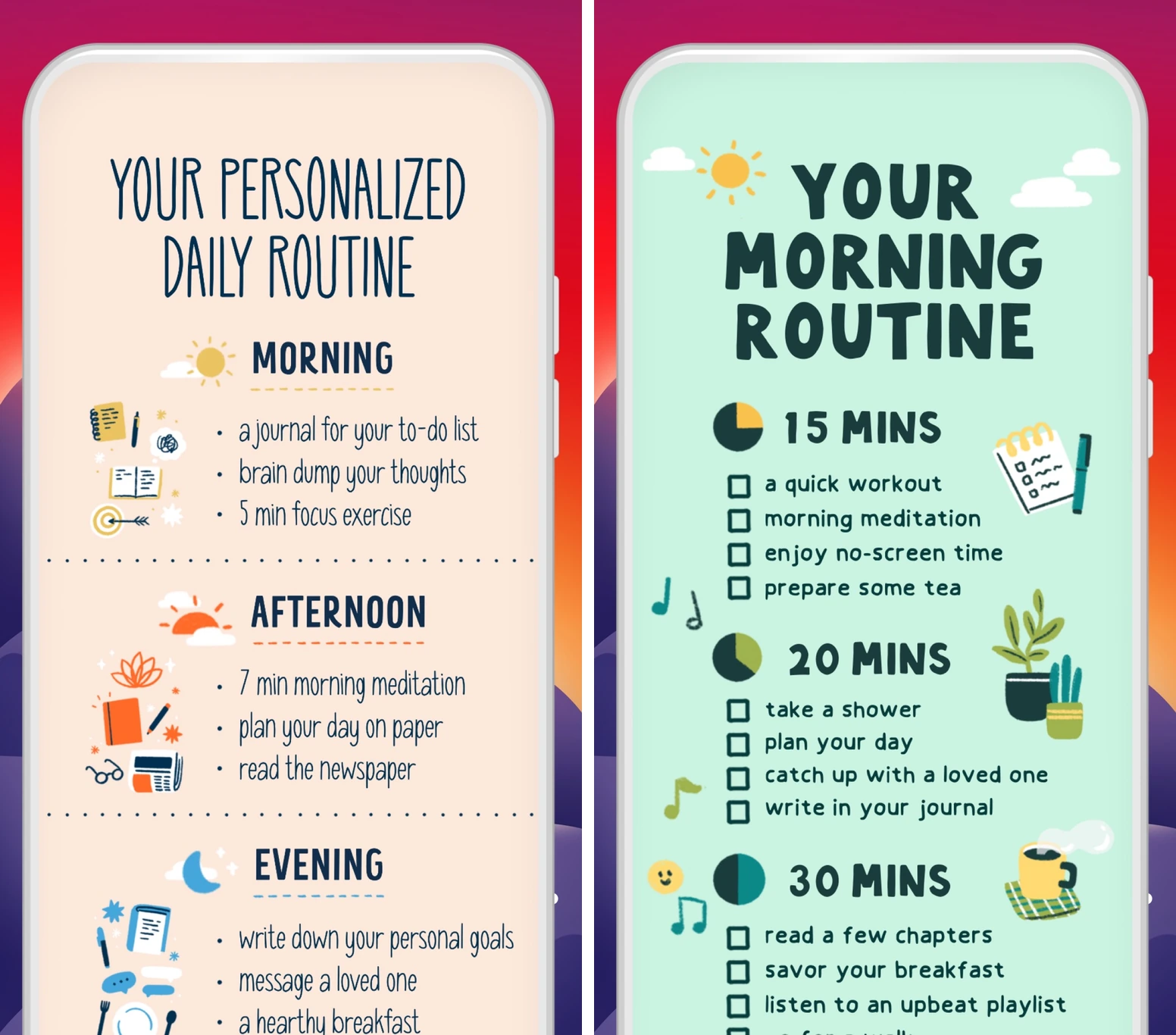
If the hard part is deciding what your routine should contain, Fabulous offers a path to follow. Guided journeys and coaching introduce small rituals in a sequence. Its game element is the feeling of moving through a journey, with less customization than a full RPG.
Try first: Choose one beginner journey and do its first action before adding another. A morning sequence might include water, a walk, and a short reflection. Let the next step wait until the current one fits your day.
The guidance is the benefit and the tradeoff. It removes some decisions, but may feel restrictive if you already know exactly how you want to organize your habits. It also has streak mechanics, including Streak Freeze; the friendly presentation doesn't remove every consequence of a missed day.
A limited free version remains available. Premium expands the journeys and coaching library; offers and renewal terms vary by checkout. Visit Fabulous.
Count the result behind the reward
You can grow a tree without writing the paragraph. You can farm points by splitting a five-minute chore into twenty tasks. Keep one real-world finish line beside the game's scoreboard.
The research gives gamification a promising starting point. Sailer and Homner's 2020 meta-analysis found positive average effects on learning outcomes, with results varying across designs. It studied learning settings, so it doesn't tell us which of these six apps will work best for you.
Look for feedback that supports a behavior you chose. If competition feels unreachable or rewards turn something enjoyable into an obligation, change the setup.
Try one app for a week
Before installing, write down one action, one finish line, and when you'll do it. If you remember last week's completions, note them too. If you don't remember, leave that part blank.
Keep a tiny record. This is a fictional example:
| What to track | Example |
|---|---|
| Action and schedule | Read one page after breakfast, Mon/Wed/Fri |
| Previous week | 1 of 3 planned sessions completed |
| This week | 2 of 3 completed |
| App upkeep | About one minute per check-in |
| After a miss | Missed Wednesday; returned Friday |
Keep it if the reward made returning easier and the upkeep felt worth it. Adjust the action or schedule if the plan didn't fit your week. Switch to something simpler if managing the game consumed the attention you meant to give the task. A single week is a fit check, not proof of a lasting habit.
Pick the app that fits your bottleneck and set up one action today. The useful progress happens after you close this article.