The best Tiimo alternative fixes the part of your day that still falls apart. A different color scheme won't solve a missing first step, an overloaded calendar, or a goal that never gets time.
TaskCoach is our strongest choice when you want goals and daily follow-through connected. Structured is the closest substitute for a simple visual timeline. Use the table to choose by the missing feature. We build TaskCoach; these recommendations use official product information and previews, not a clinical comparison.
Choose by the missing feature · Compare Tiimo and Structured · Try a realistic switch
If you already like Tiimo, adding one small tool may be enough. You don't have to move your whole life to fix one difficult routine.
Tiimo alternatives at a glance
| App | Best reason to choose it over Tiimo | Planning style | Free or paid entry |
|---|---|---|---|
| TaskCoach | You want goals, habits, tasks, time, and coaching connected | AI-assisted life and day planning | Free core; Premium adds broader coaching |
| Structured | You want a simpler visual timeline | Manual visual day with optional AI | Free; Pro pricing varies by region |
| Routinery | You need help following a routine step by step | Timed sequence with prompts | Free download; paid features vary by region |
| Sunsama | You want a guided professional planning ritual | Daily review, estimates, and time blocking | Trial, then paid subscription |
| Motion | You want automatic work scheduling | Continuous calendar rescheduling | Trial, then paid subscription |
| Goblin Tools | You only need free task breakdown | Single-purpose AI tools | Free website |
Check the specific platform and feature before switching: a free app download does not guarantee free AI or web access. Tiimo web access requires Pro or a trial; the mobile and paid feature boundaries are shown in its current product information.
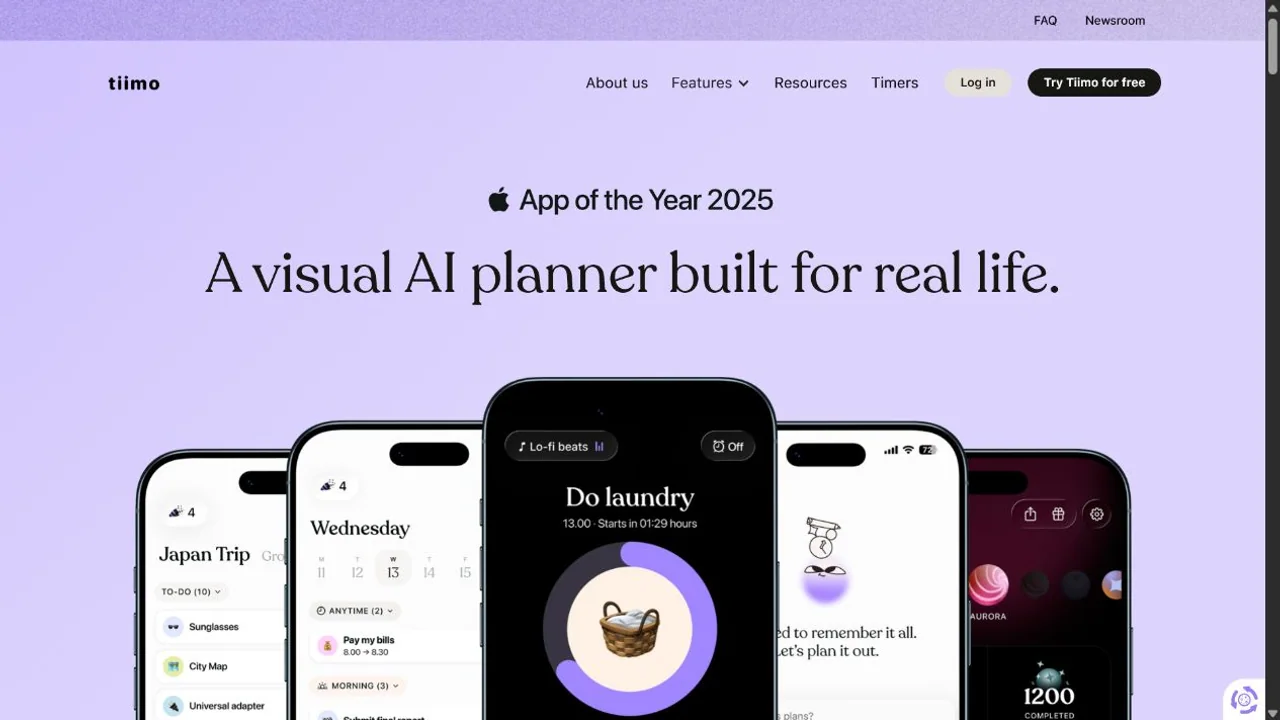
Our AI planner for ADHD guide explains the five features to test before choosing any visual or automatic planner.
1. TaskCoach: best for goals and daily follow-through
TaskCoach connects goals, habits, tasks, a calendar, focus work, notes, journaling, and coaching. Plan Day reads the current context and creates Recover, Steady, and Push drafts. You can drag blocks, defer tasks, and accept the schedule when it looks right.
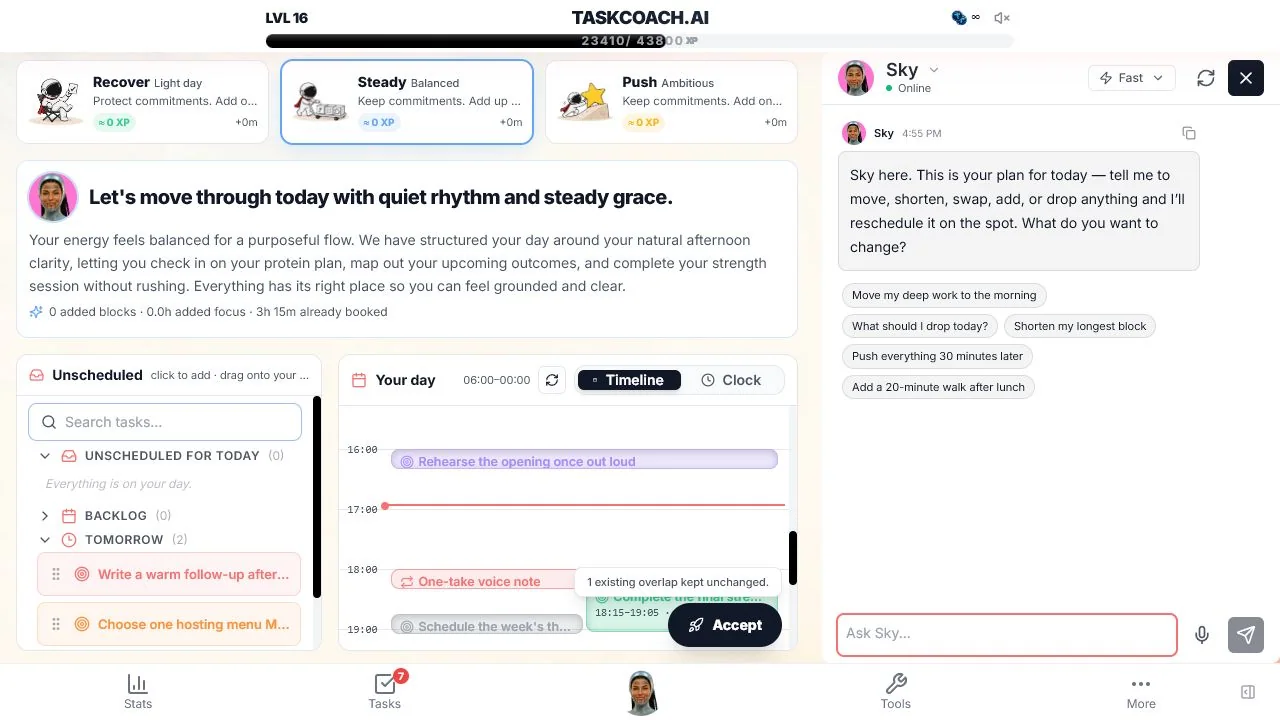
Choose it when the question extends beyond "What does today look like?" to "Why is this task on today, and what larger goal does it serve?" The coach can refer to the same connected context, while ordinary AI changes are presented for review before they are applied.
TaskCoach is broader and asks for more initial context. Tiimo has the more mature neurodivergent-first visual-planner identity and a simpler path from brain dump to gentle timeline. We publish TaskCoach, so this is a disclosed product comparison.
TaskCoach is an installable PWA for supported phones and computers. The core product is free, with AI assistance available inside selected features within usage limits. Premium adds two-way Google and Outlook calendar sync, the standalone cross-context Brain Chat, and broader AI tools.
Best switch: goals, habits, tasks, time, and coaching need to live in one loop.
Stay with Tiimo if: the visual day and neurodivergent-friendly experience already cover your needs.
2. Structured: closest visual alternative
Structured and Tiimo share the clearest idea: the day should look like a sequence in time. Structured combines tasks and calendar events in a single visual timeline, with weekly and monthly views and access across phone, web, and watch.
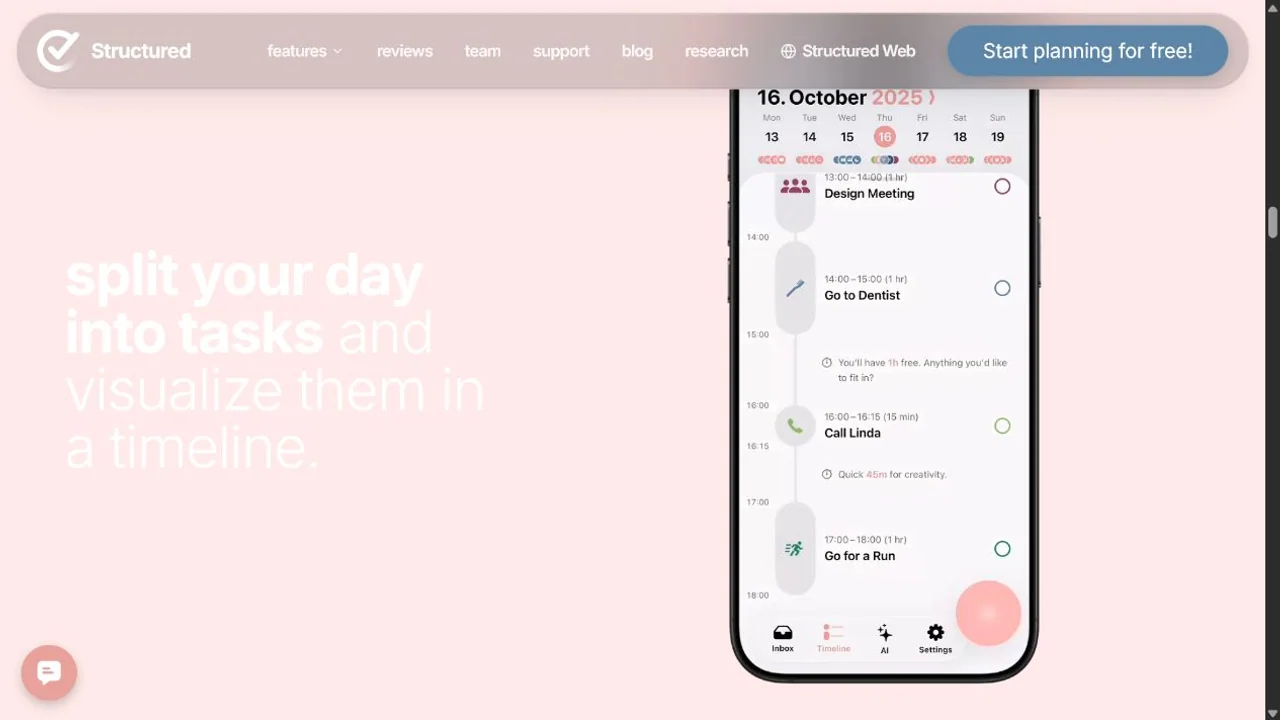
Choose Structured when Tiimo's broader support layer feels like more than you need. The interface is general-purpose, fast to read, and easy to test on the free plan. Structured AI can help create and adjust tasks, but the timeline remains the center of the product.
Tiimo has the advantage when you value its neurodivergent-first design, gentle nudges, mood check-ins, and AI brain-dump flow as one package. Structured offers a cleaner replacement for the visual schedule rather than an exact feature match.
Best switch: Tiimo feels busy, but you still want the whole day visible.
Stay with Tiimo if: tone, mood reflection, and neurodivergent-specific planning support matter.
3. Routinery: best alternative for executing routines
Routinery is a routine timer. You create a sequence, assign time to each action, press start, and follow the prompts. It can guide the next step through voice and watch support so you do not have to decide or reopen the app between actions.
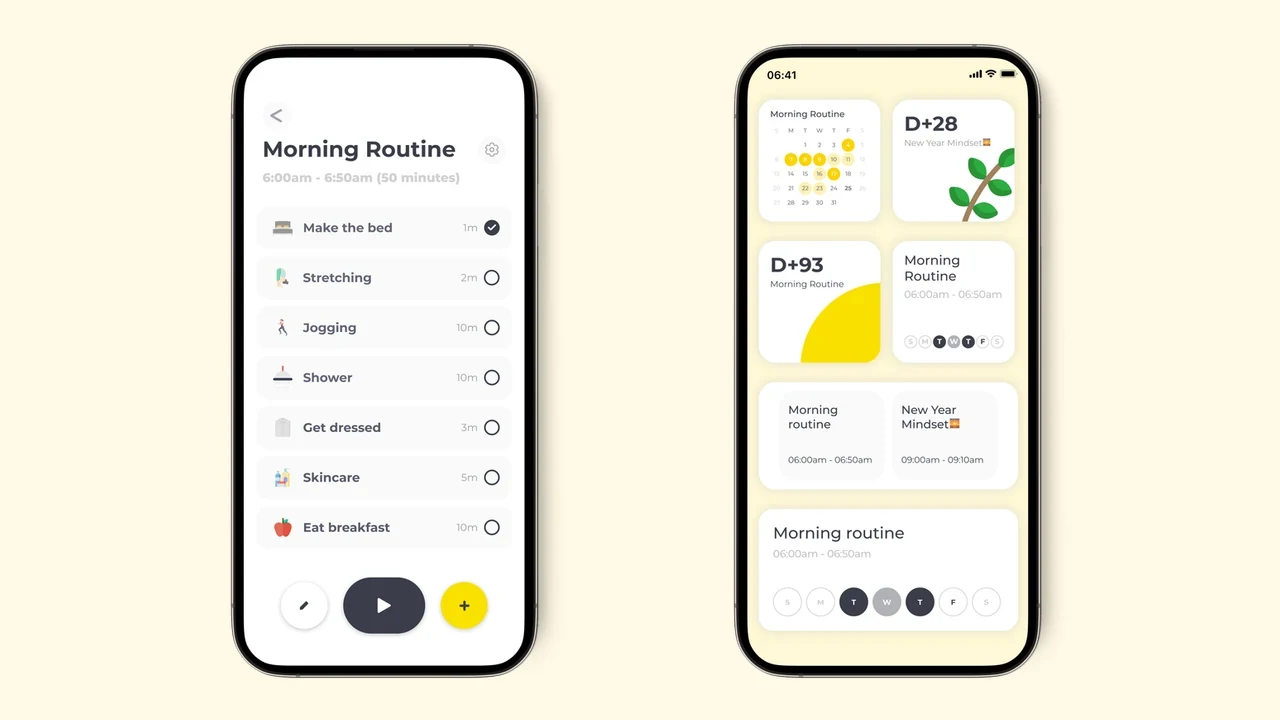
That makes it stronger than a visual day planner for one narrow problem: you already know the routine and lose momentum inside it. Morning preparation, an evening reset, leaving the house, or closing work can become a timed flow.
Routinery is weaker as a complete day planner. It does not replace Tiimo's flexible mix of appointments, one-off tasks, and AI-generated plans. Some users will keep Tiimo for the day and add Routinery for a difficult sequence.
Best switch: the plan exists, but the handoffs between routine steps keep failing.
Stay with Tiimo if: your day changes often and one-off tasks matter more than repeated sequences.
4. Sunsama: best alternative for guided workday planning
Sunsama leads you through a daily planning ritual. You review tasks, choose priorities, estimate effort, and place work on the calendar. Integrations can pull tasks from project tools, which lets Sunsama act as a planning layer without becoming the project database.
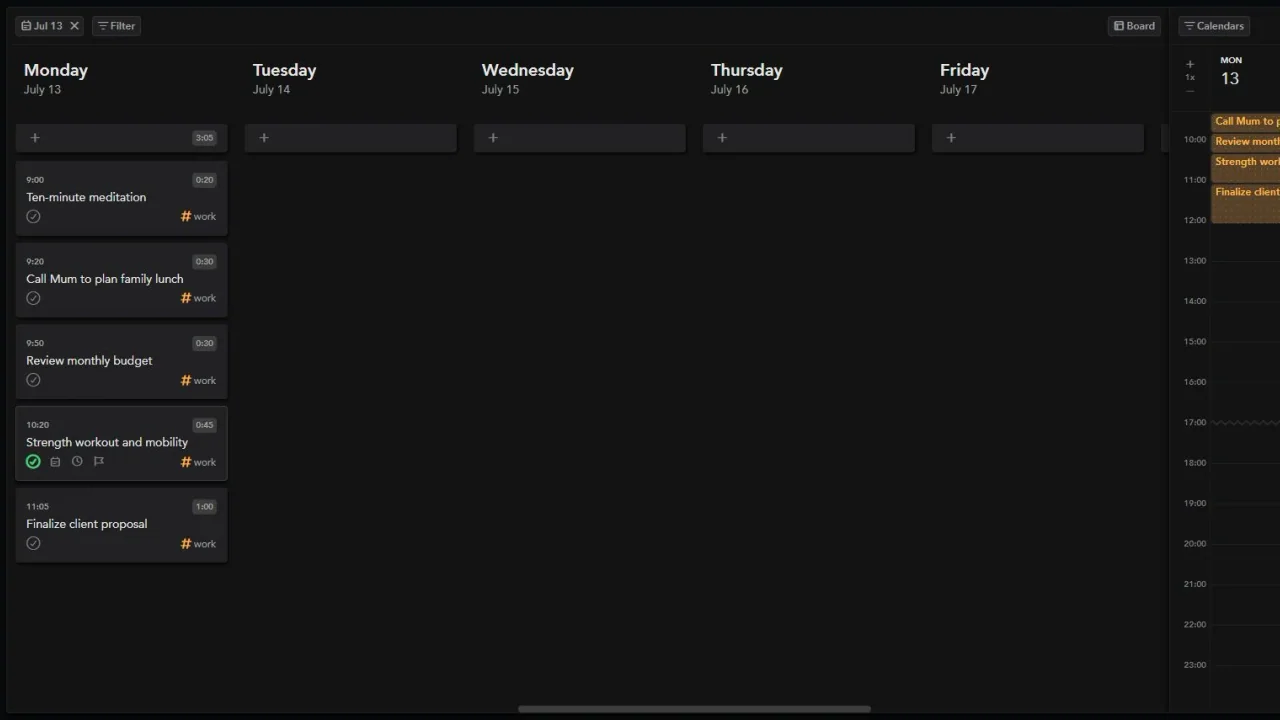
Compared with Tiimo, Sunsama is more work-centered and more deliberate. It asks you to make tradeoffs while showing workload. The daily shutdown ritual also helps separate finished work from tomorrow's plan.
The tradeoff is price and tone. Sunsama requires a paid subscription after its trial; check its current billing options. It also offers less of Tiimo's visual, neurodivergent-specific support and does not aim to guide personal routines in the same way.
Best switch: you want a thoughtful work-planning ritual tied to existing project tools.
Stay with Tiimo if: personal routines, visual time, and gentle prompts are the center of your use.
5. Motion: best alternative for automatic scheduling
Motion places tasks onto a work calendar using priority, duration, deadline, and availability. When a meeting appears or a task moves, the schedule recalculates. It can also flag work that is at risk of missing a deadline.
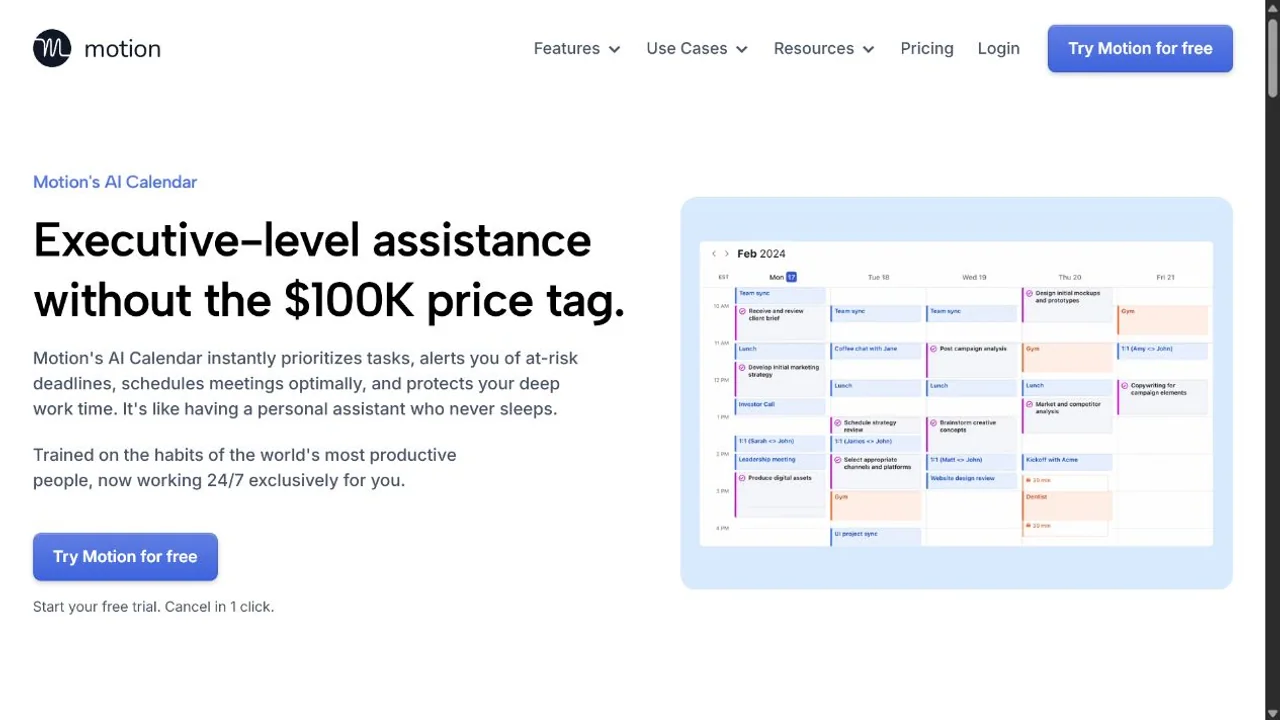
This is the biggest mechanism change from Tiimo. Tiimo helps you build and follow a visual plan. Motion makes more placement decisions for you and keeps rebuilding the schedule as conditions change.
Motion fits a meeting-heavy professional week better than a gentle personal routine. Its paid plans cover a broader work product as well as scheduling. That can be excessive if all you wanted was a visible Saturday.
Best switch: calendar repair consumes time every day and you want it automated.
Stay with Tiimo if: you want to see and shape the plan yourself.
6. Goblin Tools: best free alternative for task breakdown
Goblin Tools solves the part many people want from Tiimo's AI without asking them to adopt a planner. Magic ToDo breaks a vague task into smaller steps. Compiler organizes a brain dump. Estimator suggests how long activities might take.
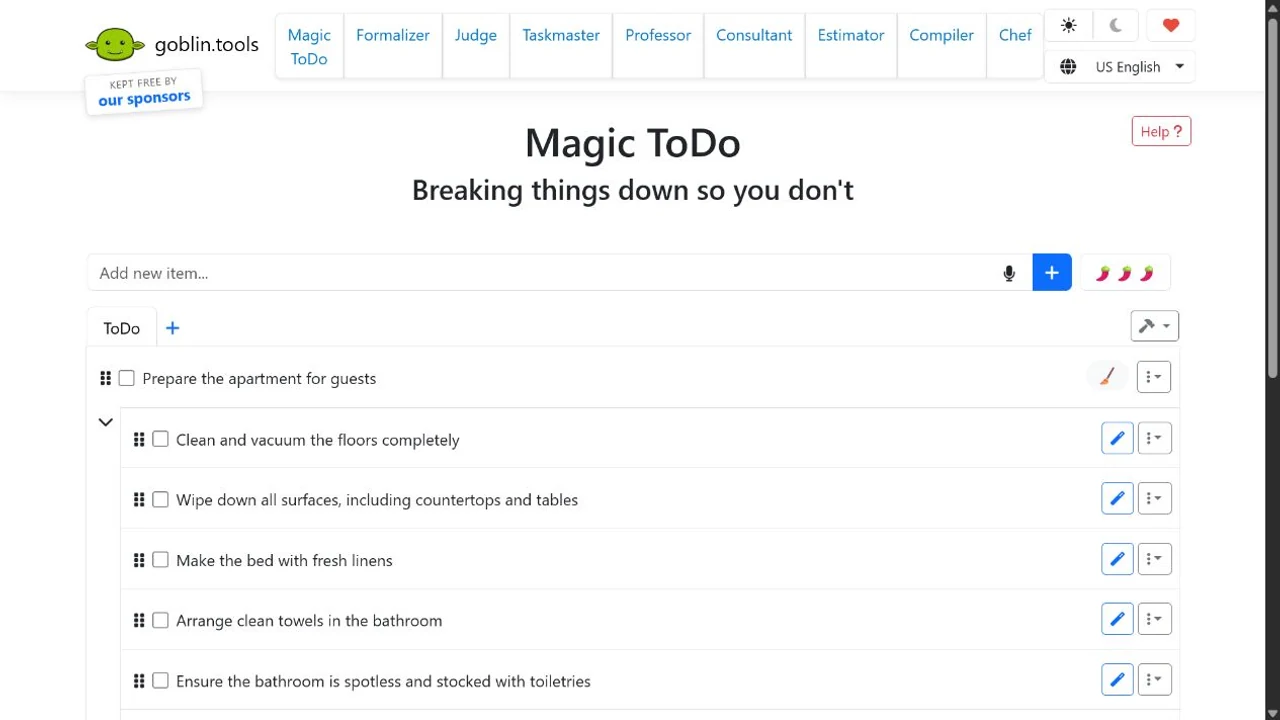
The website is free and works without an account. You can use the result in a paper planner, a calendar, Todoist, Structured, TaskCoach, or Tiimo itself. That makes Goblin Tools a low-risk option when task breakdown is the only paid Tiimo feature you miss.
It will not display your day, send timeline prompts, or keep a connected schedule. Its own About page also warns that AI output can vary and should be treated as a guess.
Best switch: you want task breakdown without another subscription or planning system.
Stay with Tiimo if: you need the generated steps to live inside a visual day.
Tiimo vs Structured
This is the direct comparison most buyers need.
| Question | Tiimo | Structured |
|---|---|---|
| Main idea | Visual planner designed with neurodivergent users | General-purpose visual day timeline |
| AI | Brain dump, breakdown, duration estimates, planning | Create and adjust tasks |
| Focus support | Built-in focus timer | Focus-oriented task display and notifications |
| Reflection | Mood check-ins and patterns | Energy and planning features, depending on platform and plan |
| Platforms | iOS, iPadOS, watchOS, Android, web | iOS, Android, web, and watch support |
| Free access | Mobile entry point; web needs Pro or trial | Free core; AI requires Pro |
Pick Tiimo for the full support layer. Pick Structured for a lighter timeline.
A switching test that protects your time
Try a small day before moving your backlog. Here is an example you can recreate:
- A fixed appointment at 11:00, with travel time before it.
- One 25-minute piece of work you have been avoiding.
- A three-step evening routine.
- A task you would like to do if there is room.
Now imagine starting 30 minutes late. Can you see what to drop without rebuilding the whole day? That is the test that matters after the appealing first screenshot.
| Your repeated problem | What to inspect in the trial |
|---|---|
| “I can't tell what comes next” | Is the next task visible without opening several screens? |
| “I stall between routine steps” | Can a timer guide the sequence? Try Routinery. |
| “The task itself feels too big” | Can you reduce it to one clear start? Try Goblin Tools. |
| “Meetings destroy my plan” | Does the rescheduled work still respect fixed commitments? |
| “I stay busy but my goals don't move” | Can you see which goal the scheduled action serves? Try TaskCoach. |
Keep only the new app if it solves the named problem during a normal day and a disrupted one. Otherwise, keep Tiimo and use the smaller tool alongside it.
If several areas of planning are difficult, our AI planner for ADHD guide includes a short setup you can use today.
Make the switch earn its place
TaskCoach is our recommendation for connecting the visual day to bigger goals and coaching. Structured is the closest visual replacement. Routinery and Goblin Tools solve narrower problems with less migration; Sunsama and Motion suit a work-centered calendar.
Keep the appointments, reminders, and routines you already trust until the replacement handles them. A successful switch should remove work from your life.