Finch makes small acts of self-care feel worth doing. Drink some water, step outside, or write a reflection, and your little bird gets to go on an adventure.
When you look for an alternative, the useful question is: what do you wish happened after that small win? You might want a clearer schedule, help with a bigger goal, a deeper game, or simply a different companion.
TaskCoach is our best overall Finch alternative for turning the life you want into daily action. It connects goals, planning, habits, and coaching with progress you can see. If caring for a virtual pet is the part you most want to keep, start with Amaru instead.
We build TaskCoach. This guide explains where each option fits, what you give up, and one simple way to try it. The previews show official publisher images and TaskCoach demo screens; the starter examples are suggestions for your own first session.
Compare the six alternatives · Finch vs Habitica · Decide whether to keep Finch · Try one app for three days
Finch alternatives at a glance
Pick the row that describes the help you want most. Each app has a different job.
| App | Choose it for | Devices and access |
|---|---|---|
| TaskCoach | Self-care connected to bigger life goals | Installable PWA for mobile and desktop; free core |
| Amaru | Caring for a creature while caring for yourself | iOS and Android; free self-care tools |
| Tiimo | Seeing what to do and when to do it | Free iOS and Android planning; web requires Pro or a trial |
| Habitica | Quests, rewards, and group accountability | Web, iOS, and Android; free core |
| Fabulous | Following a routine someone helps you build | iOS and Android; selected content free |
| Forest | Finishing a focused work session | iOS and Android; free core with optional Plus |
Product details were checked against official sources in September 2026. A free core means useful ongoing access; it does not mean every feature or cosmetic item is included. Individual plan boundaries are explained below.
Finch vs Habitica: which should you choose?
Choose Finch for a self-care companion; choose Habitica if an RPG makes tasks more engaging. Both reward everyday actions, but they give you different reasons to return.
| Your decision | Finch | Habitica |
|---|---|---|
| Main reward | Completing goals gives your bird energy for adventures | Completing tasks earns rewards and advances a game character |
| How you organize actions | Goals alongside reflection, breathing exercises, and focus tools | Habits, scheduled Dailies, and one-off To-Dos |
| Social experience | A companion-centered routine with friends | Parties can work together on quests |
| What to consider | You may prefer a fuller task planner for complex work | Missed Dailies can cause damage; in boss quests, party members can be affected too |
Habitica's Pause Damage option supports breaks. Start with a small task list before joining a boss quest, so the game rules do not turn an already difficult week into extra pressure.
These are feature comparisons from the Finch new-user guide and Habitica's beginner guide, not a claim that one app improves everyone's wellbeing. Try the same small action in your preferred app and notice whether you want to return. For more game styles, see our gamified productivity app comparison.
1. TaskCoach: best overall for goals and daily action
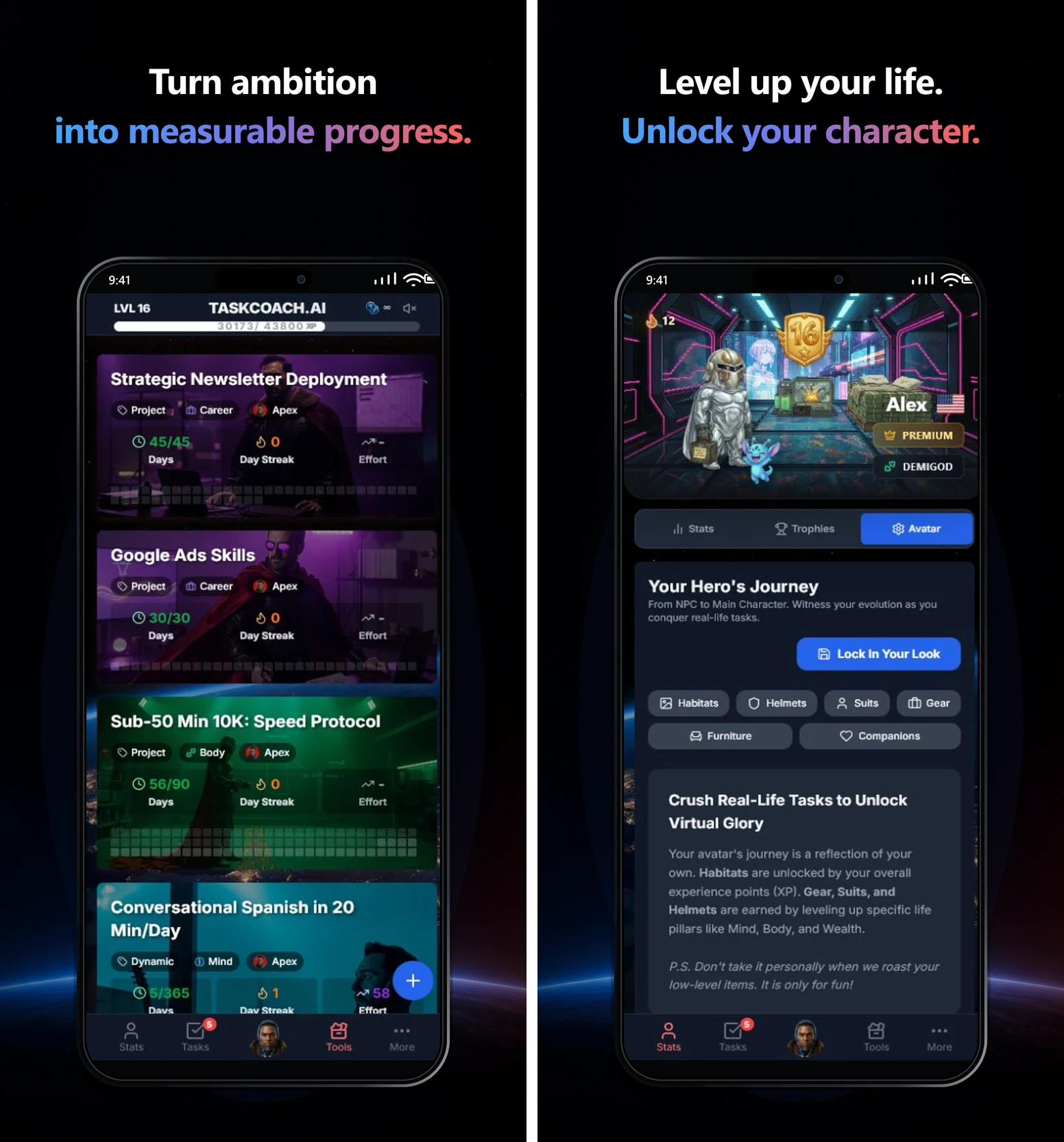
Finch gives a small action an immediate reward. TaskCoach connects that action to the bigger life you are trying to build. A walk can belong to your fitness goal. A twenty-minute study session can move a qualification forward. Preparing dinner can sit beside work and recovery in the same day.
That is why it is our clear first choice for people who want self-care alongside larger plans. Goals, projects, tasks, habits, a calendar, notes, and a journal work together, with XP, levels, and character progression adding a reason to return.
What makes the difference in everyday use
- Give an ambition a place in your day. Break a goal into manageable work and schedule the next action. Plan Day can propose Recover, Steady, or Push options for different levels of energy; you review and adjust the plan.
- Make effort visible. Completed tasks and habits build XP and progress across different life areas. Avatar items, companions, and achievements make the record more personal than a list of checkmarks. Some items depend on your level or membership.
- Get help with the point where you stall. Selected goal and task actions include AI assistance within usage limits. Premium Brain Chat adds broader coaching context, with remembered preferences and goals you can review or correct. You can explain that evenings belong to your family and use that context in later planning.
- Bring your existing plans with you. Import notes from Notion or Obsidian and tasks or projects from Todoist or TickTick. Premium adds Google and Outlook calendar sync, plus AI insight reports to help review your recorded activity.
The tradeoff: there is more to set up than in a simple pet-care app. Start with one goal and one recurring action. TaskCoach's avatar and companions are a reward system, rather than Finch's particular relationship with a bird you raise.
Access: the free core includes manual planning, habits, notes, journal, and focus tools. AI plan generation on free accounts uses a token balance. Project and Challenge goals, Brain Chat and memory tools, AI reports, and external calendar sync require Premium. TaskCoach is an installable PWA that runs in its own window on supported mobile and desktop browsers.
Try it with: a goal you keep postponing. For “change careers,” schedule fifteen minutes to rewrite one CV bullet. Give the work a time, finish it, and mark it done. That is enough for a useful first session.
2. Amaru: best for another self-care pet
If you want a creature to care about, Amaru is the closest fit in this list. You feed, pet, and play with a fantasy companion while completing your own self-care goals. Journaling, guided breathing, and mindfulness activities sit inside the same illustrated world.
That gives your routine a familiar emotional reason to begin: a small action for yourself also strengthens the bond with your companion. Exploration and a story provide something to come back to.
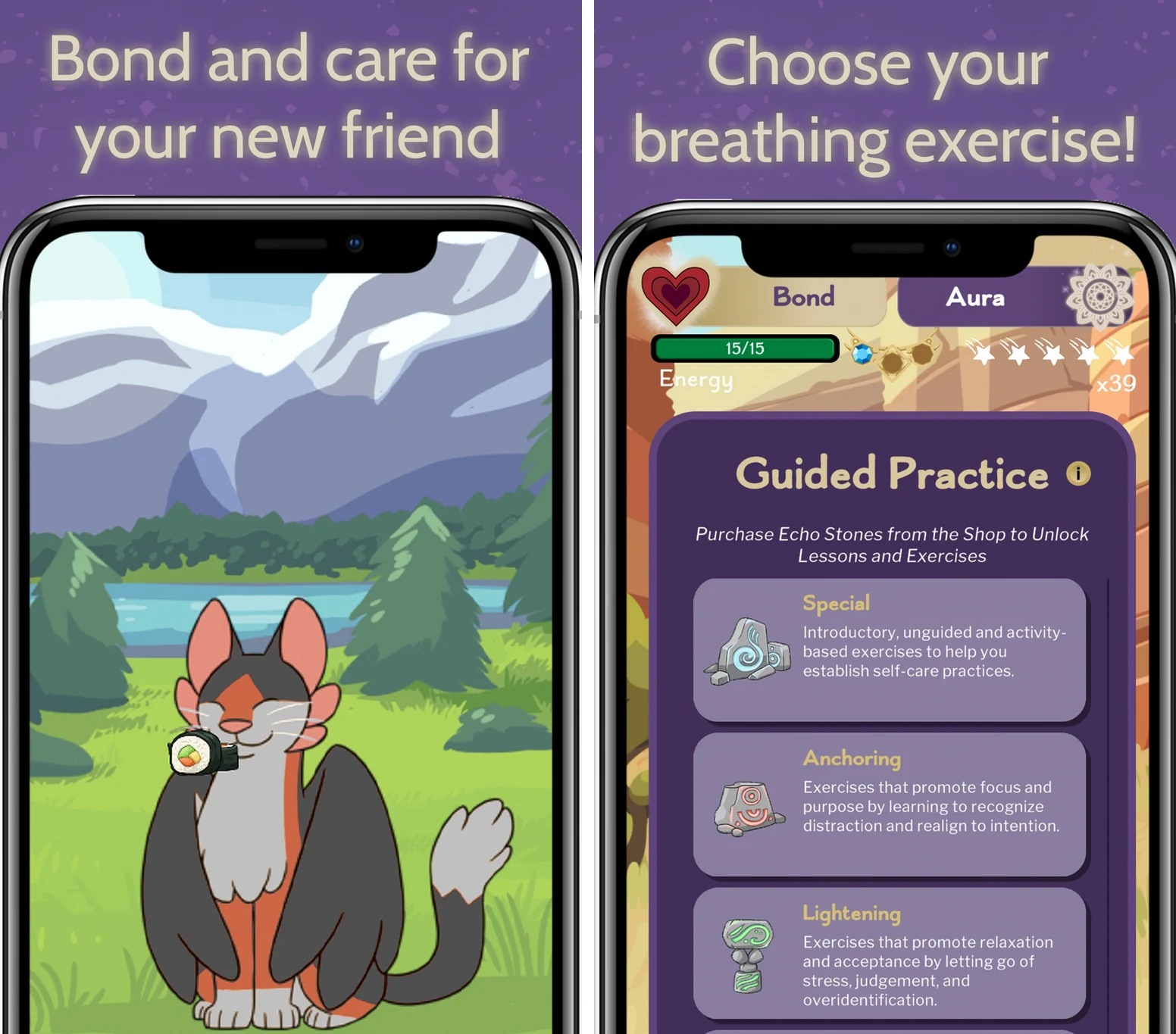
The tradeoff: Amaru has its own story and tone. The creature begins anxious, and completing an early goal helps calm him. If a pet's distress makes an app feel like another obligation, pay attention to that during your first session. It is currently English-only.
Access: available on iOS and Android. Its self-care tools are free and ad-free, with some exercises unlocked as you play. Additional story content and optional purchases are separate. Official Amaru details.
Try it with: one small goal you already want to do, then a short journal entry. Notice whether caring for this particular companion makes you want to return tomorrow.
3. Tiimo: best for a clearer visual day
Tiimo is a strong choice when you know roughly what you need to do but lose track of when to start, how long things take, or what comes next.
Its visual schedule gives tasks a place in time. Icons, colors, reminders, and a focus timer make the current activity easier to see. AI help can break a messy brain dump into smaller steps. The product was designed with neurodivergent users in mind, though the useful test is whether its layout works for you.
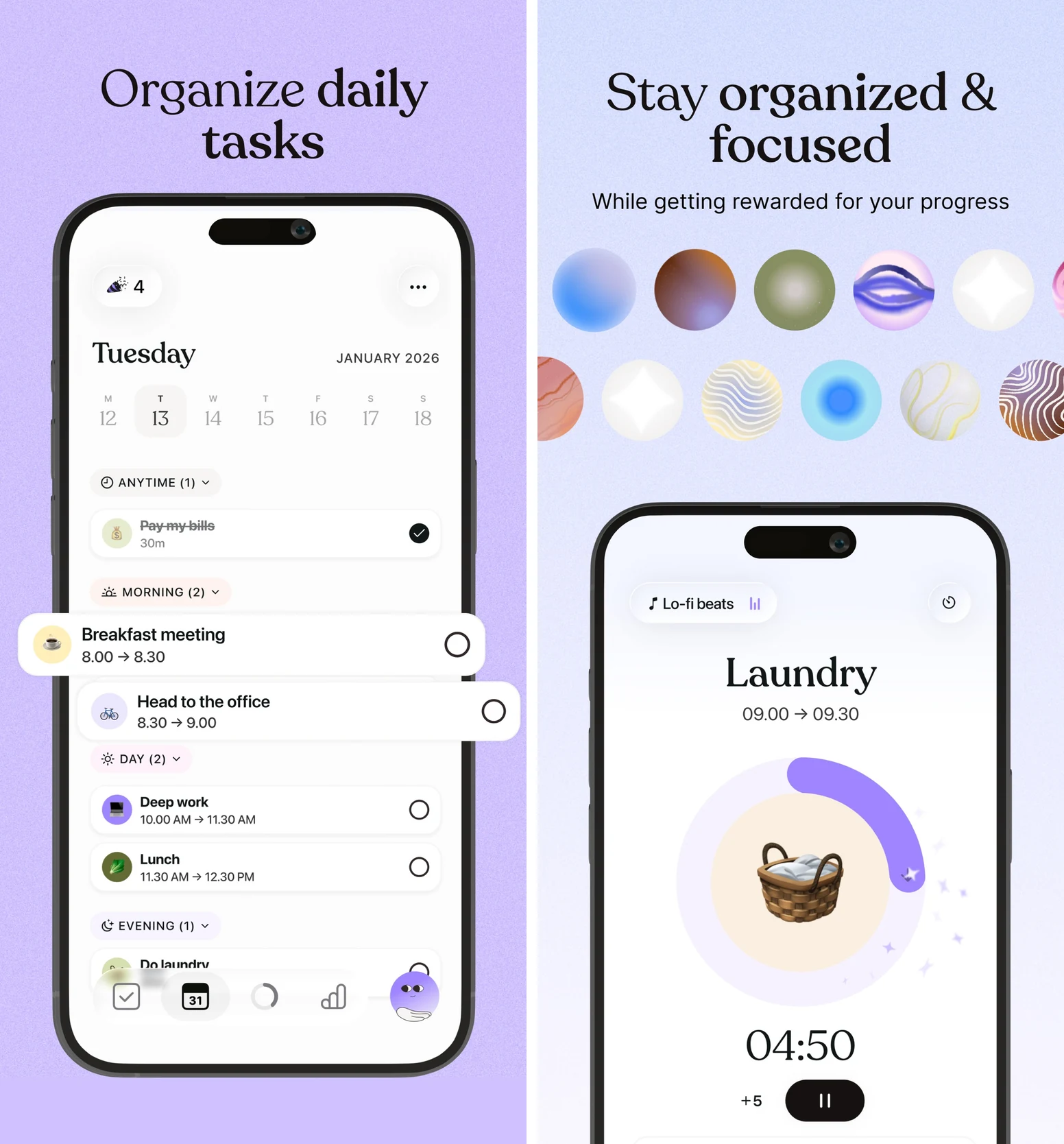
The tradeoff: the schedule becomes the center of the experience. Tiimo has playful touches, but it offers a different reason to open the app from Finch's pet-care ritual.
Access: free mobile planning on iOS and Android includes limited AI help. Pro adds the web planner and expanded features. Check the tools available on your device rather than assuming every platform is identical. Tiimo's plan and platform details.
Try it with: three things on tomorrow's agenda: an appointment, a meal, and one task. Give the task a realistic time estimate and use the timer when you start. You should be able to answer “what now?” with a glance.
4. Habitica: best for a deeper productivity game
Habitica gives everyday work the machinery of an RPG. You have an avatar, equipment, pets, gold, and quests. Tasks, recurring Dailies, and habits earn rewards; parties let friends work toward shared progress.
This is the strongest option here if you want the game itself to be a substantial part of the experience. A boring chore can help earn equipment or move a quest forward. You can also define your own rewards, such as a coffee break or an evening of gaming.
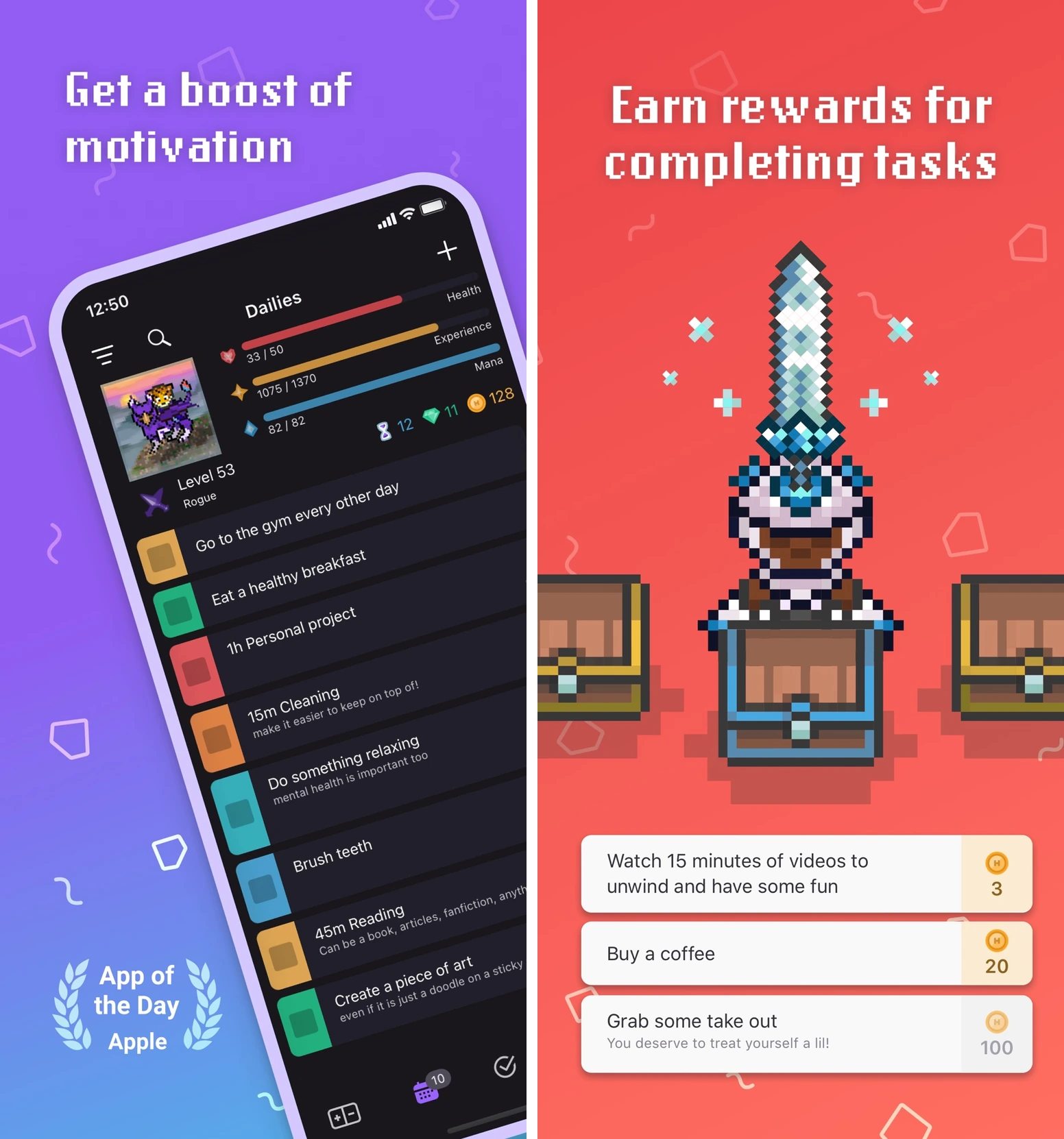
The tradeoff: extra rules can become extra pressure. Missed Dailies can cost health, and boss quests can affect your party. Habitica includes a Pause Damage setting for breaks; use it when you need it. Habitica's getting-started guide.
Access: free core on web, iOS, and Android, with optional subscriptions and purchases.
Try it with: one recurring Daily, one one-off task, and one reward you actually want. Learn that small loop before adding a party or a screen full of commitments.
5. Fabulous: best for guided daily routines
Fabulous suits the moment when you want someone to help choose the routine. Its journeys, challenges, checklists, and short coaching content give repeated actions a suggested order and a reason to do them.
For example, a morning routine can start with drinking water and gradually add movement or a brief reflection. You follow a path and repeat it, with less need to invent a complete habit system yourself.
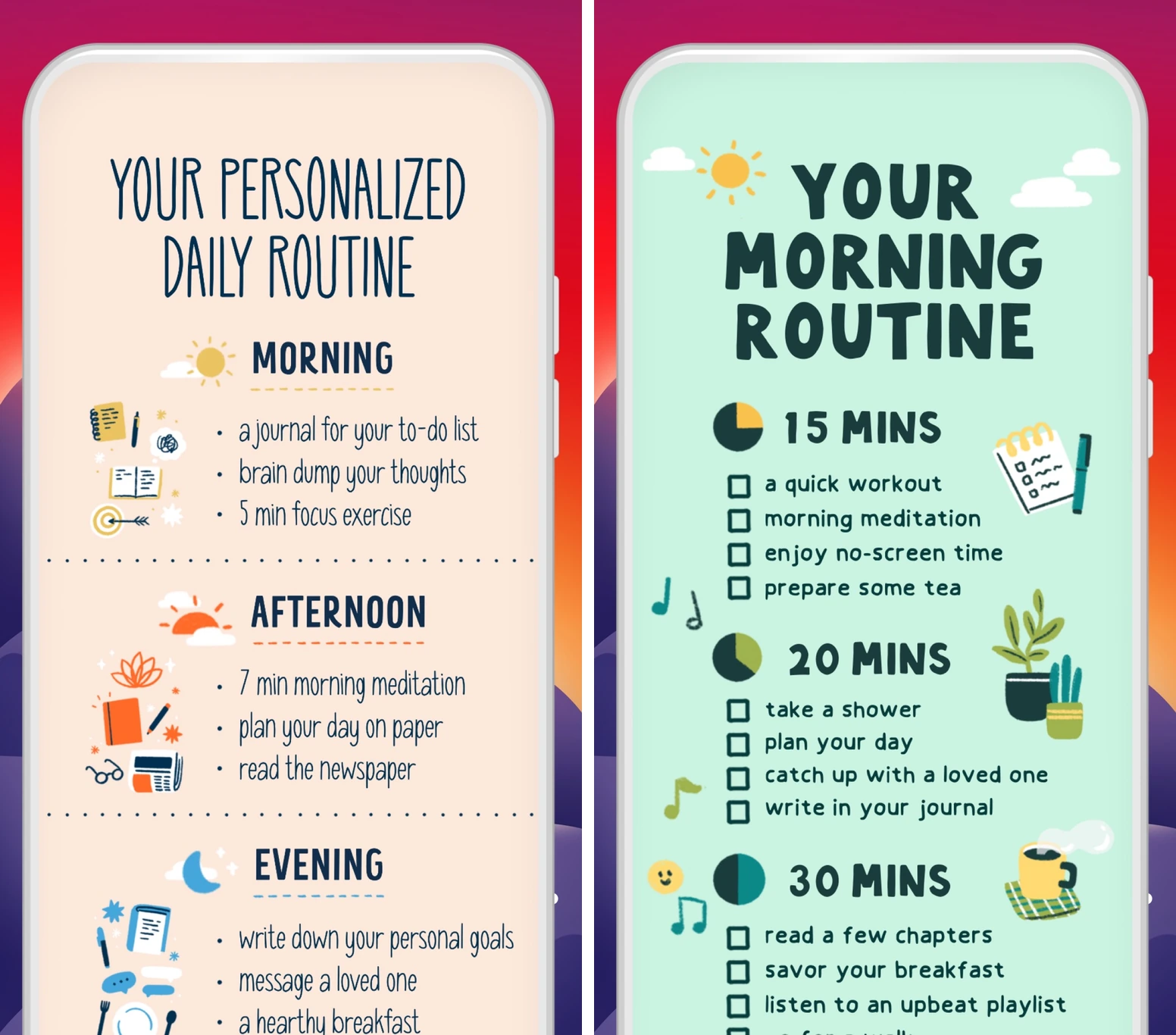
The tradeoff: a prescribed path can feel reassuring or restrictive. If your work hours change every week, check how comfortably you can adapt the routine before committing to it.
Access: selected journeys, challenges, and activities remain free; the full library is paid. Fabulous runs on iOS and Android. A subscription bought on its website still gives access to the mobile app, not a desktop planner. How Fabulous works.
Try it with: a single morning or evening routine. Keep only the first action you can repeat on a busy day, and build from there.
6. Forest: best for staying off your phone
Forest helps once you have chosen the task but keep reaching for your phone. Start a focus session and a virtual tree grows while you work. Over time, those sessions become a forest you can look back on.
It is a good match when you mainly use Finch's focus tools and want distraction control to take center stage. App blocking and a visible timer make the commitment concrete: stay with this task for this block of time.
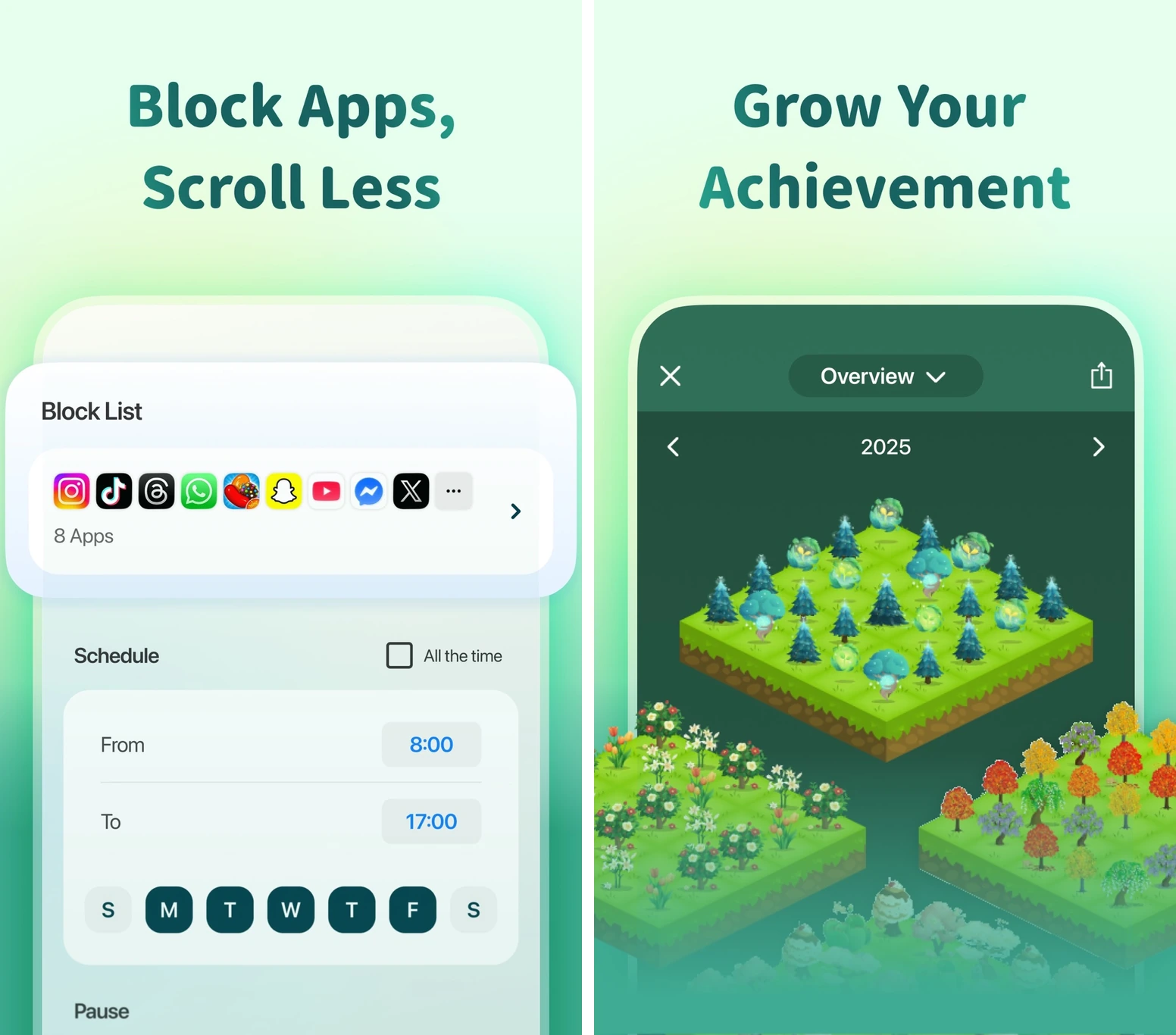
The tradeoff: Forest does not choose your priorities or organize a whole self-care routine. Set the task before starting the timer. Blocking behavior depends on the mode and apps you select, so allow anything you need for the work itself.
Access: ongoing free core on iOS and Android, with occasional ads outside active sessions. Plus adds more analytics, customization, and content. Forest's current feature comparison.
Try it with: ten minutes on one clearly defined task. Read two pages, write the opening paragraph, or put away the laundry. Finishing a small session gives the tree a real accomplishment to represent.
You can keep Finch and fix the missing piece
You do not have to abandon a companion that helps you. Finch already combines small goals, reflections, breathing, focus tools, and encouragement from friends. Much of that core experience is free. Its particular strength is making a modest act of care feel welcome. Finch's new-user guide.
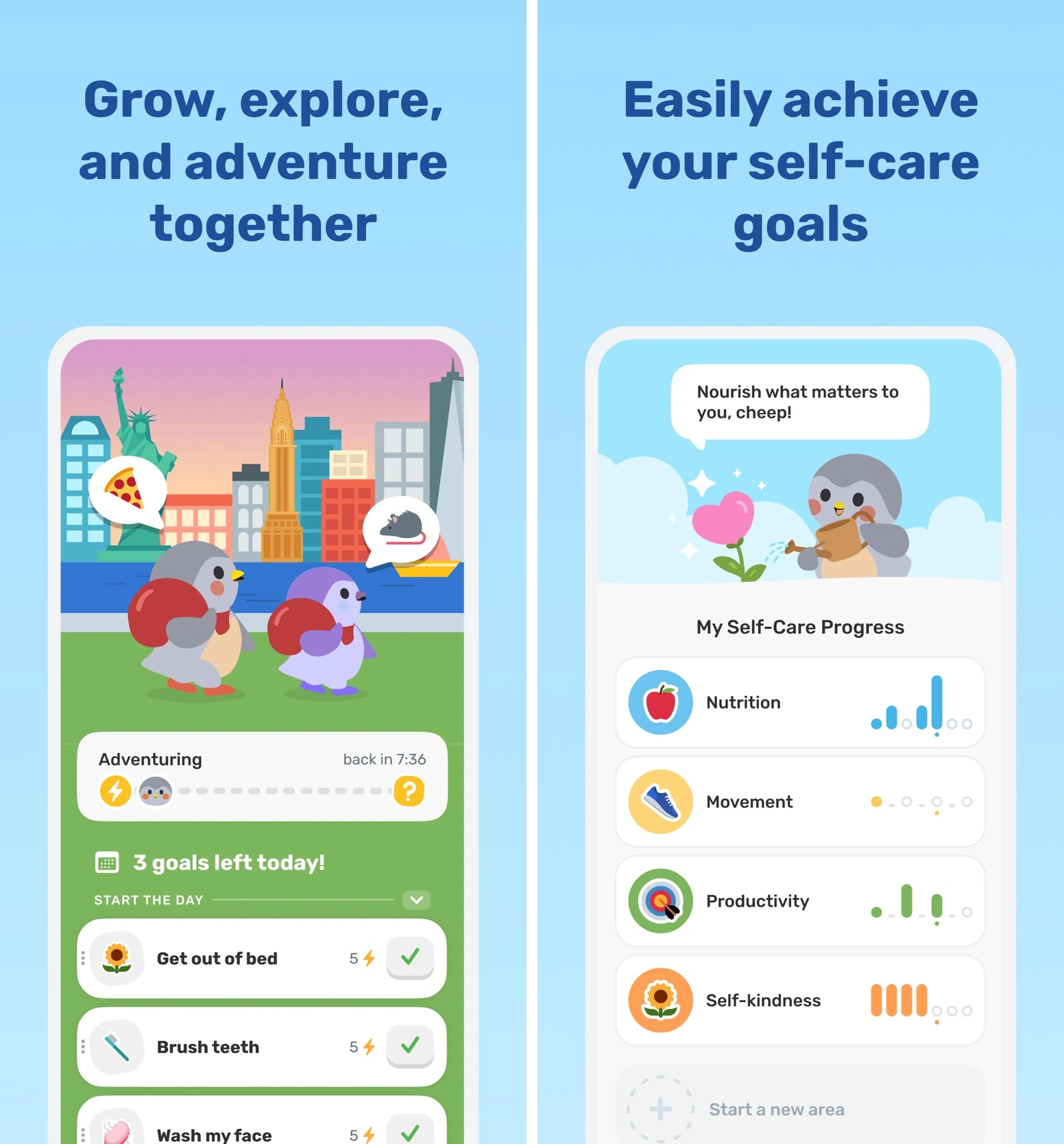
If you still enjoy that ritual, give a second app one clear job. Keep your gentle morning check-in in Finch and put the career goal and afternoon plan in TaskCoach. Or use Forest only when you want a protected focus session.
Avoid tracking the same habit twice. Decide which app owns each action so completing it does not create another round of admin. If you want a full replacement, Amaru is the pet-led option; TaskCoach is our recommendation for bringing more of your life into one plan.
A three-day test that starts with your real life
Try one alternative before moving your entire routine. Use a small action that matters to you, and make the first attempt easy enough to finish.
- Day one: start. Add one task or self-care goal you can complete in ten minutes. Do it and record the result. Was the app helpful at the moment of starting?
- Day two: adjust if needed. If a plan changes or you miss a task, shrink it, move it, or pause it. Notice whether the app helps you recover without turning yesterday into a debt. If everything is going well, repeat your small action.
- Day three: return. Open the app and identify your next step. Can you find it quickly? Do you want to use the app again once the novelty has faded a little?
At the end, keep the tool that makes your real action easier to begin and repeat. There is no need to move every habit, recreate your history, or buy an upgrade to answer that question.
For a broader look at rewards and accountability, see our best gamified productivity apps. For the closer comparison, see TaskCoach versus Finch.
Our recommendation: start with TaskCoach when you want small daily wins to add up to bigger life goals. Try it with one goal and give the next step a place in your day.