The short answer
TaskCoach.AI is the better default when your commitments span goals, routines, projects, and several areas of life. Apple Reminders is the better lightweight capture tool for someone already inside the Apple ecosystem.
Apple Reminders reliably tells you what you asked it to remember. TaskCoach goes further by helping decide what belongs in the day, showing what each action supports, and using the result to improve the next plan.
How we compared them
We used the same everyday scenario:
- Capture a task by voice.
- Make it repeat.
- Add a subtask and attachment.
- See it beside calendar events.
- Share and assign a list.
- Connect completed work to a larger goal and review.
This is a current capability review, not a months-long adherence test. Some iOS 26 features require compatible hardware, software, language, or Apple Intelligence availability.
Run a seven-day benchmark with your own tasks
Feature tables cannot tell you how much friction your week creates. Before moving a mature list, run the same 12 to 20 commitments through both tools for seven days. Include a quick capture, a location reminder, a recurring household task, a small project, one goal-related action, and a task you are likely to postpone.
Record four numbers at the end of each day:
| Measure | What to record | Why it matters |
|---|---|---|
| Capture time | Seconds from remembering to saving | Tests whether the tool is available at the moment of need |
| Retrieval time | Seconds needed to find the next relevant action | Tests organization under real conditions |
| Planning effort | Minutes spent deciding what belongs today | Separates storage from decision support |
| Recovery quality | What the tool shows after a miss | Reveals whether postponement becomes useful feedback or another overdue badge |
Also count missed commitments and note one decision the tool helped you make. Apple Reminders will often win the capture column for an Apple user. TaskCoach should earn its extra setup by improving selection, connection to goals, or recovery after a disrupted day. If it does not, the lighter tool is the better fit.
Do not duplicate private or sensitive notes merely for the test. Use representative tasks, then migrate only after one workflow produces a clear benefit.
Apple Reminders vs TaskCoach at a glance
| Question | Apple Reminders | TaskCoach.AI |
|---|---|---|
| Best for | Fast native task capture on Apple devices | Connected personal planning and coaching |
| Price | Included with Apple devices | Free core; Premium from $7.41/month billed yearly |
| Capture | Siri, share sheet, Control Center, Action button | Web capture and planning flows |
| Alerts | Time, location, recurring, urgent alarms | Scheduled and recurring planning |
| Calendar | Integrated with Apple Calendar | Built-in calendar horizons and connections |
| Goals and habits | Represent through lists and recurring reminders | Dedicated features |
| Projects and notes | Lists, subtasks, attachments | Spaces, multiple views, and linked notes |
| Coaching | No | AI coaching tied to app context |
Where Apple Reminders is clearly better
Capture is native and immediate
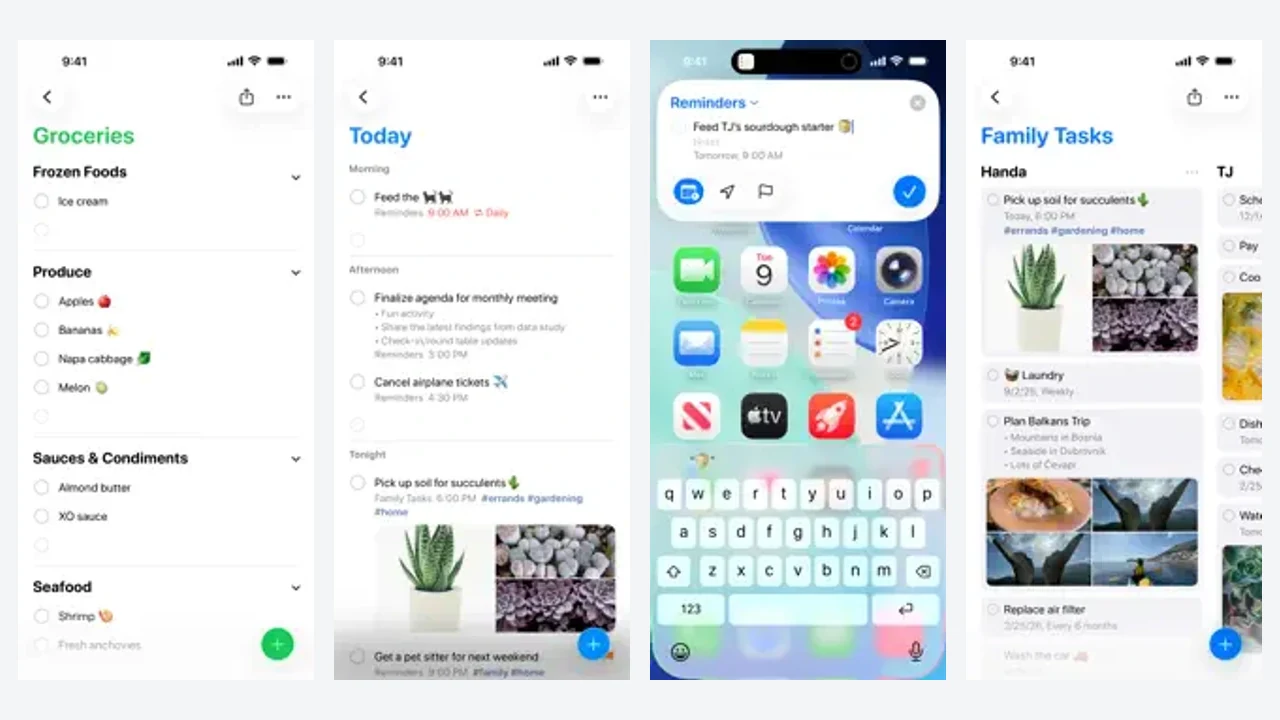
Siri, the share sheet, widgets, Control Center, and the Action button make it easy to save a commitment without opening a separate planning system.
Alerts understand the Apple ecosystem
Reminders can use dates, times, locations, recurrence, and shared-list assignments. Apple also documents urgent reminders that can schedule an alarm, including behavior during Silent mode or Focus in supported iOS releases.
Calendar integration is real
Scheduled reminders can appear in Apple Calendar, where users can create, edit, complete, and reschedule them. The earlier article's disconnected-stack premise is obsolete.
Where TaskCoach is clearly better
Goals and habits are not disguised as lists
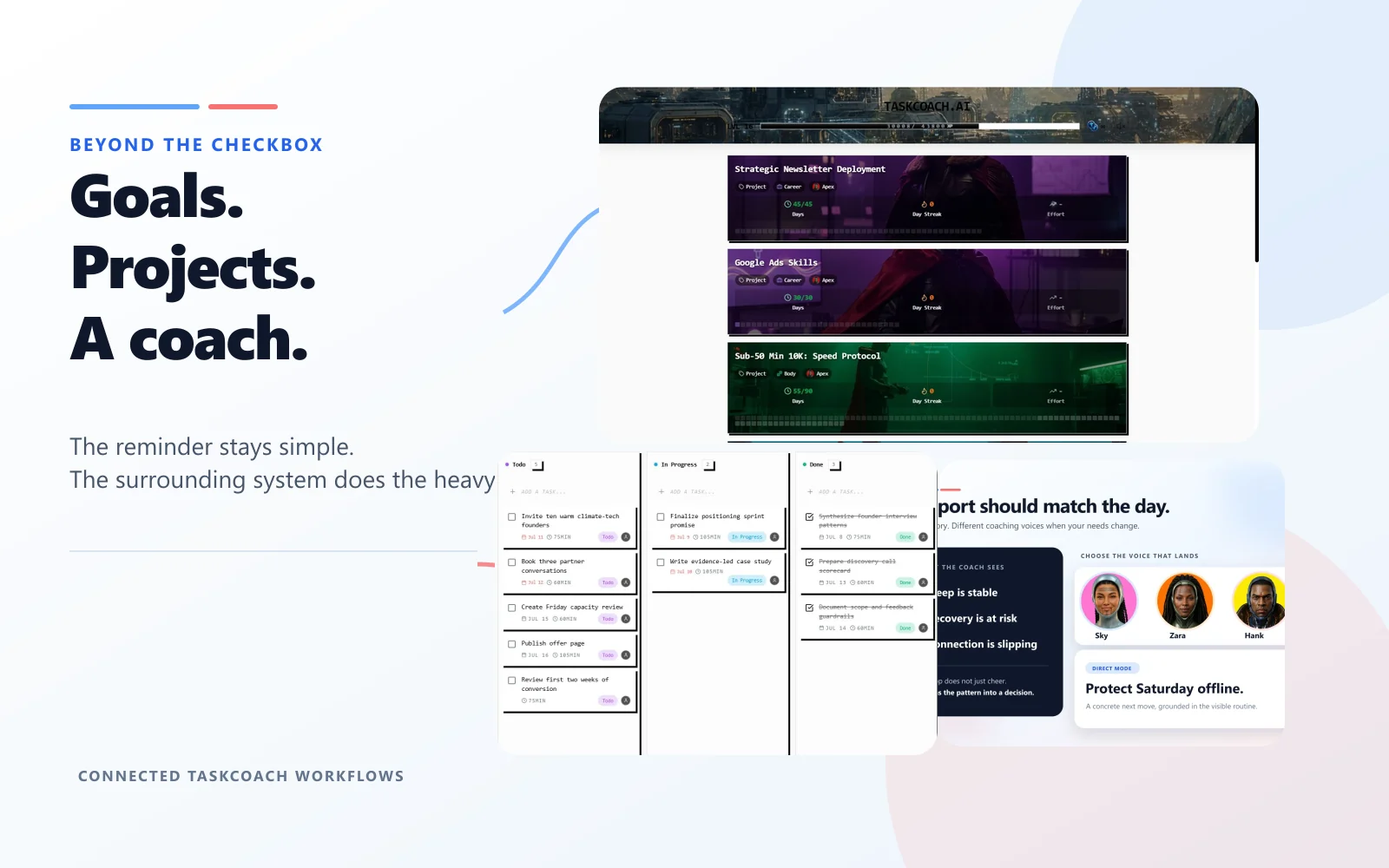
TaskCoach gives goals, habits, projects, notes, and progress their own data and views. A reminder to walk can stay a reminder in Apple. In TaskCoach, the same action can support a health goal, build habit momentum, appear in Plan Day, and contribute evidence to a later review.
Project and review depth
Spaces can hold several project views, tasks, notes, and collaboration context. Planning extends across daily, weekly, monthly, quarterly, and yearly horizons. That structure matters when a commitment has dependencies, changing priorities, or more than one next action.
Coaching interprets the history
The AI coach can use goals, schedules, habits, notes, completion signals, and check-ins. It can help lighten an overloaded day or identify a pattern behind repeated misses, while ordinary proposed changes remain yours to approve. Apple Reminders executes the reminder you configured but does not interpret the pattern around it.
This is TaskCoach's clearest advantage. It replaces several disconnected personal systems, while Apple Reminders remains one excellent component.
Weaknesses you should consider
Apple Reminders: Its strongest experience is tied to Apple devices. Dedicated goal portfolios, habit analytics, rich project views, longitudinal reflection, and coaching are outside its core scope.
TaskCoach: Capture is less native, the system is heavier, and Premium AI adds a subscription. Users who only need trusted reminders may get less value from the extra structure.
Use both before you migrate
A practical setup is Apple Reminders for Siri and shared household lists, then TaskCoach for goals, projects, habits, reviews, and coaching.
TaskCoach does not currently advertise a direct Apple Reminders importer. Do not assume a one-click migration. If your existing lists work, preserve them until a broader system proves its value.
A simple switching-cost estimate is items to recreate × average minutes per item, plus time to rebuild shared-list permissions and verify recurrence. Compare that cost with the weekly planning time or missed-work cost your benchmark measured. A migration that takes four hours to save five minutes a week needs almost a year to break even.
Verdict
Choose Apple Reminders if you want fast, native, no-extra-cost capture and reminders inside the Apple ecosystem.
Choose TaskCoach.AI if you want commitments to become a connected plan with goals, habits, projects, realistic day options, progress evidence, and coaching.
We recommend TaskCoach for anyone whose real problem is follow-through across more than one list. Apple Reminders is the smarter choice when remembering and alerting are enough.