Small papercuts add up. A playlist that stutters for a second before it plays. A notification that fires ten minutes late. A screen that takes a beat too long to load. None of it is dramatic enough to complain about, so you just live with it.
TaskCoach v0.15 goes back and fixes that whole list. Then it adds three new tools for planning your day on top.
A release built around the fixes you never reported
Between June 27 and July 11, more than 100 commits landed on the development branch, and most of them never touch a headline feature at all. They tune performance, close bugs, and make the app behave more predictably everywhere you already spend time.
YouTube focus playlists get live covers, working previous and next controls, better autoplay recovery, and fixes for iOS playback and stream liveness. Notifications get another reliability pass across permission recovery, sessions, and delivery state, so a reminder you set actually shows up. Onboarding builds a more personal starter pack, including starter notes and a starter space, with clearer steps for turning on notifications and sending multiplayer invites. Theme consistency improved across screens, including the varied bright, dark, and editorial themes shown in this post.
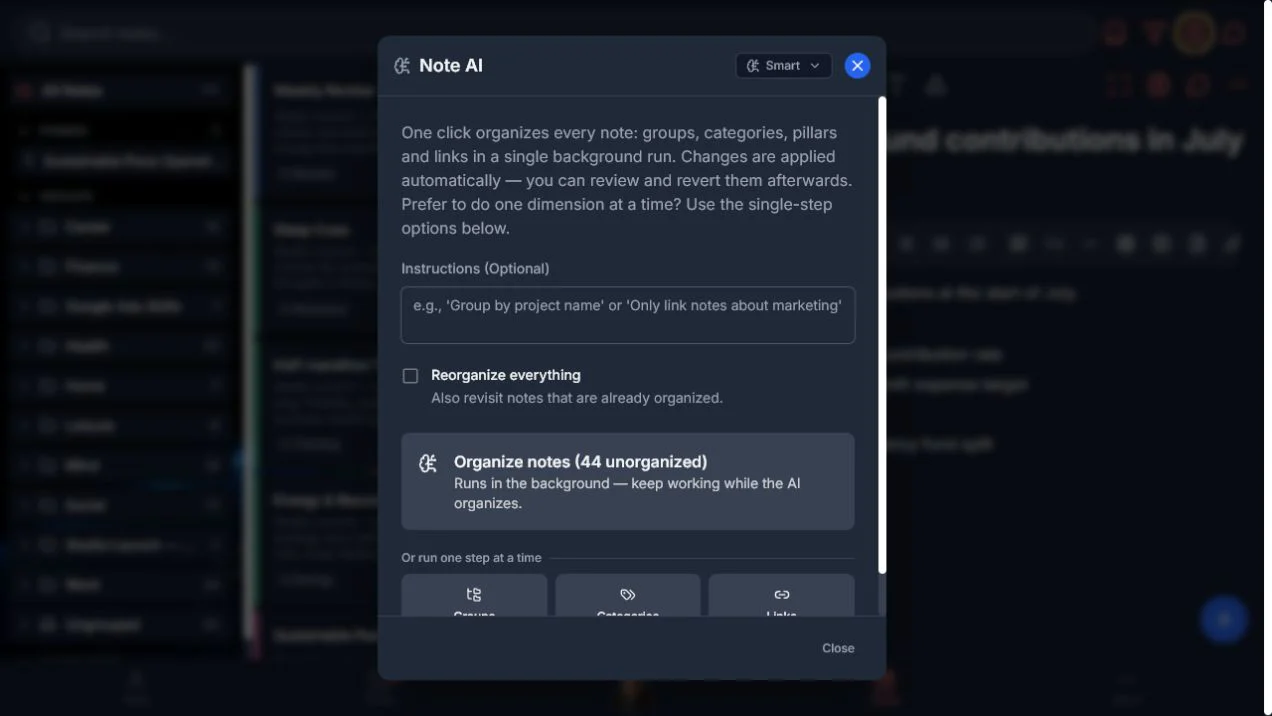
The bulk Note AI organizer also ships in this window. Point it at a large note library and it handles four jobs in one background run: groups, categories, life pillars, and links between related notes. Add an optional instruction if you want a rule such as grouping by project name, then keep working elsewhere while it runs. When it finishes, you get a review screen and a revert action, so cleaning up months of backlog doesn't mean giving up your safety net.
None of that shows up in a screenshot. All of it shows up the next time the app just works.
Personalized News Aggregator: a briefing that explains itself
Daily News used to feel like a useful feed. In v0.15 it feels like a personalized news aggregator built for one reader: you.
The new layout opens with the coach's note, the date, the number of stories, and the themes chosen from your goals. A lead story carries a plain-language relevance note. A ranked Top Insights column brings the strongest matches forward, while the story index keeps the rest easy to scan.
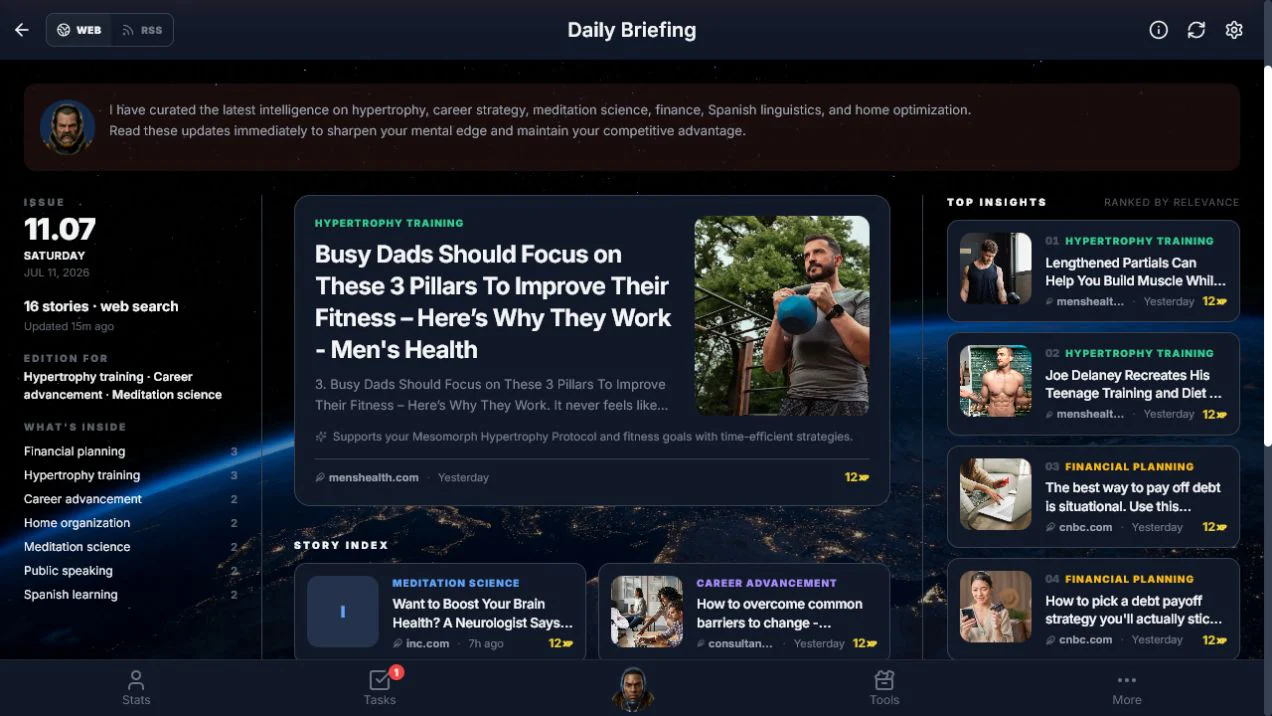
You can see why a story was selected and which goal it supports before you open the source. Reading still earns XP, but the real gain is a briefing that respects your attention instead of just chasing your clicks.
Dynamic Goals: plan around the day you actually have
Dynamic Goals are the biggest structural addition in v0.15. You still choose a destination, but the coach only plans the part it can judge well: today.
The daily check-in asks for your energy and gives you room to add a constraint such as "keep it to 15 minutes." The coach combines that answer with recent taps and completions, then streams a small plan sized to about 70 to 80 percent of the capacity you reported. Tomorrow starts from what really happened today.
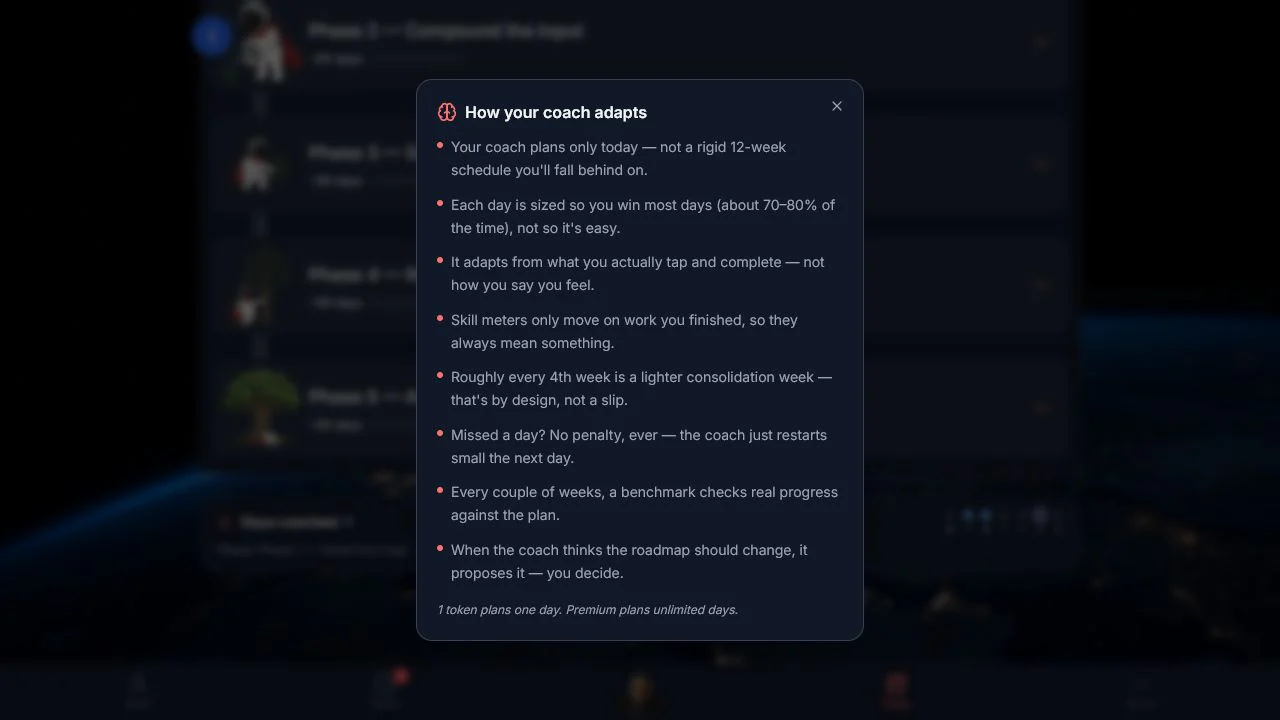
That loop has a useful memory. Momentum reflects follow-through without punishing a missed day, and benchmark checks give the coach better evidence than a streak alone.
The roadmap stays yours. When the coach sees enough evidence for a milestone or phase change, it proposes the change and explains why, and you decide whether to accept it. Weekly recap stories turn the raw activity into a short account of what moved, what stalled, and what comes next.
Plan Day feature: your schedule finally behaves like a day
Plan Day now sits on top of a rebuilt Schedule: a 24-hour clock where tasks, habits, goal steps, and focus sessions share the same ring, so overloaded hours and empty windows are obvious at a glance.
Below the clock, one list separates scheduled and unscheduled work. Drag an unscheduled item onto the ring to give it a time. Move a block to reschedule it. Check work off without hunting for the screen where it was created.
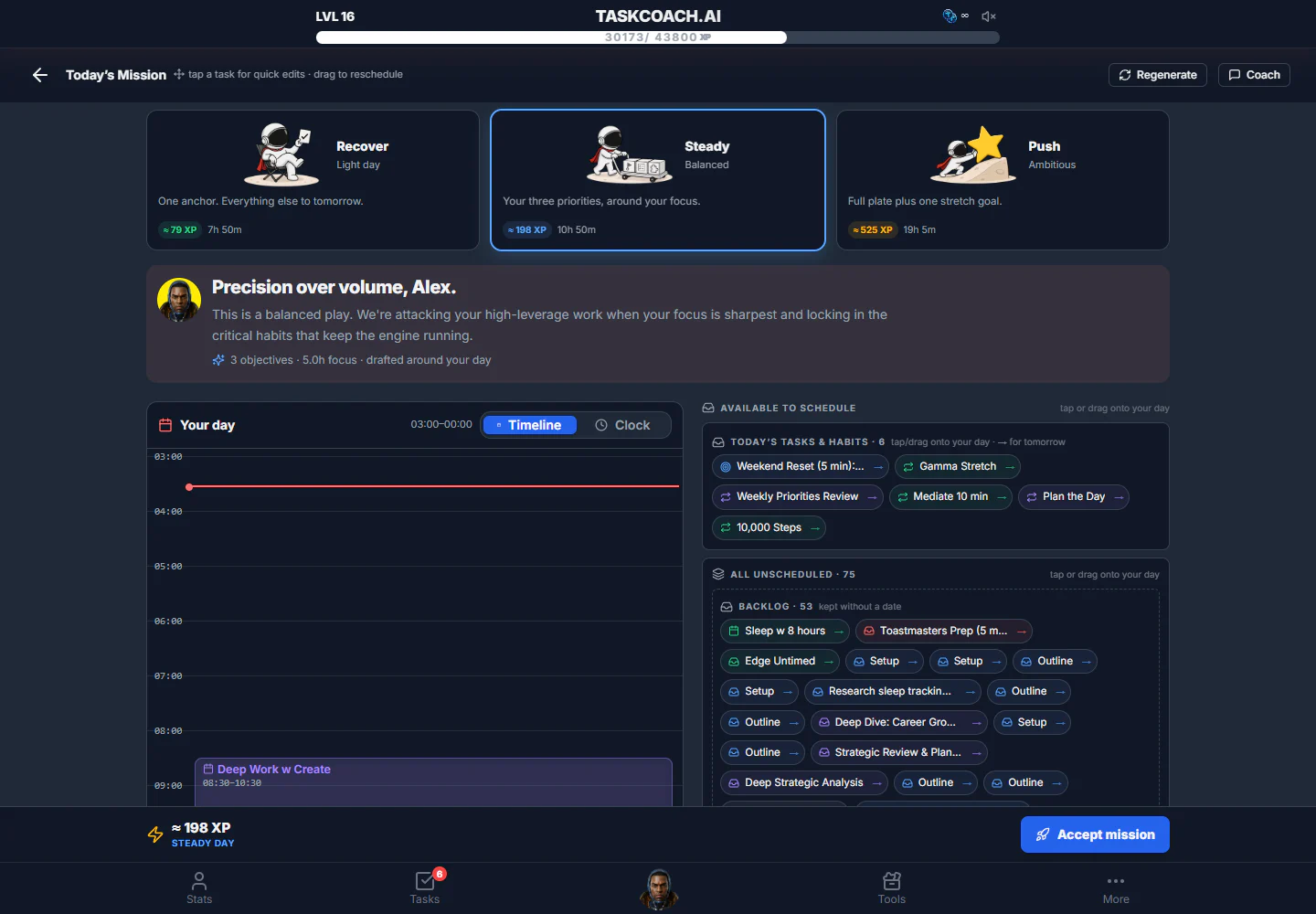
Tap Plan Day and the coach drafts three versions of the day: a light recovery plan, a balanced plan, and an ambitious push. Each option shows its expected time and XP before you accept it. Connected calendar tasks also carry provider metadata, so a time change gets confirmed before it syncs back.
You may also notice wearable connections on the Integrations page. They are marked as coming soon, so they sit outside the v0.15 shipped list.
The bottom line
v0.15 is the release where TaskCoach caught up on its own maintenance, then used the room that freed up to ship three real additions. The app runs steadier because of the fixes, and your day is easier to plan because of the Personalized News Aggregator, Dynamic Goals, and the new Plan Day feature.
Open Daily News, start a Dynamic Goal, or just tap Plan Day. Any of the three is a good place to feel this release for yourself.