You can't see your own day. That's the actual problem.
Open your to-do list and count the items. Now ask the one question that actually decides whether any of them happen today: when?
The list won't answer that. It's excellent at capturing what needs doing, genuinely excellent, but it has no way to tell you when, or whether when even fits into the hours you've got left. That gap is where good intentions quietly go to die.
An unscheduled task is just a wish. And a list of wishes grows faster than it shrinks, because nothing on it ever has to reckon with the one hard rule of adult life: a day holds 24 hours, and most of them are already claimed.
The 24-hour clock exists to break that silence. It takes every task, habit, and focus session you've given a time to and draws it as an arc on a single ring: your whole day, visible in one glance.
What the ring shows that a list never will
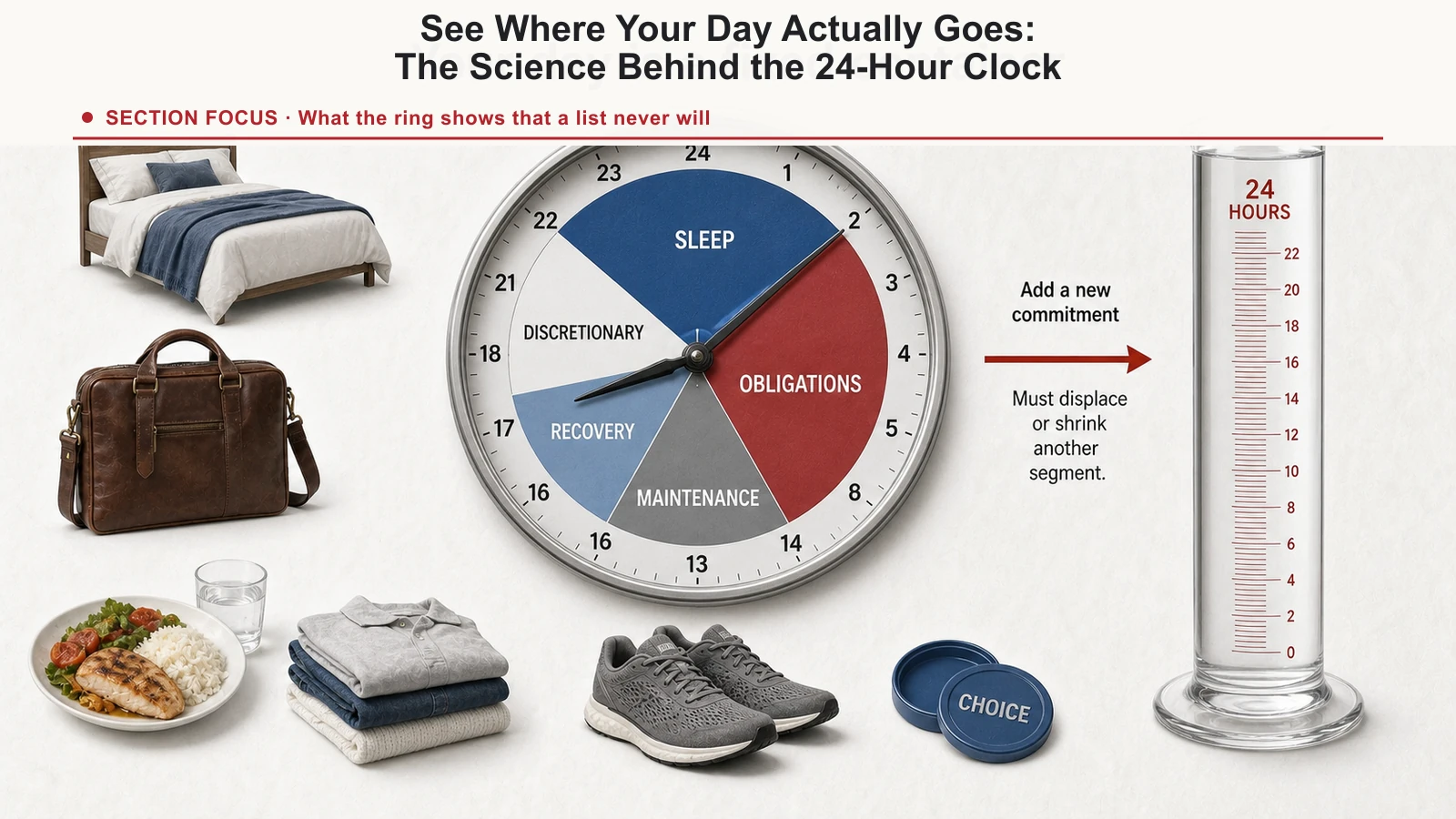
Put your day on a circle and two things jump out immediately that a straight list simply can't show you.
The dead hours, for one. The 40-minute gap between meetings, the evening you keep meaning to reclaim, the morning you keep losing to nothing in particular. A list only shows you what you added to it; it has no way to show you the empty space around it. On the ring, empty is a shape you can actually see, and fill.
Then there are the over-bookings. Three "quick" things you casually dropped into the same slot, each one looking harmless as its own line on a list. Put them on the ring and they collide, visibly, on the same arc. It's uncomfortable, but it's also an honest picture of a plan that was never going to survive contact with the day.
That's the quiet advantage of seeing the whole day at once: it makes the proportions of your time legible. Sleep, work, the people you love, they all turn into visible slices, and you finally feel the trade-off a list always hides. Every block you add costs a block somewhere else. The clock makes you pay upfront, not at 11pm.
Why putting a time on it changes everything
The clock is easier on the eyes than a list, and it's built on one of the more reliable findings in behavioral science.
Psychologists Peter Gollwitzer and Paschal Sheeran pulled together 94 separate studies testing a simple technique called an implementation intention: an if/when-then plan that ties an action to a specific cue, something like "When it's 9:00 AM, I'll write the report at my desk."
That's the whole technique. No motivation hack, no lecture about discipline. Just deciding the when and the where ahead of time. Across all 94 studies, people who did that were substantially more likely to actually follow through than people who set the identical goal without pinning it to a time. It's a medium-to-large effect, among the bigger ones researchers have measured for a single psychological technique.
Dragging a task onto a specific hour of the clock is that exact technique, done in a single gesture. You're not adding another line to a pile of wishes. You're committing it to a time and a place, and the research says that one act beats almost anything else you could do instead.
The open loop in your head
There's a second mechanism working in your favor, and it has a name: the Zeigarnik effect, the mind's habit of keeping unfinished tasks looping in the background. Every unscheduled item on your list quietly rents space in your working memory, nagging at you while you're trying to focus on something else entirely.
Giving a task a time closes that loop. Your brain can stop rehearsing "don't forget to..." because the when now lives on the ring instead of in your head. That's cognitive offloading in its simplest form: the clock remembers, so you don't have to. The quiet that follows is the difference between a mind that's actually present and one that's perpetually half-managing a backlog.
The constraint your to-do list lets you ignore
Ask most people how much they'll get done today and they'll describe something like 30 hours of work without blinking. That's the planning fallacy at work, and a list actively encourages it, because a list has no bottom. You can always add one more line. There's infinite room on paper. There is not infinite room in a day.
The clock won't let you get away with that. It has a hard edge at 24 hours, full stop. Try to wedge 14 hours of focused work on top of sleep, meals, and everything else that already has a claim on your day, and the ring runs out of room before you've placed every block. It shows you that before the day even starts, not at 11pm in the wreckage of a plan that was never going to work.
If you want to go deeper on the ideas underneath this, we've written about the hidden cost of switching between tasks and about scheduling around your energy instead of just the clock.
Using the clock in TaskCoach
The clock in your Daily Schedule section is the control surface for your day.
- Tap any block to open the task, habit, or focus session behind it and edit it right there.
- Drag the middle of a block to slide the whole thing to a new time; start and end move together and the duration stays fixed. Drag an edge instead to make it longer or shorter. Either way, that one motion is your implementation intention: the when, decided.
- Execute drops you straight into focus mode on whichever block you pick, the button that turns a plan into actual doing.
- AI Schedule hands the day over to TaskCoach.AI, which reads your tasks and habits and proposes a full layout across the ring. Accept it as-is or nudge it to taste. It's the fastest route from an empty day to a planned one.
- Watch the count beside "Daily Schedule." It's a live tally of everything you've actually committed to a time. Zero means your day is still a pile of wishes.
It's the same discipline behind engineering your worst habit to beat your best goal: a system beats willpower, and a system you can see beats one you can't, every time.
The one-line version
A to-do list shows you what you could do. The 24-hour clock shows you what you actually can. That gap, the one 94 studies keep confirming, is where planning stops being a fantasy and starts being an actual day.