Your notes should help you finish something. If finding the useful page takes longer than searching the web again, the collection needs a simpler way in.
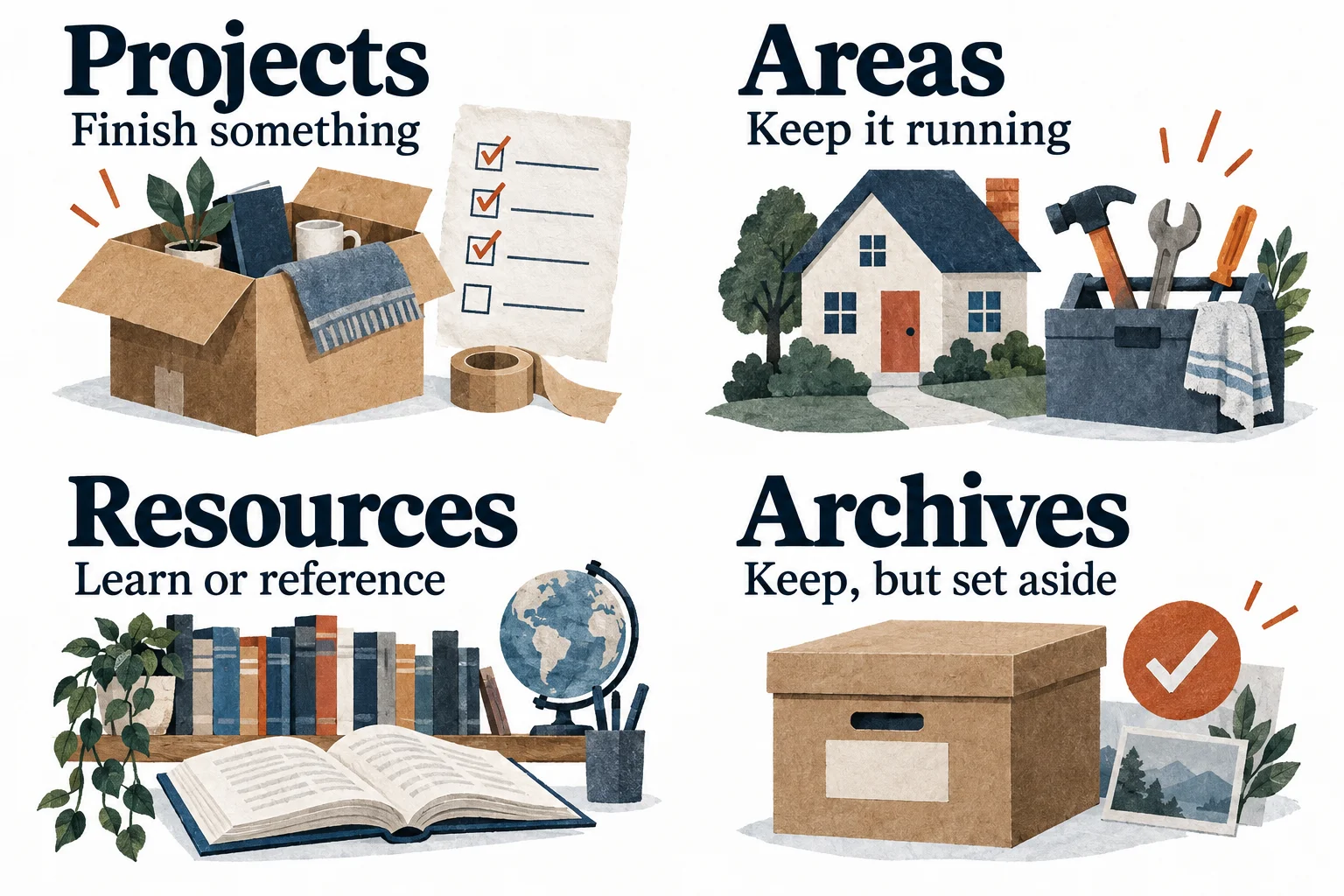
Tiago Forte's PARA method organizes information into Projects, Areas, Resources, and Archives. The key question is how the material relates to your current work and responsibilities. PARA can still use folders; what changes is the reason you put something in them.
Copy a starter structure · Decide where a note goes · Keep it useful
Copy a small PARA setup
Use these headings in your current notes app or folders in your file manager. The subfolders are examples: replace them with your actual work.
Projects Move into the new home Start here: outcome, next action, useful links Areas Home Work Resources Home reference Archives Completed and inactive material
Start with one active project. Move or link only the notes it needs. Leave the rest of your existing system intact while you try this structure.
You do not need to organize your entire past before doing useful work today. You need a reliable place for the material connected to the next piece of work.
The four buckets
| Category | The question it answers | Example |
|---|---|---|
| Projects | What am I working to finish? | Complete a move |
| Areas | What responsibility needs ongoing attention? | Maintain my home |
| Resources | What topic or reference might be useful? | Appliance manuals |
| Archives | What is no longer active? | A completed move |
Projects have a finish condition. Areas continue after any one project ends. Resources support interests or future use. Archives keep inactive material available without crowding the current workspace.
Where does this note go?
Imagine you save the utility provider’s instructions for changing your address.
While you are moving, keep the instructions with the move project, beside the lease and packing checklist. After the move, archive that checklist. Keep your current lease easy to reach under Home in Areas, because it still supports an ongoing responsibility. A reusable appliance manual belongs in Resources. The same household can have a project, an area, and reference material. Each serves a different job.
You do not need to settle a perfect philosophical category. Choose the location where you would look for it while doing the work.
| Ambiguous item | A practical choice |
|---|---|
| A receipt for a current home repair | Keep it with that repair project |
| A recurring household maintenance checklist | Home, under Areas |
| An interesting article with no current use | Resources, if you have a reason to keep it |
| Notes from a finished course | Archives; surface selected references when needed |
| One document used by two projects | Keep a main copy and link to it from both |
Avoid making duplicate copies that quietly diverge. Links let the same useful material support several contexts. PARA is an organizational approach, not a requirement that information can belong to only one idea.
Projects need a next action as well as notes
“Write a book” can be a project if you define what finished means. But a huge project may still be difficult to begin. A near-term milestone such as “finish the outline” gives today's work a smaller target.
At the top of an active project, keep three lines:
Finished means: The next action is: The material I need to begin is:
For the move, that could be:
- Finished means the keys are handed over, essentials are unpacked, and utilities are transferred.
- The next action is submitting the electricity transfer request.
- The material is the new address, move date, and provider instructions linked below.
This is our practical addition to the filing structure. It helps you open the project and begin without re-reading every note. Put time-sensitive actions in the task list or calendar you actually check; a folder is not a reminder.
For choosing that next action, use the 15-minute to-do list reset.
Try it without a mass migration
Pick an active project you expect to revisit this week. Give it a start page and bring together a handful of useful items. Use it for real work before moving more material.
When you need something from the old system, retrieve it and decide whether to link or relocate it. Keep important shared links and originals intact. There is no need to break a working folder structure to make the new one look complete.
At the next work session, ask: could I find what I needed quickly enough to begin? If not, improve the project start page before creating more categories.
The five-minute maintenance pass
During your weekly review, look at the active Projects list:
- Archive a project that is finished or no longer active.
- Give a stalled project one clear next action or mark it paused.
- Link any recently saved material to work it actually supports.
- Leave useful reference material alone when no action is needed.
You do not need to redistribute every file when a project ends. Archive the project, then make especially reusable material easy to reach. The archive is a storage decision, not a judgment that the work was worthless.
If Resources keeps expanding but rarely gets used, save fewer things. Before adding an article, write a sentence about what it might help you do. That small pause can prevent another collection of unread links.
Use PARA with the tools you already trust
PARA works as an information structure in folders or notes apps. It does not require Notion, Obsidian, or TaskCoach, and it does not provide a full scheduling system on its own.
TaskCoach is useful when you also want the notes connected to goals, tasks, and daily planning. You can organize reference material around your active work and keep the next action in the planning system. This is a way to apply PARA, not a claim that TaskCoach automatically sorts every item into four buckets.
We build TaskCoach. If you are deciding between a configurable workspace and a ready-made planning system, our Notion comparison shows the tradeoff through one project.
Keep the structure small enough to use while you are busy. One project you can open and work from is worth more than a perfectly classified archive you never revisit.