Your next step can cost $0
You close an AI conversation feeling clear about your life. The next morning, the advice is buried in a chat and your day looks exactly the same.
A useful free AI coach should help you cross that gap: choose something that matters, make the next step small enough, and come back to what happened.
TaskCoach is our best overall starting point for putting a free coaching routine into practice. It gives your goals, daily tasks, habits, and reflections somewhere to live together. Add ChatGPT for open-ended conversations if you want a separate thinking partner. You can run the routine below without a subscription.
We build TaskCoach. The comparison below makes the free boundaries explicit, including the features that need Premium, so you can choose the setup that fits your life.
Compare the free options · Copy the starter prompt · Build your first-week routine
Best free AI life coach apps compared
Choose the job you need help with. You do not need all five apps.
| App | Best free use | Boundary to know |
|---|---|---|
| TaskCoach | Goals, daily planning, habits, and reflection in one place | Selected AI help has usage limits; Brain Chat is Premium |
| ChatGPT | Turning a messy situation into options and a next step | Check the limits and features available in your Free account |
| Pi | Talking things through, with remembered context and simple reminders | Memory is selective; do not assume every detail is retained |
| Reflection | Unlimited journal entries with a daily AI allowance | AI is capped; older entries have cross-platform reading limits |
| Rocky.ai | Ongoing coaching on Positive Mindset or Discipline | Broader coaching topics and development plans are paid |
Free means ongoing access here. A short Premium trial is a separate offer. Plan details were checked in September 2026; use the linked sources to check any limit that matters to you before signing up.
1. TaskCoach: best overall free planning foundation
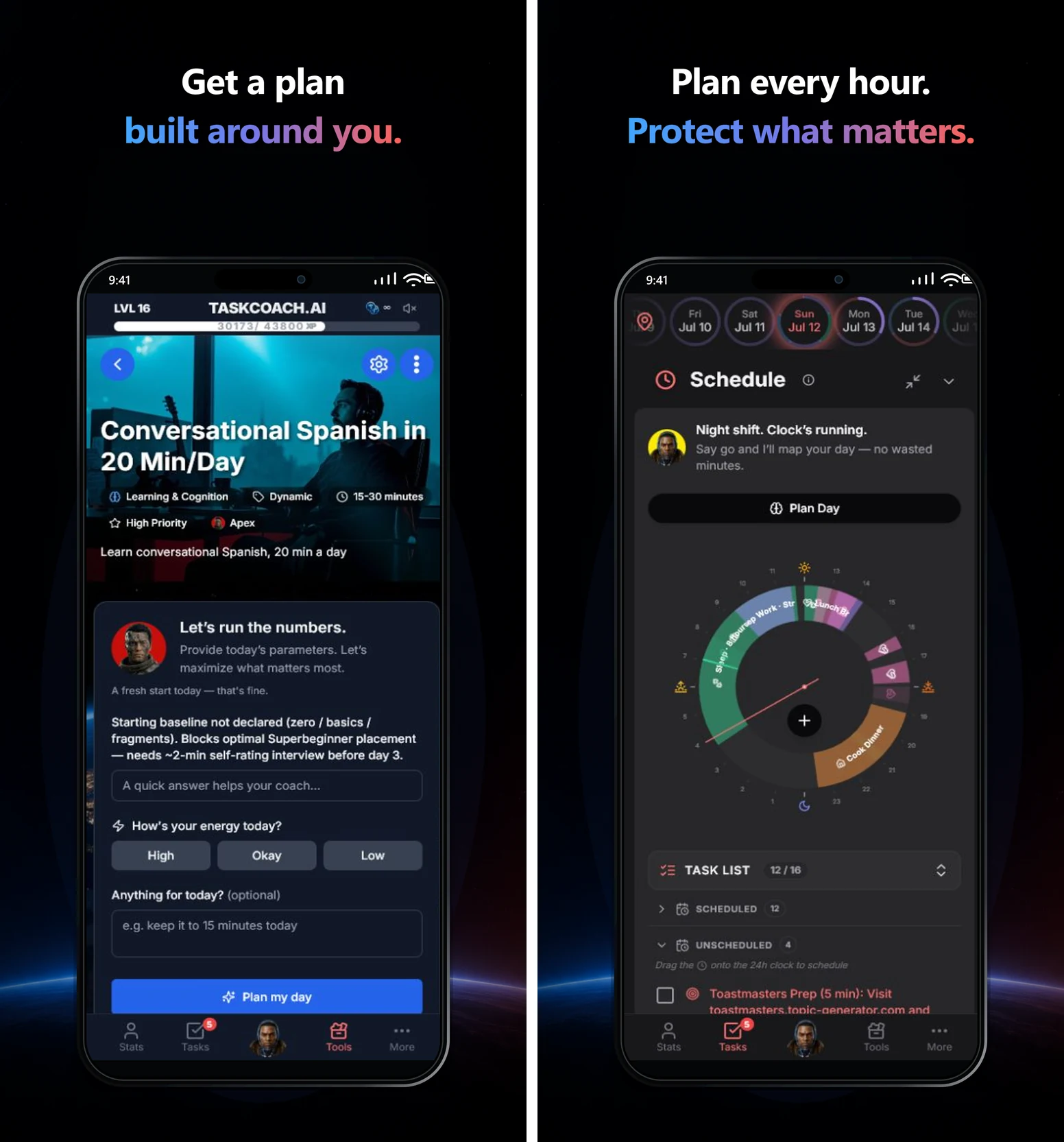
The most valuable place for a good idea is in tomorrow's plan. TaskCoach is our first choice because it connects the practical parts of personal growth: what you want, what you will do today, and what you actually did.
The free core includes tasks, manual calendar planning, habits, journal, notes, and focus sessions. Dynamic and Flexible goals are available without Premium; generating their AI plans can consume tokens. A recurring habit gives your next step a place in the week. Completion history and momentum help you see whether you are repeating it. Your journal gives you somewhere to record what made it easier or harder.
That means you can work toward a bigger ambition, such as changing careers, without building a complicated setup. Save one next step, schedule it, and keep the evidence of your progress beside the goal.
There is also AI help inside selected goal and task actions, subject to usage limits. For an existing task you keep avoiding, ask: “What is a smaller first step I could finish in ten minutes?”
Know the boundary: standalone Brain Chat, broader Brain memory tools, AI insight reports, and Google or Outlook calendar sync require Premium. The AI goal-planning and Plan Day actions shown in the previews use a token balance. The free walkthrough below uses manual planning, tracking, and reflection, so it does not depend on AI credits.
TaskCoach is an installable PWA: on supported mobile and desktop browsers, you can add it to your device and use it in its own app window.
2. ChatGPT: best for thinking through a specific problem
ChatGPT is a flexible starting point when you want help choosing a direction, breaking down a project, or preparing a difficult conversation. You can explain the situation in ordinary language and ask it to work through it with you.
Give it a constraint that changes the answer. “Help me find a new job” invites a long checklist. “I have twenty minutes after dinner and keep avoiding my CV” gives it something practical to work with.
Know the boundary: OpenAI offers a $0 Free plan, but the available features and usage limits should be checked in your own account. You do not need a particular model, file upload, or voice feature to use the starter prompt below.
Ask for an action you would actually do, then save it where you plan your day. In the suggested ChatGPT and TaskCoach setup, you copy the action between apps yourself. Nothing in this walkthrough depends on automatic syncing.
3. Pi: best for a supportive conversation
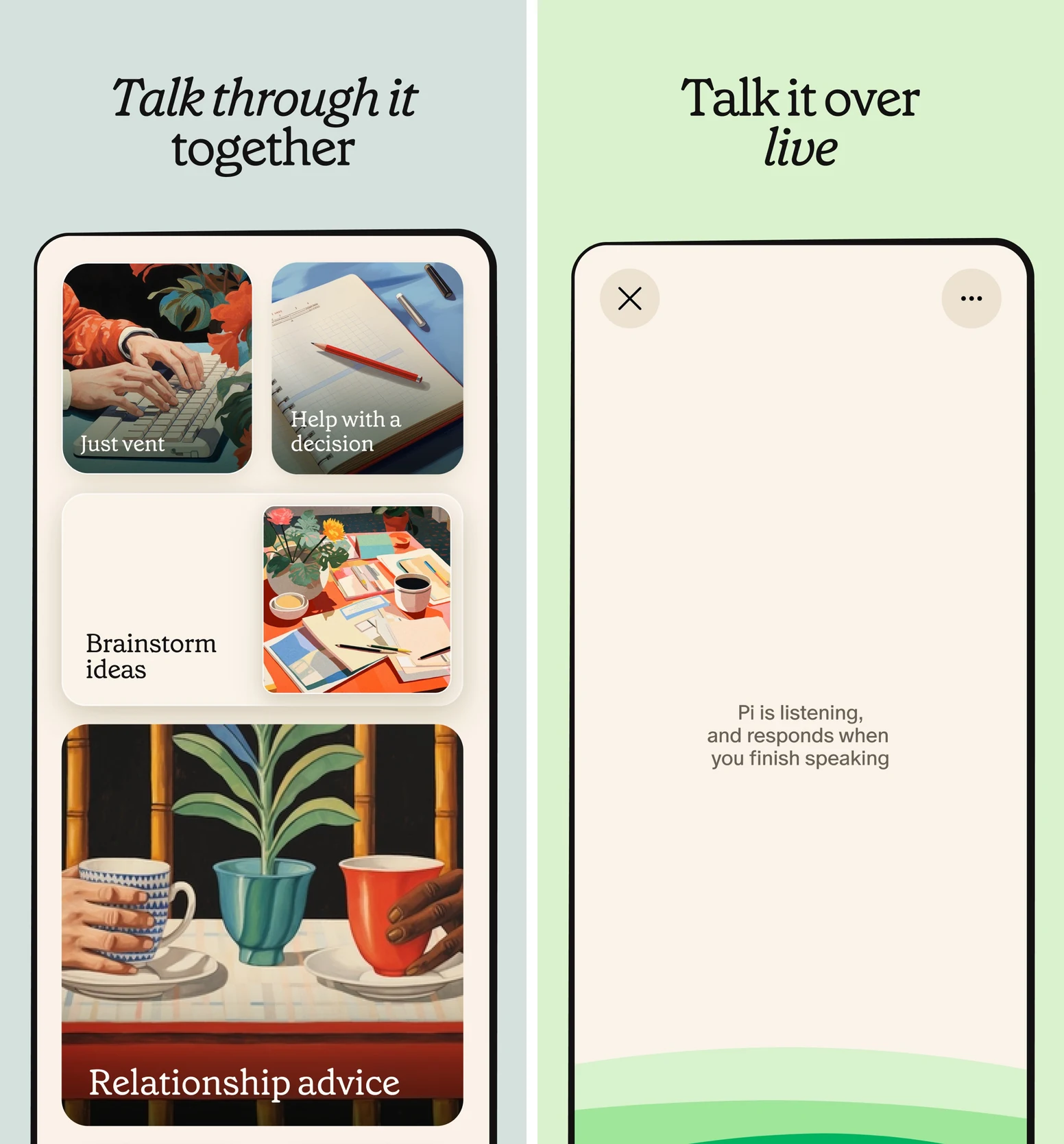
Pi is a good fit when your first need is to say the messy version out loud. Its conversational style and voice experience suit untangling a worry, rehearsing what to say, or talking through something you keep avoiding.
It also offers reminders and to-dos. Its memory can retain useful context such as goals, routines, and preferences across chats, with controls to review, edit, or delete those memories. That makes Pi more capable than a disposable conversation. Pi's features and memory guide explain the current experience.
Know the boundary: remembering useful context does not mean remembering everything. Check important details when they matter.
Try this: “I'm avoiding asking my manager about a promotion. Help me figure out what I need to say.” Once the conversation produces a next step, set a reminder for it.
4. Reflection: best for journaling with AI follow-ups
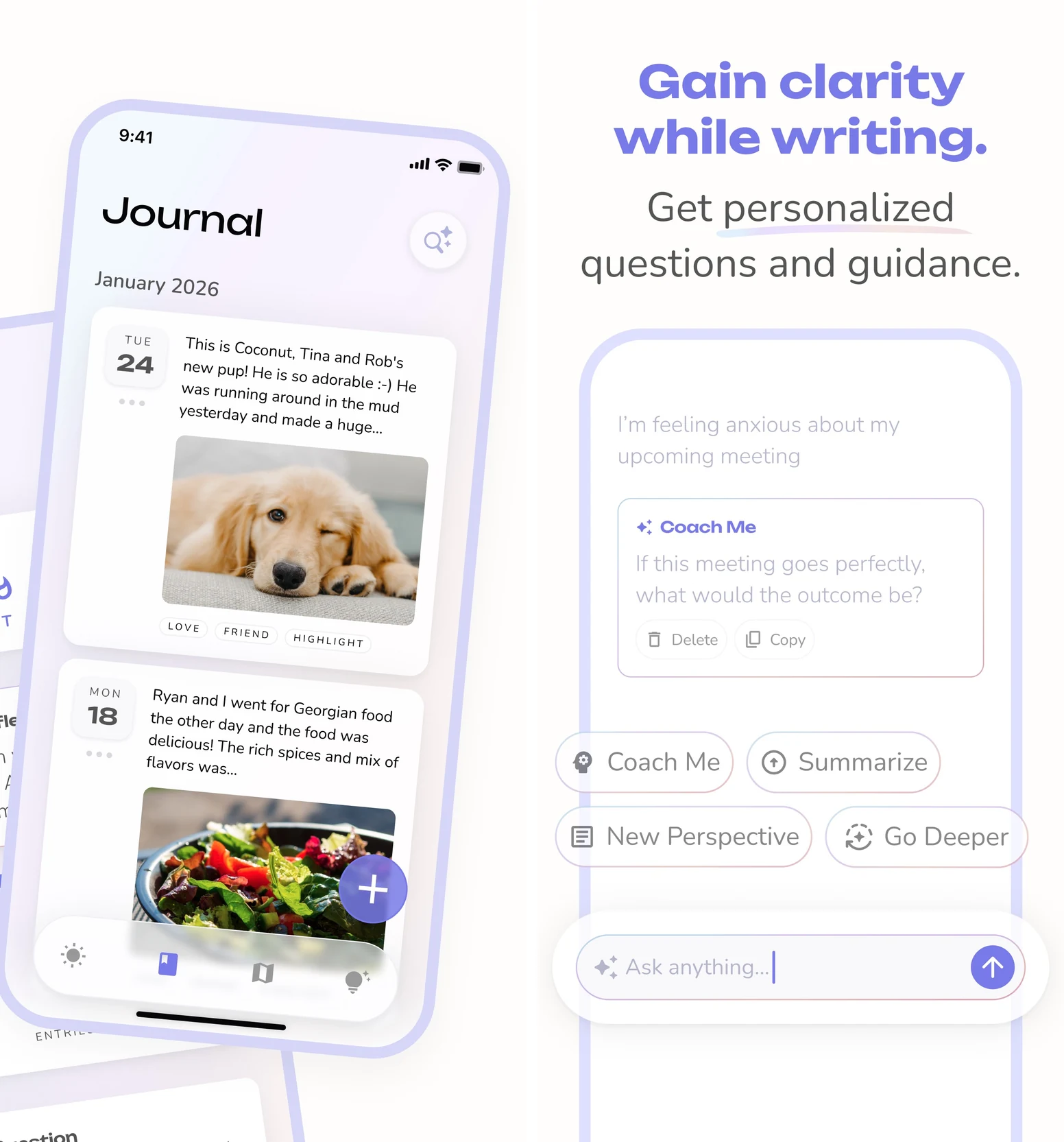
Reflection suits people who think more clearly by writing or speaking into a journal. Its free plan includes unlimited entries, prompts, limited voice journaling, and a daily allowance of AI coaching, insights, and search. You can capture what happened and use a follow-up question to explore it. Free plan details.
Know the boundary: AI access has a daily allowance. Free cross-platform reading is also limited: only the ten most recent entries from the other platform group, mobile versus desktop, are readable. Older entries remain readable on their originating platform group. Start on the device you expect to use most. Syncing rules.
Try this: write about one moment when you put something off. Explore what made starting difficult, then choose one change for the next attempt.
5. Rocky.ai: best for a focused mindset routine
Rocky.ai is worth considering if you prefer a defined topic and short reflective conversations. Its published individual plan includes ongoing free coaching focused on Positive Mindset or Discipline. Broader topics and personal development plans require a subscription. Its separate free trial should not be confused with that ongoing tier. Current individual plans.
Try this: choose Discipline and bring one repeat problem, such as abandoning study sessions after a difficult day. Use the conversation to choose a smaller version you can attempt tomorrow.
One prompt to start your free coaching session
Copy this into ChatGPT or another conversational coach. There is nothing to fill in first. It begins by asking you one question.
Help me make progress on one thing in my life. Start by asking: “What would you like to change?” Ask one question at a time, with at most three questions before suggesting a next step. Find out what gets in my way and how much time I realistically have. If I am unsure, help me choose one priority. Suggest one action that takes 5 to 20 minutes, a specific time or cue for doing it, what counts as done, and a two-minute fallback for a difficult day. Ask whether the plan fits before treating it as agreed. Finish with a short note I can save: my goal, next action, when, what counts as done, fallback, and what to report back. Keep it practical, concise, and free of motivational speeches. Do not invent details about me.
If the answer is still too big, reply: “Make the first step smaller. What can I finish today?” For more specific situations, our 10 ChatGPT life coach prompts cover goals, decisions, procrastination, and weekly reviews.
Turn one conversation into a week of progress
Use one goal for the first week. Here is an example you can adapt if you have been putting off a career change.
Start with one visible action
Your starting thought might be: “I want a better job, but updating my CV feels overwhelming.”
An achievable first step could be: after dinner on Tuesday, spend fifteen minutes rewriting one CV bullet. On a difficult day, the fallback is opening the document and writing one rough sentence.
In TaskCoach, add that as a task and schedule it manually. Use a focus session when you start. This step is complete when the bullet is rewritten; “work on my career” would leave you guessing.
Keep a tiny record of what happened
When you finish, mark the task done and add one line to your note: “Rewrote one bullet in twelve minutes. Starting with a blank page was the hard part.”
If you miss it, record the obstacle just as plainly: “Dinner ran late and I forgot.” Then move the next attempt to a cue you are more likely to notice, such as opening your laptop at lunch.
A missed task gives you something to adjust. Preserve the goal and change the size, timing, or setup of the next attempt.

Make the useful part repeatable
Once a small action fits, give it a recurring place in your week. For this example, that might be a fifteen-minute career step on Tuesday and Thursday. Track the repetitions as a habit, and keep the specific task clear: rewrite a bullet, choose one role, or draft one application paragraph.
At the end of the week, open your completed tasks and your short note. Ask the coach: “Here is what I planned and what happened. Help me choose one adjustment for next week. Keep what worked.” Paste the relevant details with that request.
Five minutes is enough for a first review. Leave with one decision, such as moving the next session earlier, preparing the document in advance, or repeating the same manageable step.
If you hit a chat limit, carry on with the action you saved and write your own review. The routine can keep moving while AI access is unavailable.
Keep continuity without retelling your whole life
Free does not automatically mean forgetful. Pi offers cross-chat memory, and ChatGPT has memory controls. What your account saves, what it recalls, and what you choose to share still matter. OpenAI's memory overview.
A short note helps you carry accurate context between tools. Keep four things current: your goal, your main constraint, your next action, and the last result. For the CV example, that can fit in four lines.
Use that note when changing apps or starting a conversation that needs context. You can also ask the coach to summarize what it knows about your current goal and correct anything outdated.
You choose what to share. Remove identifying or sensitive details that the conversation does not need, and check the app's memory, deletion, and export controls. These tools are for everyday planning and reflection; they do not replace a qualified professional's care for mental health concerns.
Check the free boundary before you settle in
A free plan can be useful for years. Check the features you will actually use, rather than deciding from the word “free” on a download button.
- Ongoing or temporary? Find the free plan separately from any Premium trial, and check whether a trial renews automatically.
- What happens at the limit? Can you still read your notes and use the planner or journal when AI access runs out?
- Will it work on your devices? Reflection's cross-platform reading limit is a good example of a detail that can change your choice.
- Can you leave with your work? Check how entries and notes can be exported before building a large history.
Two familiar names need care in a free-coach list. Mindsera's free plan covers journaling, while its AI coaching features are paid. Rosebud is retiring its free plan on September 30, 2026, so it is unsuitable as an ongoing $0 recommendation. See Mindsera's plan comparison and Rosebud's announced change.
Choose one setup and give it a real job
Our recommendation is TaskCoach as your free planning foundation, with ChatGPT alongside it when you want a broader conversation. That puts the goal, next action, habit history, and reflection within reach of your daily plan.
If Pi or Reflection already gives you the conversation and routine you need, keep the setup simple. Consider upgrading only when you can name a specific missing feature or recurring limit that interrupts something useful. Staying free is a perfectly good long-term choice.
Start with TaskCoach's free tools, save one action for this week, and give yourself something concrete to come back to. For a comparison that includes paid options, see the best AI life coach apps.