Urgency asks for your attention. Importance earns a place in your plan. The Eisenhower Matrix helps you decide which is which before the loudest request takes the whole day.
Ask two separate questions: does this need action soon, and what meaningful consequence or outcome does it affect? Then choose a response.
What actually lives in each quadrant
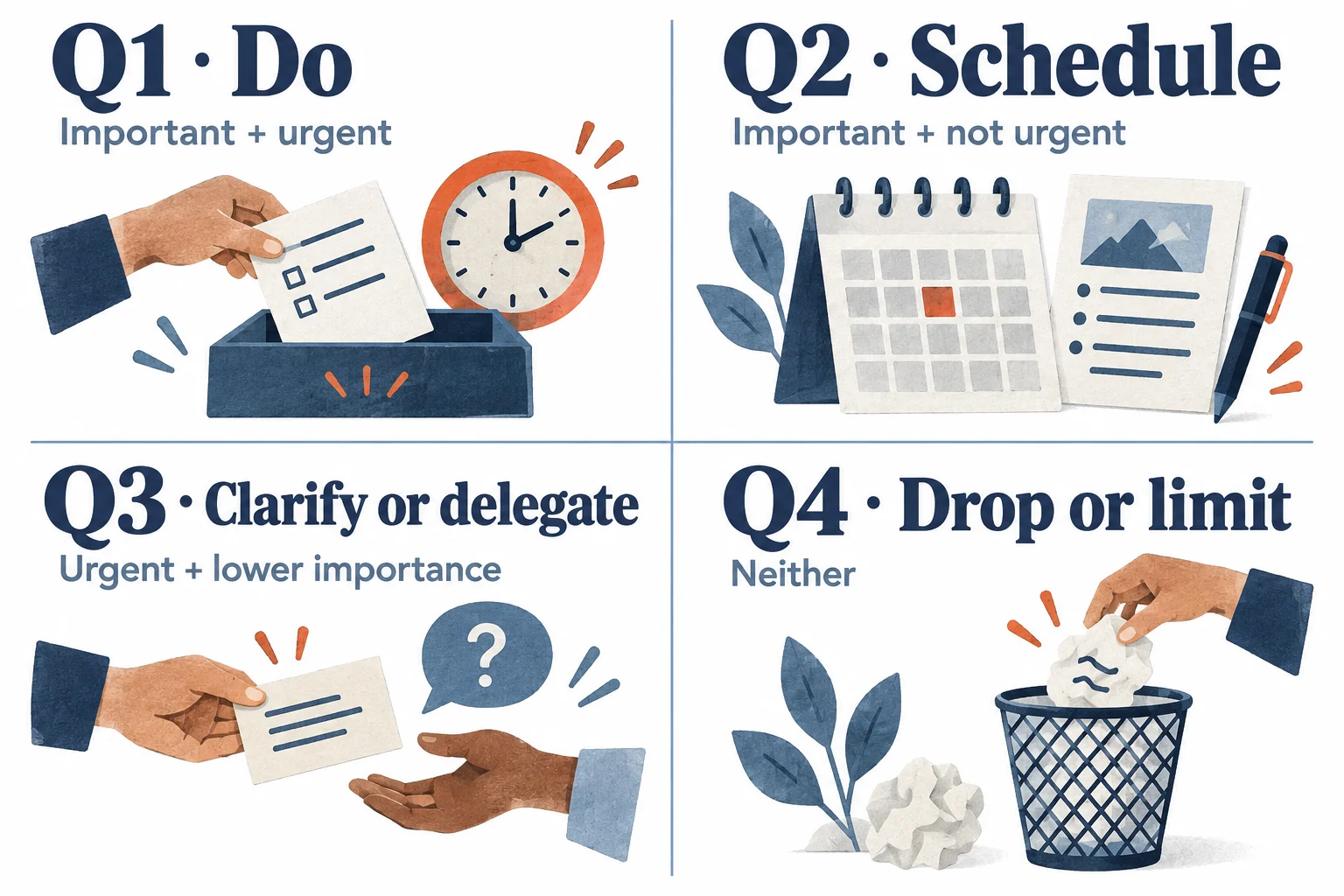
| Quadrant | Meaning | Default response | Example |
|---|---|---|---|
| Q1 | Important and urgent | Do or arrange action now | Submit the required form due today |
| Q2 | Important, not urgent | Schedule it | Prepare next month’s presentation |
| Q3 | Urgent, lower importance | Delegate, clarify, or contain | A status request someone else can answer |
| Q4 | Neither | Drop or limit it | Reformatting a document nobody needs |
An email is not automatically Q3, and rest is not automatically Q4. A message can contain your most important obligation. Rest can be essential. Classify the purpose and consequence, not the app or activity label.
Sort your list · See the tricky cases · Protect important work
Copy a five-minute priority check
Pick five items from your list. Use this for each, then put the chosen action where you will actually see it.
TASK: What happens if I do nothing? Is there a real deadline or response time? Whose important outcome does this support? My decision: do / schedule / delegate or clarify / drop The next concrete action: When I will act, or who owns it: What I need to communicate:
“Delegate” only works when someone can reasonably take responsibility and knows what is being asked. If you cannot delegate, limit the scope, batch the task, or negotiate its timing.
When the quadrant is not obvious
Imagine your Tuesday includes these five items:
| Item | Decision and reason |
|---|---|
| Customer cannot access a service you support | Q1: restoring access is part of your responsibility |
| Build instructions that prevent repeated access problems | Q2: schedule a first draft after the immediate issue |
| Colleague asks for figures “ASAP” | Clarify the actual deadline and use before deciding |
| Adjust the colors in your personal dashboard | Q4 if it changes no decision and blocks useful work |
| Take a break after sustained work | Protect it as recovery; do not treat it as wasted time |
The same task can change quadrant. Renewing a document is Q2 when the deadline is months away and Q1 when delay would prevent tomorrow’s trip.
The matrix is a conversation with your commitments, not a label maker for people you want to ignore.
Why Q2 carries the leverage
Q2 is where you prepare, maintain, learn, and strengthen relationships before a crisis demands attention. In the access example, a clear instruction page could reduce repeated support requests. The benefit comes from solving a recurring problem, not from the quadrant name itself.
Look at a recent emergency and ask what could realistically have prevented it. Some crises were unavoidable. Others reveal one piece of preparation worth scheduling.
The framework is associated with Eisenhower’s distinction between urgent and important problems and was popularized through Stephen Covey’s The 7 Habits of Highly Effective People. Its practical value is asking the two questions separately.
Why Q2 keeps losing
A deadline has a voice. Preparation often does not. If you leave important work in an unscheduled backlog, it competes with every incoming request from a weak position.
Protect one workable block. That might be 25 minutes after lunch, not a universal 90-minute morning ritual. Name the output: “Draft the first three troubleshooting steps” is easier to start than “improve the support system.”
Use time blocking to make the tradeoff visible. If your job requires rapid responses, agree on coverage or choose a realistic opening. A personal priority system should respect shared responsibilities.
Review the decisions, not just the labels
At the end of the week, ask:
- Which urgent tasks were genuinely unavoidable?
- Which repeated problem deserves preparation next week?
- Did a scheduled Q2 action produce something useful?
- What did I label “important” but never use?
Do not spend more time sorting than doing. If the matrix keeps growing, use the to-do list reset to reduce the backlog first.
How TaskCoach.AI handles this
Use TaskCoach to capture the decisions: a task for the immediate obligation and a scheduled next action for the preventive work. Add the reason in a note so “prepare instructions” stays connected to the problem it should solve.
Plan Day can help draft the day around recorded work; review the priorities and fixed commitments yourself. We build TaskCoach. Core task and manual planning tools are free, while broader AI coaching is part of Premium.
Important work needs a reservation. Choose one Q2 action and give it a realistic slot before another week fills itself.