You finish an AI coaching chat feeling clear. By Tuesday, the plan is buried in your chat history and you're putting off the same task again.
The best AI life coach helps a useful conversation survive the rest of your week. That might mean remembering what matters to you, asking a better question, or putting the next step somewhere you'll actually see it.
We publish TaskCoach and recommend it for connecting personal coaching with daily action. This comparison draws on official product pages and app listings checked on September 12, 2026. Images are publisher-provided previews and TaskCoach demo screens; the first-use examples are suggested starting points.
Choose the help you need
| App | Choose it for | Devices |
|---|---|---|
| TaskCoach | Best overall: coaching + daily action | Installable PWA · Mobile + desktop |
| Purpose | Talking through recurring patterns | Web, iPhone, Android |
| Rosebud | Understanding your journal's themes | Web, iOS, Android |
| Mindsera | Examining a decision from new angles | Web, iPhone, Android |
| Habit Coach AI | A coach that contacts you | Web, text + phone |
| Beyond Time | Seeing where your time went | Web, iPhone + iPad |
| Habidu | Task reminders + a daily timeline | Web, iPhone, Android |
Start with the row that sounds like your week. You don't need to try all seven.
Three questions that cut through the marketing
Will it remember what matters? A preference like “evenings are for my family” should still matter when you return to the conversation.
Can it understand your actual week? Useful advice takes account of your commitments, available time, and the obstacles you share.
Where does the next step go? It might become a journal intention, a guided exercise, a reminder, or a scheduled task. Choose the form of support you will use. Reflection can be the right practice in its own right.
1. TaskCoach: best overall for turning goals into daily progress
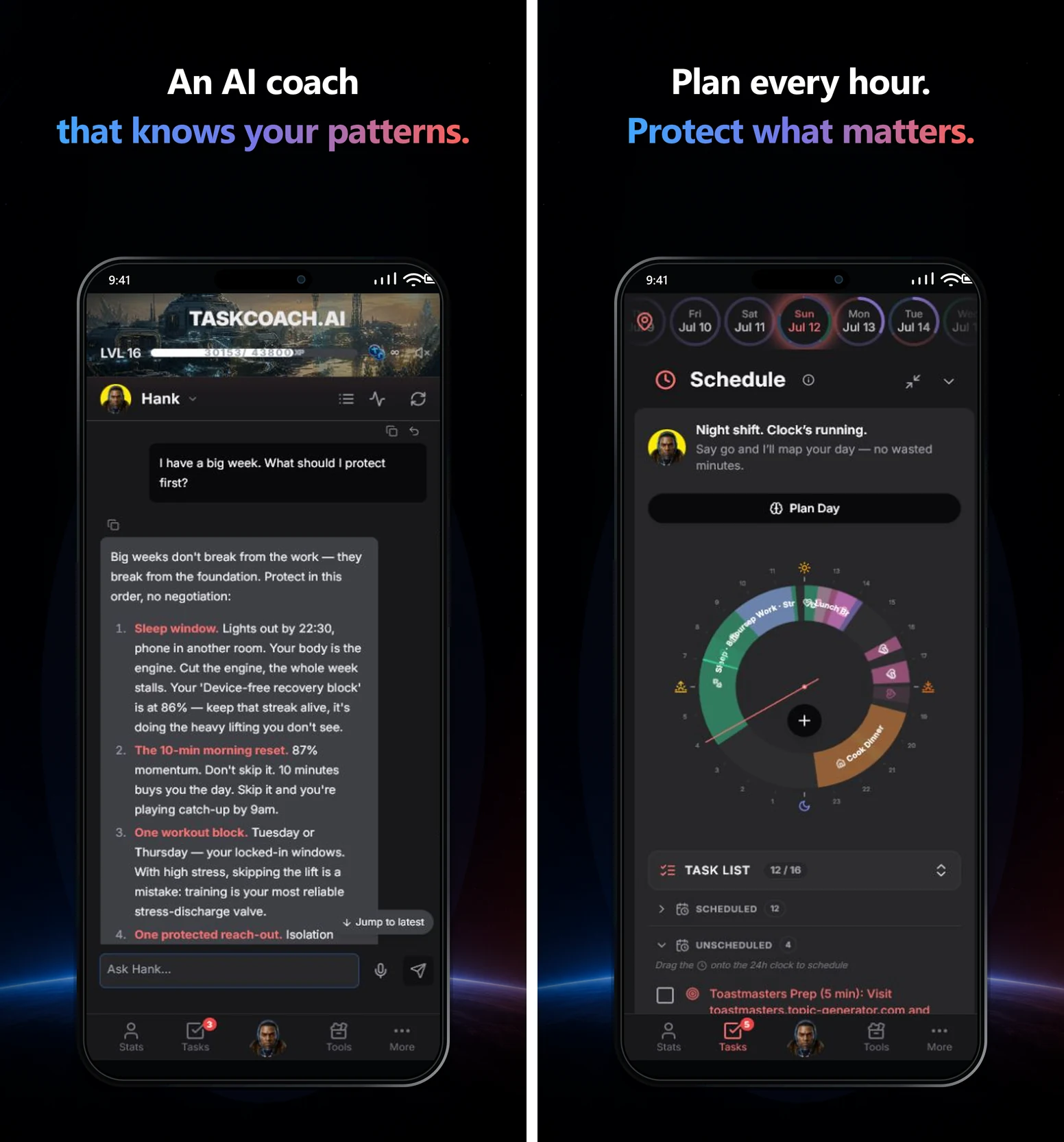
TaskCoach earns the top spot because it connects the whole process of changing your life: understand what you want, choose the next step, make time for it, and learn from what happens. Your AI coach, goals, tasks, habits, notes, journal, and schedule work in one system.
Imagine you want to change careers while working full time. “Find a better job” is the goal. The useful question on Tuesday is smaller: what can you finish in the time you actually have?
A coach that gets to know your life
Premium's contextual AI chat can use your goals and tasks to help you work through a decision or find a next step. Its Brain remembers useful context you share, including preferences, routines, and recurring obstacles. You can review those memories, correct them, or ask it to forget them.
Tell it that you have twenty minutes at lunch and want to keep evenings free. That gives future coaching something personal to work with. You spend less time retelling your situation and more time deciding what to do.
You can bring existing notes from Notion or Obsidian, and tasks and projects from Todoist or TickTick. Premium's two-way Google Calendar and Outlook sync helps your plans account for the commitments already in your week.
A daily plan you can actually follow
The daily planner draws on your goals, habits, open tasks, commitments, and recent activity. Choose Recover, Steady, or Push to match your capacity, then review and adjust the proposed plan before accepting it.
For the career-change goal, today's move could be rewriting the opening of your resume. That action can have a place in the schedule, a focus session to work through it, and a completion you can see afterward.
Feedback that makes the next week better informed
Weekly Debrief and Plan vs. Reality reports help you compare your intentions with recorded activity. Bring the findings into coaching and adjust the next plan. If career tasks keep slipping, you have a specific problem to work on: protect a smaller block or change when you attempt it.
XP, levels, and the leaderboard add a reward for showing up. Habit momentum also preserves earlier effort: missing a scheduled day subtracts one effective day instead of erasing your whole history. See how momentum works.
Try first: Add one career goal, ask the coach for a twenty-minute next step, and put it into today's plan. Start there; you can add journals, imports, and more habits as they become useful.
Best fit: You want coaching connected to the work of changing your life. A chat-only or journal-first app asks for less setup if conversation or writing is all you need.
Devices: TaskCoach is an installable PWA for iPhone, iPad, Android, Windows, and Mac with a supported browser. Launch it from your home screen or desktop in its own app window. Explore TaskCoach.
2. Purpose: best for a direct personal mentor
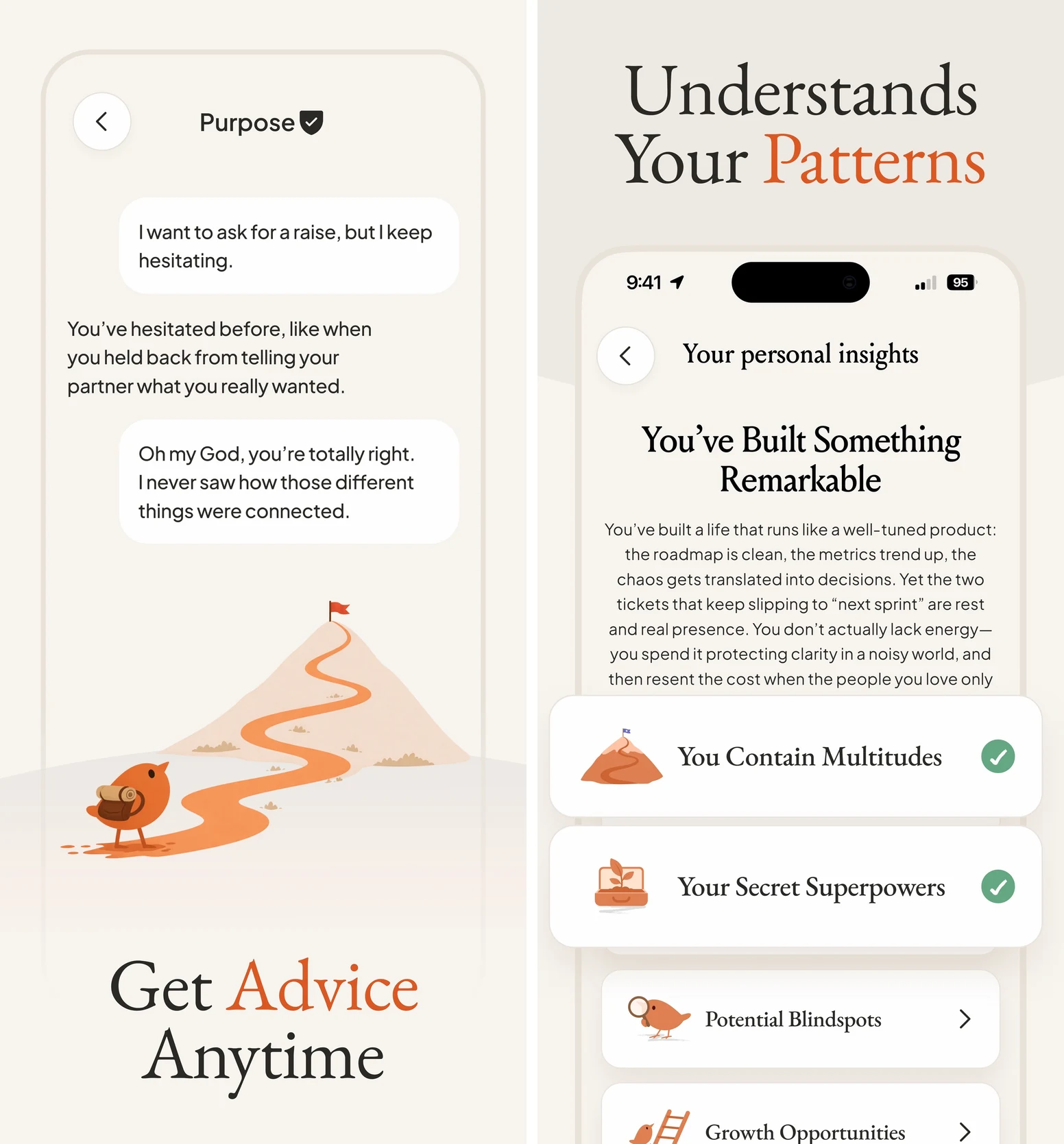
Choose Purpose when you want to talk through the same pattern you keep getting stuck in. Co-created with Mark Manson, it puts a direct mentor conversation at the center of the experience. Memory, personal insights, voice conversations, and guided Quests give that relationship continuity.
The appeal is a focused place to work through hesitation, choices, and competing priorities. You can have a conversation, notice a recurring theme, and work on a next step through its guided growth features.
Try first: Bring the conversation you're avoiding: “I want to ask for a raise, but I keep delaying it.” Explain what makes it difficult, then ask for one preparation step you can do before the conversation.
Purpose suits someone who wants a mentor and a guided journey. If you also need detailed project organization and calendar planning, check how you will carry the commitment into your existing task system.
Access: Web, iPhone, and Android. The official web offer lists a seven-day trial, then $19.99 monthly or $149.99 yearly. Visit Purpose.
3. Rosebud: best for reflection through journaling
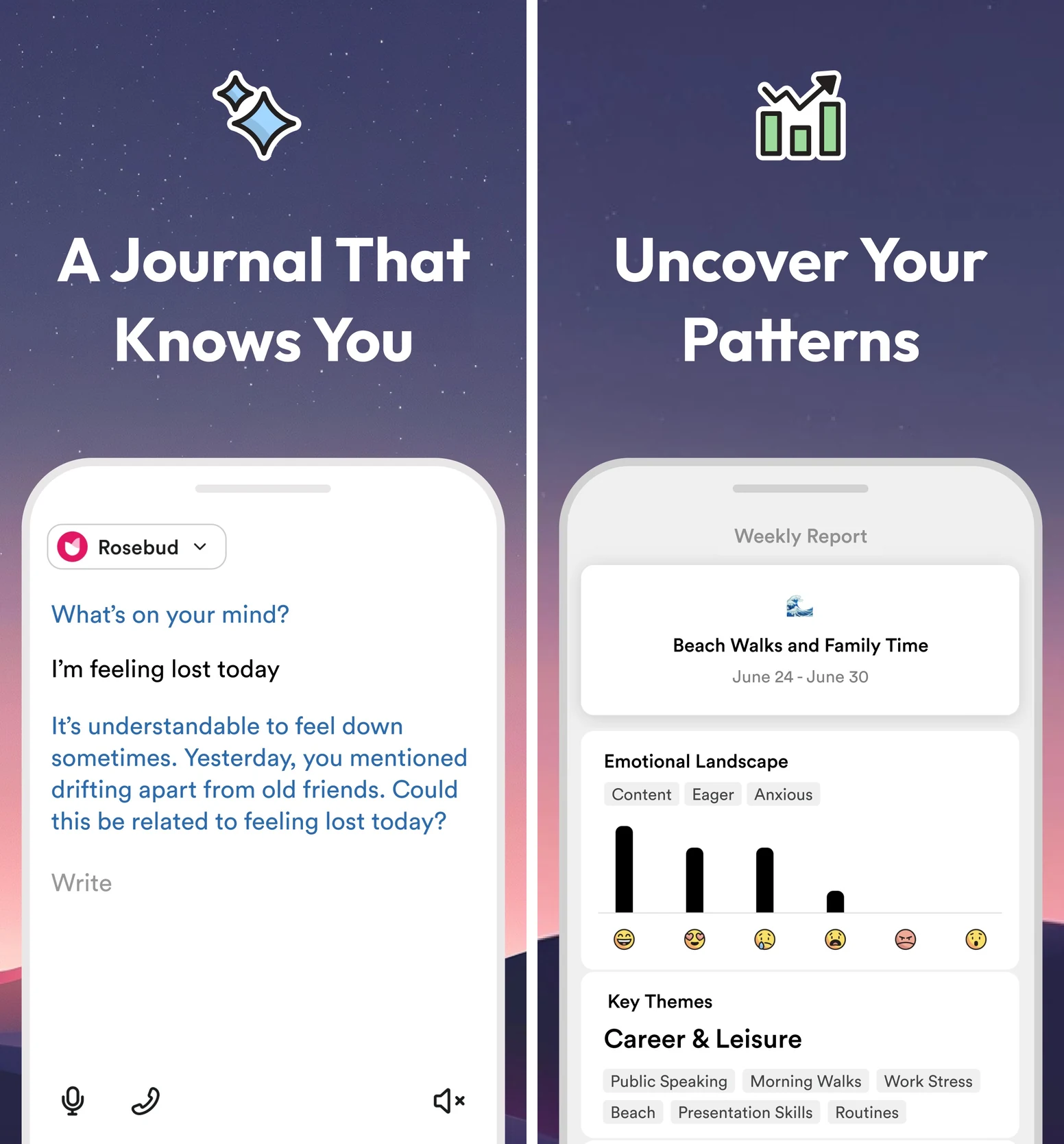
Some problems become clearer once you've put them into words. Rosebud is our journal-first pick for exploring what you feel, noticing recurring themes, and deciding what to do with an insight.
You can write or speak an entry, follow the AI's questions, and review patterns over time. Bloom's long-term memory connects later reflection with earlier entries. Weekly reports, goals, and action planning give the writing a direction.
Try first: Describe one moment from today that keeps bothering you. Follow one question that helps you understand it, then choose a small next step. You might decide to clarify an expectation with a colleague instead of replaying the exchange all evening.
Expressive writing has a long research history, including the Pennebaker study cited below. That doesn't make an app's interpretation a diagnosis. Rosebud works best when reflection is a practice you want to return to.
Access: Web, iOS, and Android. Bloom is listed at $12.99 monthly or $107.99 yearly. Rosebud says its free plan ends September 30, 2026. Finished entries sync across devices, but drafts don't, so finish an entry before switching. Visit Rosebud or read the free-plan update.
4. Mindsera: best for thinking through a difficult decision
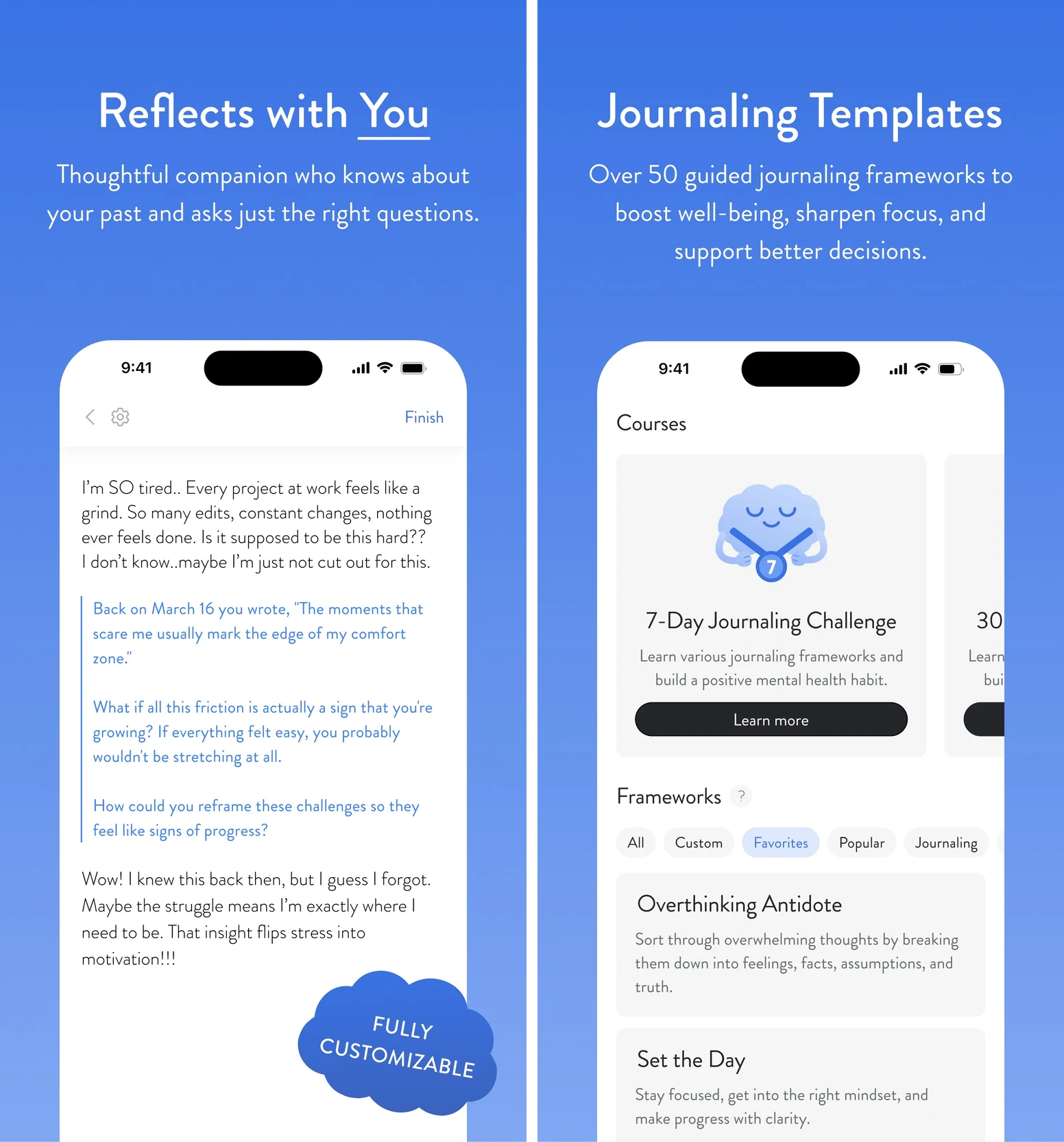
Mindsera suits readers who like a framework to think with. Its journal combines writing, voice, and handwriting capture with mental-model templates, an AI companion, and analysis of recurring topics and emotions.
The benefit is a repeatable way to examine a problem. When your thoughts keep circling, a structured question can help you separate what you know, what you're assuming, and what you still need to find out.
Try first: Write about a decision you're postponing, such as accepting a new role. Ask: “What do I know, what am I assuming, and what information would change my decision?” Finish with an action, such as asking the hiring manager about the concern you still haven't resolved.
Mindsera is strongest as a thinking and reflection practice. You'll still need to decide where that action belongs in your day. It is a good fit if you enjoy returning to your writing and learning from it.
Access: Web, iPhone, and Android. The free Curious plan includes journal basics and templates. The AI companion, analysis, and voice features sit in Genius, listed at $14.99 monthly or $129 yearly, with a trial available. Visit Mindsera.
5. Habit Coach AI: best for check-ins by text or phone
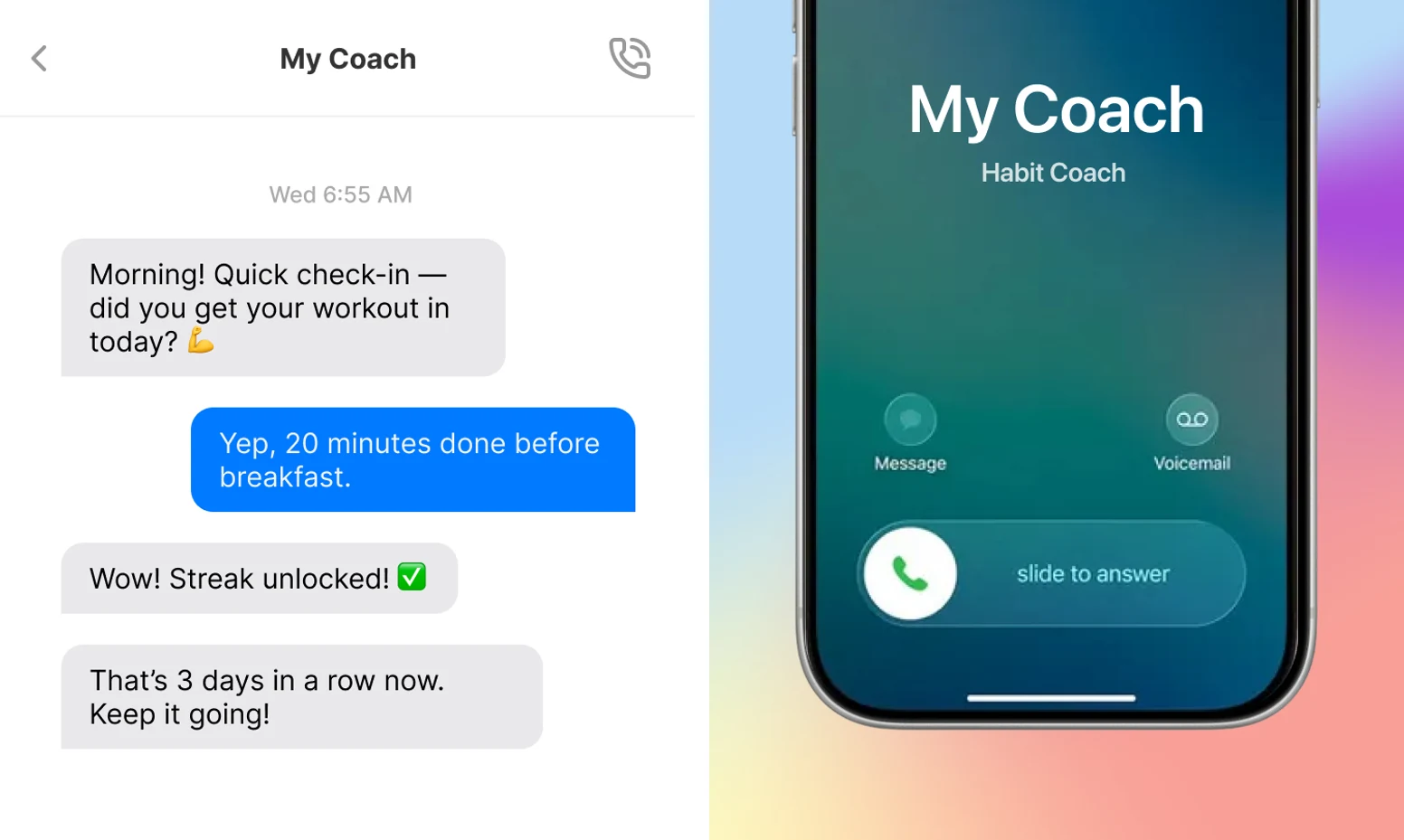
Habit Coach AI is for the moment you forget to open the app. Its central benefit is outbound accountability: check-ins arrive through text, web chat, and, on Pro, AI phone calls.
You choose a coaching style and habits to work on. Reminders, streaks, progress charts, and weekly reports keep the conversation connected to what you've recorded. Pro+ also offers access to a human coach.
Try first: Choose one habit, such as a short walk after lunch, and set a check-in around the time it usually slips. Give yourself a clear finish line: ten minutes outside. A useful reminder should lead to that action, not a long conversation about whether walking is a good idea.
This is a strong fit when being contacted helps you follow through. It's a habit-centered service, so think about how its check-ins will fit around your existing planner. If you're choosing it for calls, confirm phone support for your country.
Access: Starter is listed at $9 monthly. Pro's current $19 monthly offer covers the first three months; the regular listed rate is $39. Check Habit Coach AI's plans.
6. Beyond Time: best for comparing your plan with reality
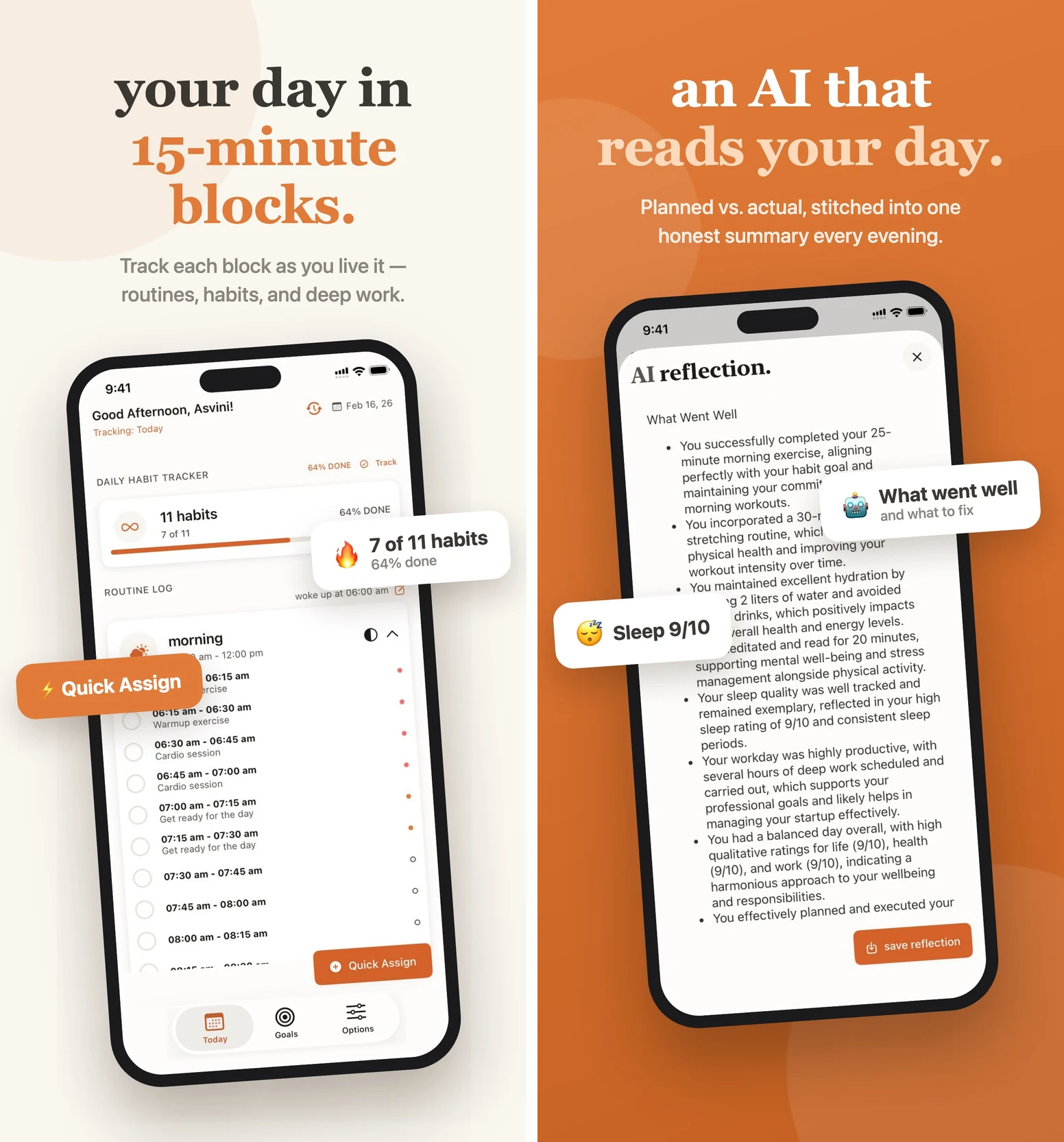
Beyond Time makes the gap between your intended day and your actual day visible. Goals break into milestones, habits, and routines. Time tracking and daily review help you see where your effort went.
Its personal context, morning intentions, and evening reflection support a regular planning rhythm. If you keep saying a goal matters but rarely give it time, that comparison is useful evidence for the next day's plan.
Try first: Plan one half-hour session for an important goal. In the evening, record what happened and compare it with the plan. If meetings consumed the slot, decide where a shorter session can realistically fit tomorrow.
This suits someone willing to record and review their time. That upkeep is part of the method, so start with one block before trying to account for a whole day. Beyond Time also lets you bring goal and habit context into supported AI assistants such as Claude.
Access: The free web version includes goals, milestones, routines, and limited personal context. The fuller iPhone/iPad app lists a two-week trial, then $4.99 monthly or $29.99 yearly. Visit Beyond Time.
7. Habidu: best for help starting the task you keep avoiding
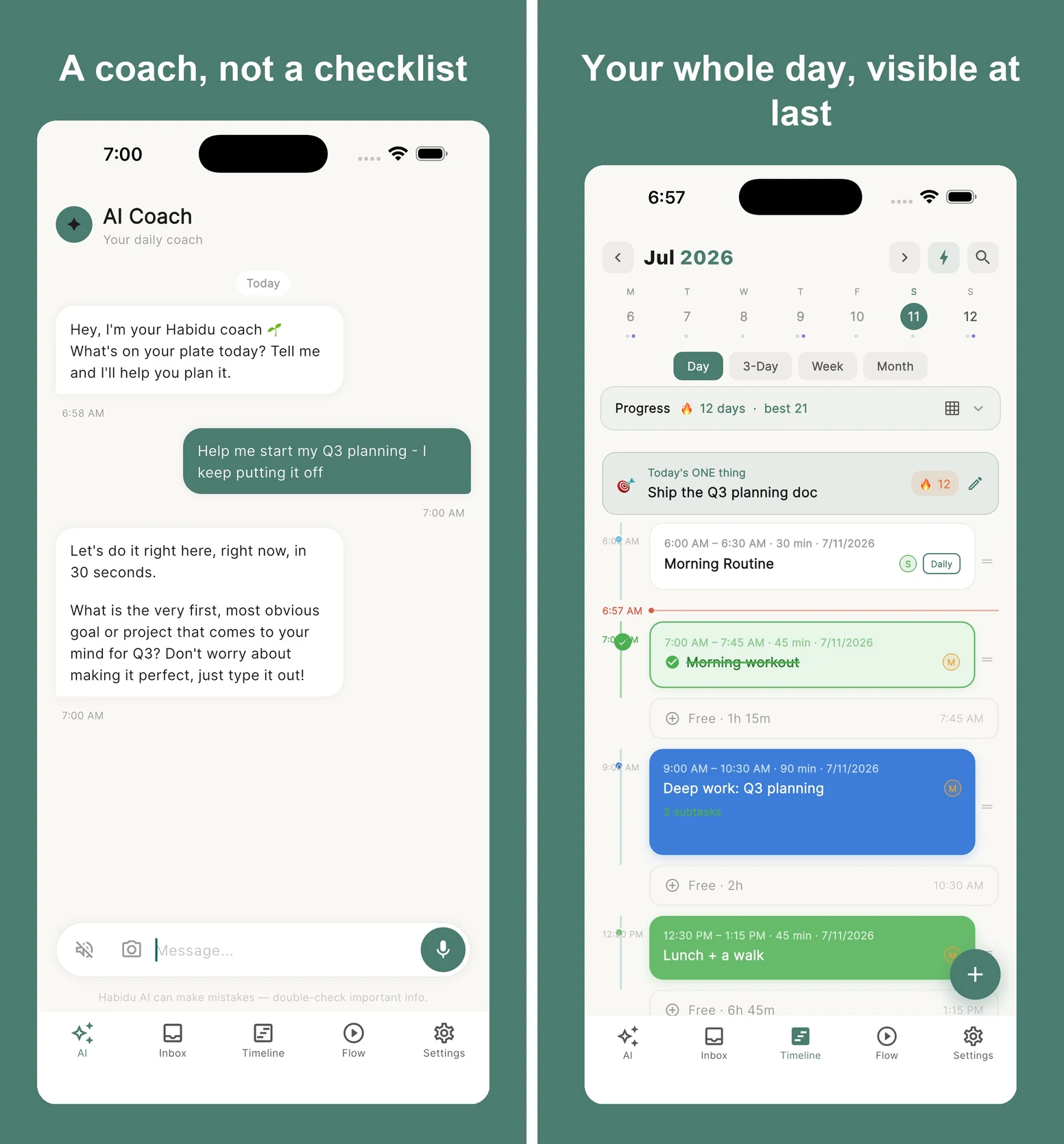
A reminder is easy to dismiss when the task still feels too big. Habidu combines follow-up with a visible daily timeline, helping you see the task and the time available for it.
Its coaching, routines, focus timer, and reminders support getting started. The current product describes options to start, snooze, skip, or reschedule, with coaching that can adjust or back off. Morning and evening reflection add context around the day's commitments.
Try first: Schedule “open the document and write three rough sentences.” When the reminder arrives, start that small version or give a real reason to reschedule. Notice whether the next nudge helps you begin.
Habidu is a promising fit if a timeline and repeated check-ins help you act. If notifications already make you want to hide your phone, inspect the reminder controls before building your whole routine around it.
Access: Web, iPhone, and Android. Store listings describe a 30-day full trial and launch offers of $7.99 monthly or $39.99 yearly, against regular prices of $15.99 and $79.99. Confirm the offer and renewal terms in your store. Visit Habidu.
Try one coach with one real goal
A promising demo is easy to enjoy. Give your chosen app something useful to work on. Copy this example and change the details to match your life:
I want to change jobs while working full time. I keep postponing applications because evenings are busy. I can spare twenty minutes at lunch on Tuesday and Thursday. Help me choose one small action for the next available session and a clear finish line. Ask one question at a time if you need more context. End with the action, when I'll do it, and what counts as done.
Put the action where you'll see it, whether that's the app's plan, a reminder, or your calendar. After trying it, tell the coach what happened. If you miss it, explain why and ask for one adjustment.
At the end of the week, check three things: did it reuse your context, did the advice produce a clear next action, and did you do something that mattered? Keep the setup that helps you return. One week can tell you about fit; it can't prove lasting change.
For more starting points, use our 10 copyable life-coach prompts. If you already have a general assistant, the TaskCoach vs ChatGPT comparison explains what a dedicated coaching workspace adds.
Keep control of what you share
Before importing a journal or personal history, check the app's deletion and export controls, how its AI providers process data, and whether humans may review conversations. Check where to cancel and what a subscription renews at. Share only what you're comfortable storing there.
AI coaching can support reflection and planning. It isn't an emergency service, a medical diagnosis tool, or a substitute for licensed care. For trauma, clinical concerns, or high-stakes situations, involve an appropriately qualified professional. If you may harm yourself or someone else, contact local emergency or crisis services.