Best AI journaling apps: start with what you want to change
You finish an entry about feeling exhausted. Then you open tomorrow's calendar and see the same problem booked again.
A useful journal helps you hear yourself. A great one makes that understanding easier to use. Sometimes that means a calmer evening. Sometimes it means a decision, a conversation, or finally protecting an hour for yourself.
TaskCoach is our best overall pick because reflection lives alongside the goals, habits, and daily plan it can inform. We build TaskCoach, and that connection is why we recommend it. Rosebud, Mindsera, Reflection, and Day One each offer a strong, more focused journaling experience.
Choose the experience you want first. You don't need to try five apps or become a person who writes a thousand words before breakfast.
Compare the five apps · Try a three-minute entry · Check privacy
Choose your journaling style
| App | Choose it for | Starting access |
|---|---|---|
| TaskCoach | Journal, coach, goals, habits, and planning together | Free journal and planning; Premium Brain Chat |
| Rosebud | Follow-up questions and recurring themes | Free plan retires September 30, 2026 |
| Mindsera | Mental models and structured reflection | Free journal basics; paid advanced AI |
| Reflection | Guided writing and regular reviews | Free plan with a daily AI allowance |
| Day One | Memories, media, and an encrypted journal archive | Free Basic; AI features require Gold |
Features and access checked in September 2026. A free journal and free AI are different offers; the entries below explain what you get.
1. TaskCoach: best overall for turning reflection into progress
Suppose your last few entries say the same thing: “I keep agreeing to things, then have no energy for my own goals.” TaskCoach gives that realization somewhere to go.
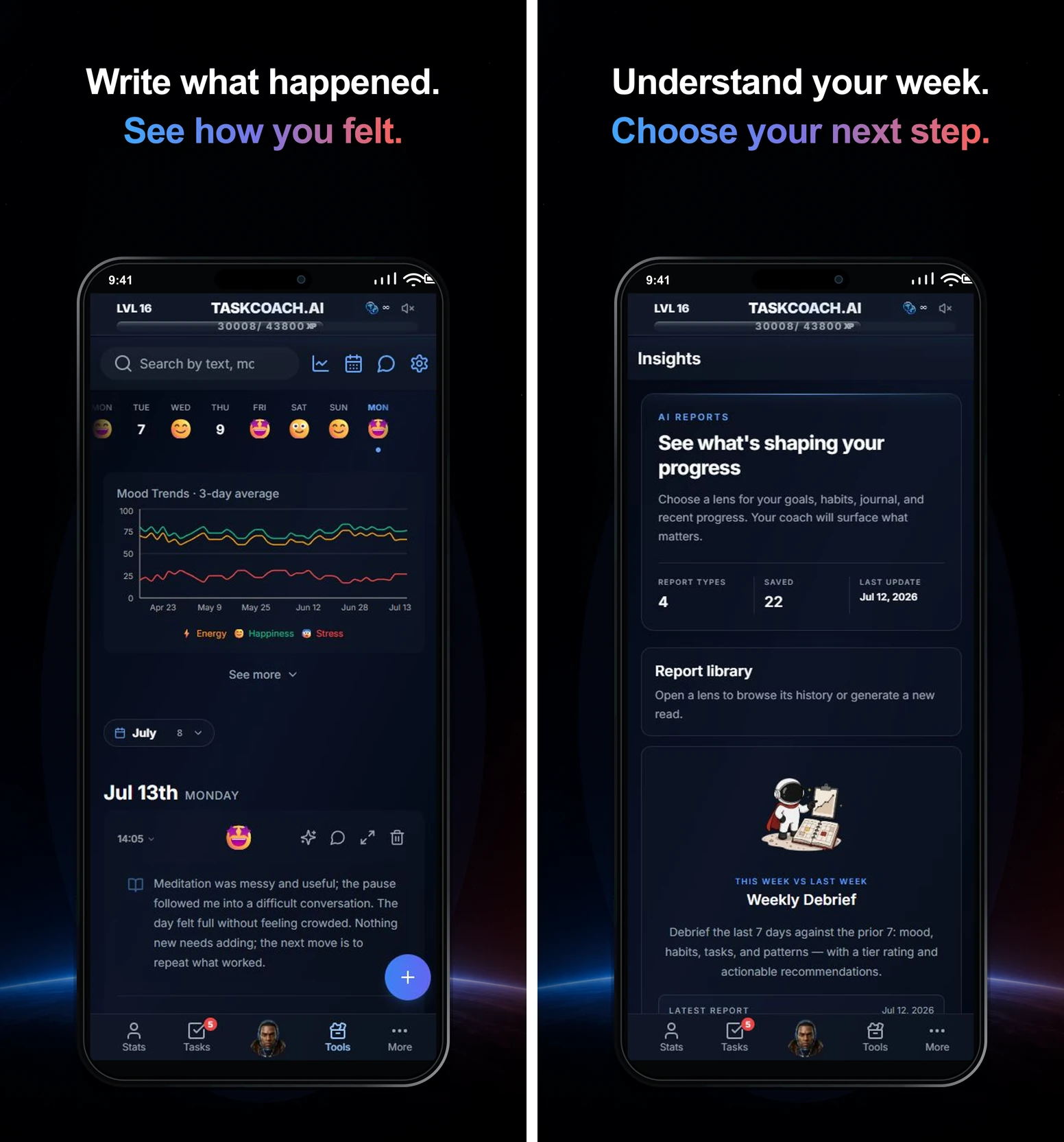
Your journal sits beside your goals, habits, tasks, and calendar. You can record the day and track mood, energy, and stress, then use reflections to look for recurring themes. The point is to connect what happened with what you want to do differently. Premium AI reports give you another way to review your journal and wider progress together.
Here's a practical example. You notice three late evenings in a week. Choose one experiment: keep Tuesday evening free and use 20 minutes of it for the course you keep postponing. Put the block in your calendar, then return to your journal to see whether the change helped.
TaskCoach's strongest benefit is continuity. The reflection, the personal goal, the scheduled action, and the next review stay in the same system. Your dream life becomes easier to work toward when an insight can sit beside a small commitment for tomorrow.
AI reflections can suggest experiments. Saving an experiment creates a journal check-in; it doesn't silently schedule a task. With Premium Brain Chat, you can discuss broader context and ask for planning help. Ordinary proposed task and calendar changes are presented for review before you approve them.
If you already love a dedicated journal and only want a place to write, the extra planning features may be more than you need. Choose TaskCoach when you want reflection to participate in the rest of your life.
Access: An installable PWA for phones, tablets, and computers. The free plan includes the journal and core planning tools, with AI inside selected features under usage limits. Premium adds Brain Chat, including chat from the journal. Visit TaskCoach.
2. Rosebud: best for a guided conversation with your journal
A blank page asks you to supply both the story and the useful question. Rosebud helps with the second part.
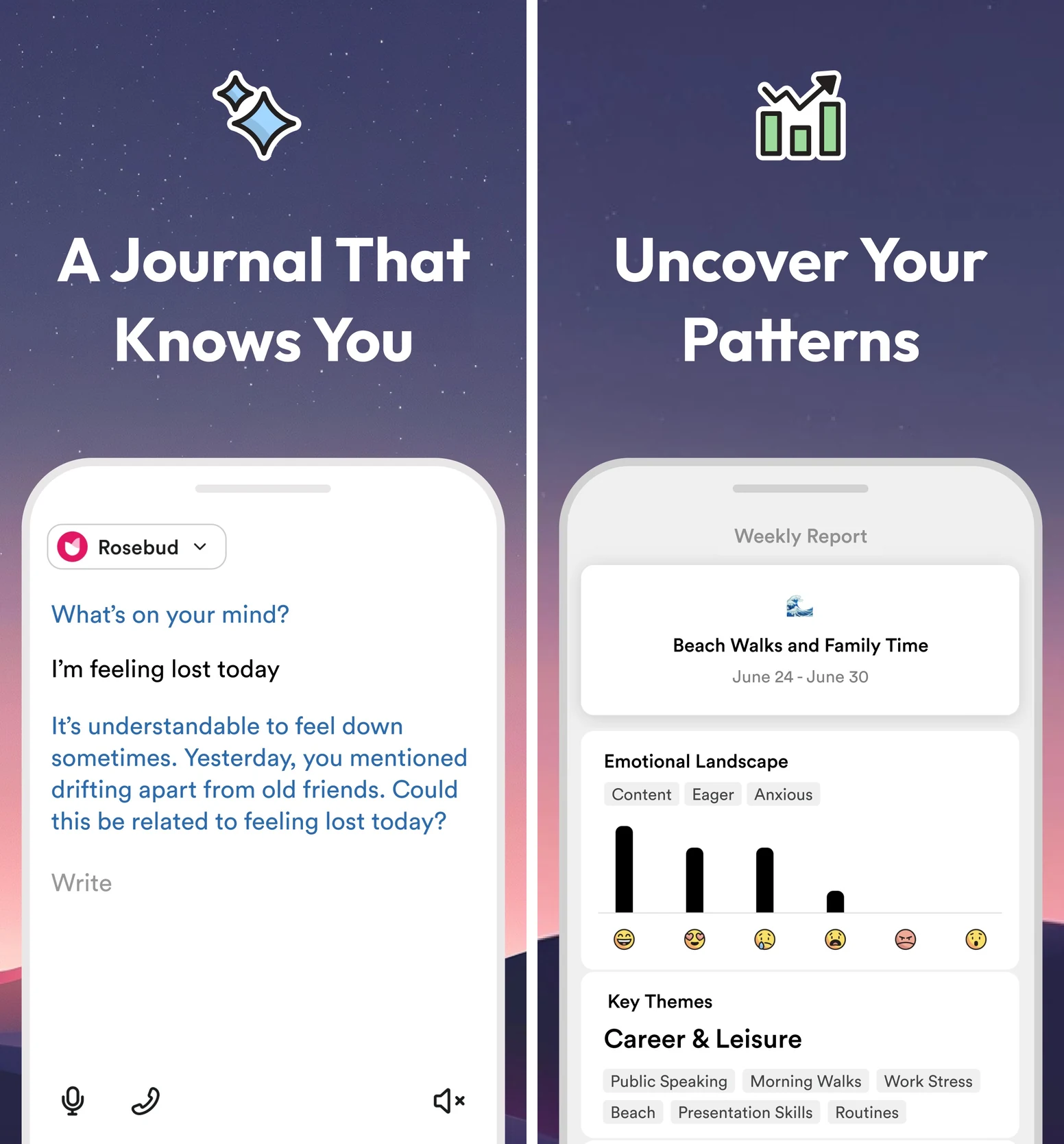
You write or speak an entry, and its AI follows up. That makes it a strong choice when you know something bothered you but haven't found the words for it. Longer-term memory and weekly reports can bring recurring themes back into view.
With the overcommitment example, a useful direction is exploring what made you say yes: excitement, obligation, fear of disappointing someone, or simply not checking your week first. The value is in arriving at an explanation that fits your experience. You can disagree with the AI and redirect it.
Choose Rosebud when you want to keep talking after the first paragraph. It is especially appealing if journaling itself is the practice you want to build. You can carry any resulting commitment into a planner you already use.
Access: Web, iOS, and Android. Rosebud says its free plan ends September 30, 2026, so don't choose it expecting permanent free access. Bloom is listed at $12.99 monthly or $107.99 yearly. Completed entries sync across devices; unfinished drafts don't. Visit Rosebud or read the free-plan change.
3. Mindsera: best for thinking through a decision
Mindsera gives you a structure when “How do I feel?” isn't the question you need answered.
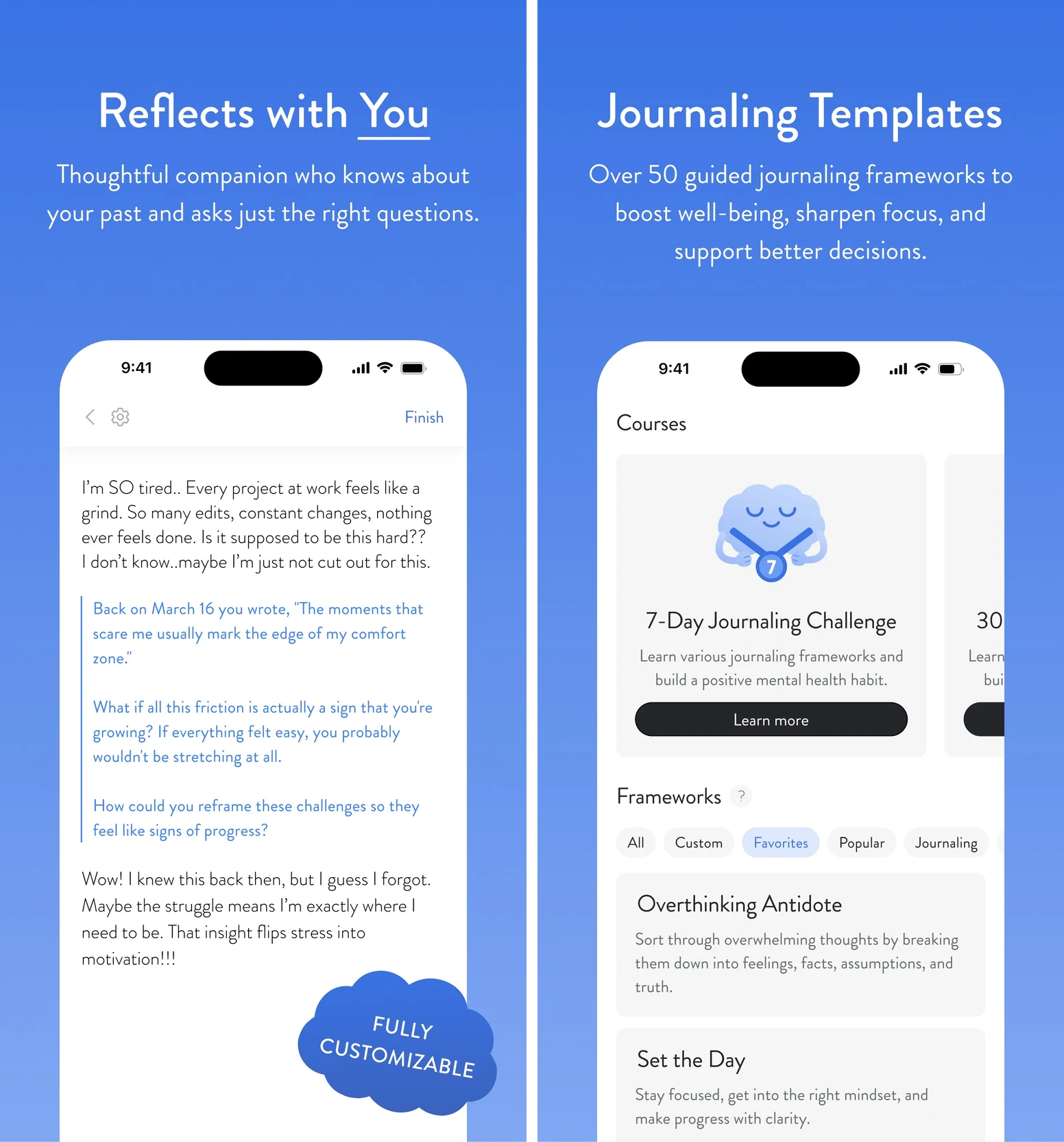
Its journal combines writing with mental-model templates, an AI companion, and analysis of recurring topics and emotions. Voice and handwriting capture offer other ways to get the material in. The appeal is a fresh angle on your own reasoning.
Take the request you're about to accept. Instead of writing a page about being busy, examine the decision: what will saying yes displace, what are you assuming, and what would make the commitment worthwhile? A template can keep you with those questions long enough to reach a decision.
Choose Mindsera when you enjoy thinking with a framework. It also supports emotional reflection; you don't need to be a founder or a spreadsheet enthusiast to use it. The distinction is how much structure you want around the writing.
Access: Web, iPhone, and Android. The free Curious plan includes journal basics and templates. Genius adds the AI companion, analysis, and voice features, listed at $14.99 monthly or $129 yearly, with a trial available. Visit Mindsera.
4. Reflection: best for a gentle daily journaling ritual
Reflection suits the reader who wants a welcoming place to return each evening. Guided prompts, a library of expert-led guides, AI coaching, and periodic reviews give the practice shape without requiring you to invent a topic every day.
For the overbooked week, start with one ordinary question: “When did I feel most stretched today?” Write the moment, then return during a weekly review to see whether the same situation appears again. The ritual can be useful even before you decide to change anything.
Choose Reflection when consistency matters more to you than an elaborate setup. Its calm writing experience is a real advantage if a busy interface makes you close the app before starting.
Access: Free journaling with a limited daily AI allowance; Premium expands AI and other features. Check cross-platform history access if you switch between mobile and desktop: the free plan lets you open only the ten newest entries created on the other platform. JSON and CSV export are available on every plan. Visit Reflection.
5. Day One: best for a rich personal archive
Some entries deserve to survive long after the problem is solved: the voice of someone you love, a photograph from an ordinary Sunday, or the details of a year you might otherwise forget.
Day One is our archive-first pick. It combines journal entries with media, search, export options, and end-to-end encrypted journals. It makes sense for people who want a lasting record as well as a place to reflect.
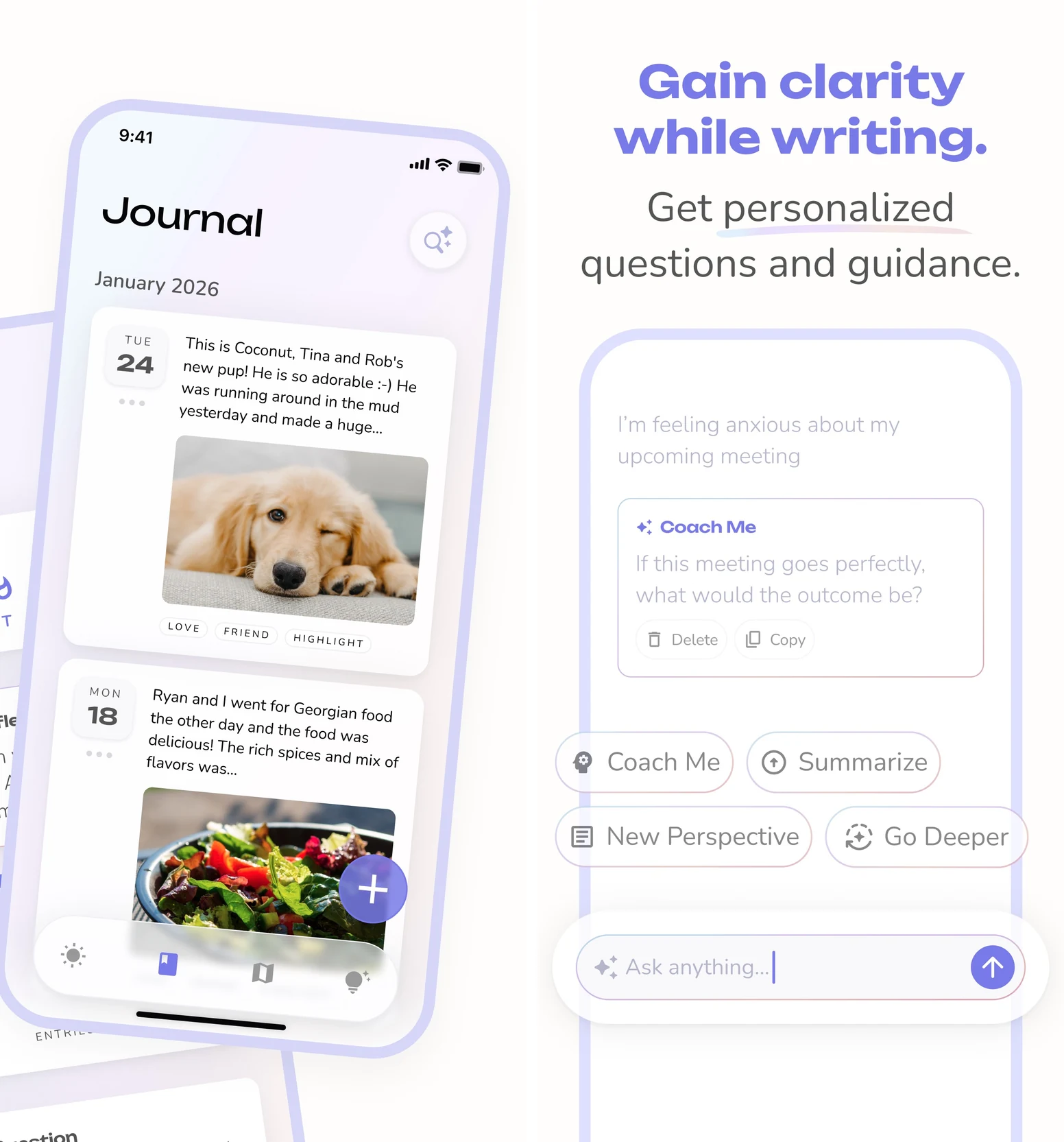
Its AI offering now goes well beyond occasional prompts. Gold includes features such as Daily Chat, Go Deeper, and highlights. Daily Chat helps you begin an entry through conversation; Go Deeper helps you explore an existing one. You can keep journaling without turning on those features.
For the same overbooked week, the useful outcome might be remembering that the one unplanned evening was your favorite. That is worth keeping even if it never becomes a task.
Access: Free Basic journaling on one device, with paid tiers for more capabilities and Gold for AI. Check feature availability for your device. Selected AI features can run on-device on supported Apple hardware; cloud AI uses your consent to process selected journal content outside the encrypted archive. Visit Day One and read how its AI handles privacy.
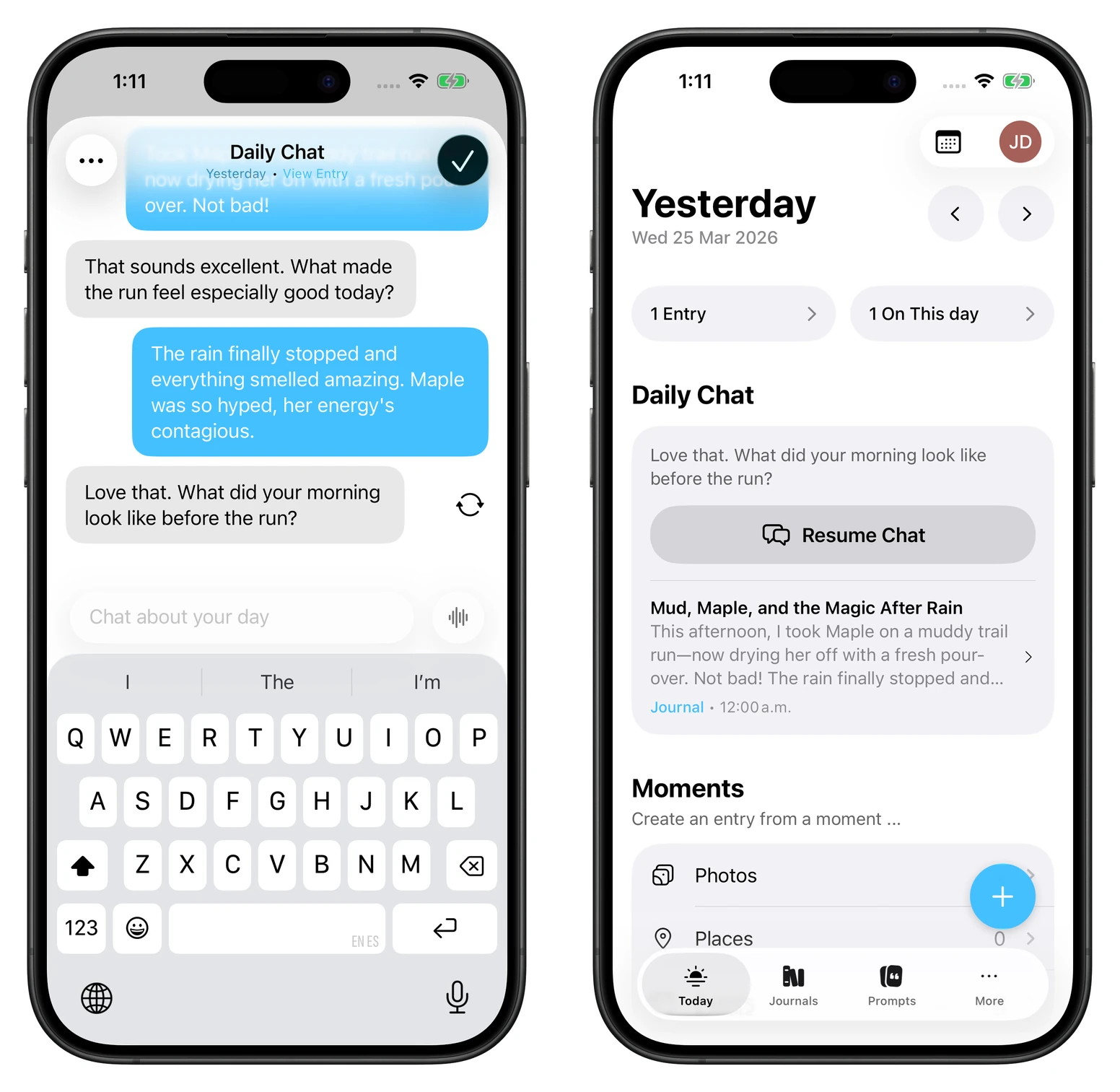
Your first entry in three minutes
Use a small, ordinary situation for your first entry. You don't need to begin with your most difficult experience.
Keep each answer to one or two sentences. You can copy this into an AI journal or answer the questions yourself:
Help me reflect on one moment from today. Ask one question at a time: what happened, what I felt, and what mattered to me. Don't assume you know my motives. After my answers, summarize in two sentences and ask whether I want to explore more, try one small change, or simply leave the entry there.
The final choice matters. Understanding a feeling and preserving a memory are useful outcomes. When you do want to change something, make the experiment small enough to actually try.
One entry, one change, one review
Here's an example you can adapt:
- Entry: “I said yes to another evening commitment and felt resentful afterward.”
- Question: “What did I need to check before agreeing?”
- Experiment: “For the next request, I'll say I need to check my calendar before answering.”
- Review: “Did the pause help me make a choice I was happier with?”
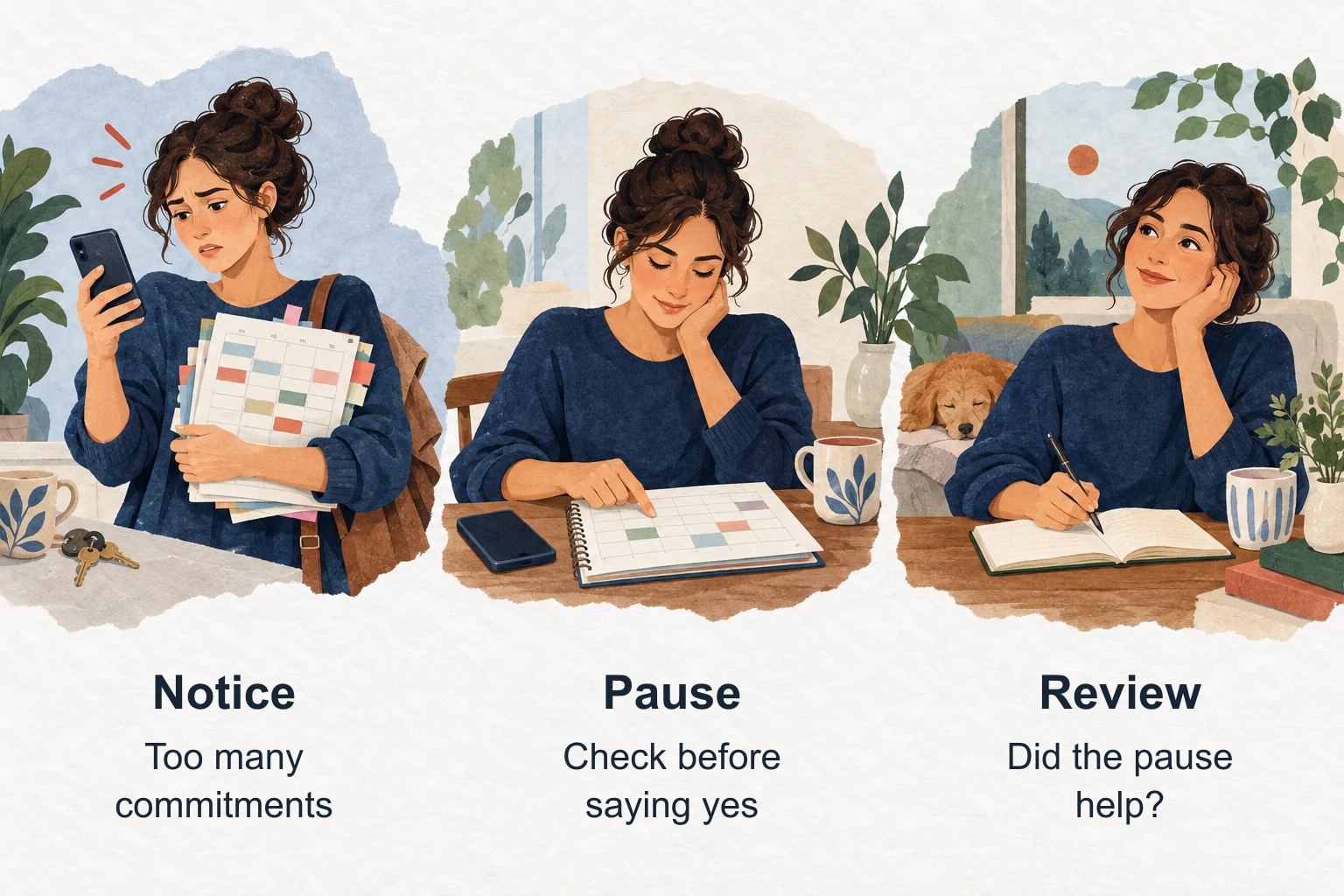
Try the experiment once, then write two lines about what happened. Keep it, change it, or drop it. An AI interpretation earns its place by helping you understand your experience; you don't have to accept every confident-sounding explanation.
For another way to get started, our life-coach prompt library includes a main prompt and focused prompts for specific situations.
What private actually means
Check the journal's storage and the AI's processing separately. Encryption protects stored or transmitted data. An AI feature may still need to process the entry's content.
Day One offers end-to-end encrypted journals, while cloud AI temporarily processes selected decrypted content with consent. Some supported Apple features use on-device processing. Reflection describes encryption in transit and at rest and says entries aren't used to train AI models; that isn't a claim of end-to-end encryption.
Before putting sensitive material into any of these apps, check three things in its current policy or settings:
- Control: Can you leave AI off, choose which entries it can use, and delete the material afterward?
- Processing: Does that feature run on your device or send content to an external provider? What are its retention and training terms?
- Portability: Can you export an entry in a format you can actually read elsewhere?
Try exporting and deleting a harmless test entry before moving years of writing. Rosebud, Mindsera, and TaskCoach also use cloud services for AI; choose what you share deliberately.
What journaling can help with
Writing can give an experience shape and make it easier to return to. The original Pennebaker and Beall expressive-writing experiment found fewer later health-center visits in a group writing about the facts and feelings of traumatic experiences. That was a writing study, not a comparison of AI journals. Our expressive-writing guide explains the practice.
Mood tracking asks a different question: what changes over time? Faurholt-Jepsen and colleagues' 2018 review examined objective smartphone monitoring in bipolar disorder and highlighted substantial limits in the evidence. It doesn't establish that a consumer AI journal improves emotional awareness or treats a condition.
Use these apps for reflection and organization. They don't replace a qualified mental-health professional. If writing makes you feel substantially worse, pause and seek appropriate support; you don't need to push through distress to complete an entry.
Choose the journal you'll want to reopen
Start with one entry and notice what helps: a follow-up question, a useful framework, a calmer ritual, a memory preserved, or an action you want to try.
TaskCoach is our recommendation when you want that reflection connected to the life you're building. Choose one small change, put it in your day, and give yourself somewhere to return afterward. Start with TaskCoach.