The first useful result from an AI life coach should be a better week, not a longer conversation. Start with one thing you want to change, give it the constraints that usually derail you, and leave with one action you can actually do.
This guide takes you through setup, the first setback, and the decision to keep using the coach. For the category itself, start with what an AI coach is.
Set up your AI life coach in 30 minutes
You do not need to upload your entire life. Use the first session to build a small, testable plan.
| Time | What to do | What you should leave with |
|---|---|---|
| First 5 minutes | Choose one change for the next month | An observable outcome |
| Next 5 minutes | Explain your schedule, constraints, and starting point | A realistic picture of your week |
| Next 10 minutes | Ask questions, then choose one or two actions | A first action with a time and place |
| Last 10 minutes | Check permissions and set a review | A plan you approve and a reason to return |
Imagine you work rotating shifts and want a social hobby again. “Be more social” is too vague to plan around. “Attend one local board-game evening this month” gives the coach something concrete to help with. Your constraint is the changing rota; your starting point is that you know two local venues but have not checked their events.
Copy this opening message. Fill in the three brackets; let the conversation handle the rest.
Help me make a realistic plan for the next month. The change I want: [one outcome]. My main constraint: [time, energy, responsibilities, or another limit]. My starting point: [what is happening now and what I have tried]. Ask up to three questions, one at a time, before suggesting a plan. Then help me choose no more than two actions for this week. Make the first action small enough to start in ten minutes. Include a fallback if my week changes and a date to review what happened. Separate facts I gave you from your guesses. Ask before creating or changing any saved item. If you cannot save an action or set a reminder, tell me what I need to do myself.
A useful plan has a place outside the conversation. Save the agreed action in your task list or calendar, whether the coach can do that with approval or you do it yourself.
Your first week: plan, reset, return
First session: make one real commitment
For the board-game example, the first action could be: “After receiving Friday's rota, spend ten minutes checking the two venues' event pages.” The next step is choosing one event that fits, rather than committing to a weekly hobby before you know your schedule.
Ask the coach: “What information are we missing before this plan is usable?” That catches practical gaps such as travel time, booking requirements, or whether newcomers are welcome.
If you want a reminder, confirm it exists. A message saying “I'll remind you” is not enough; check the saved reminder, its time, and notification settings.
Midweek: repair the part that broke
Suppose your shift changes and the chosen evening no longer works. Open the coach and say:
My shift changed, so I cannot attend Thursday. Help me find the smallest alternative that still moves this forward. Do not add extra commitments to compensate.
The replacement might be asking the venue about the next beginner-friendly evening. You have preserved the social goal without pretending the original slot still exists.
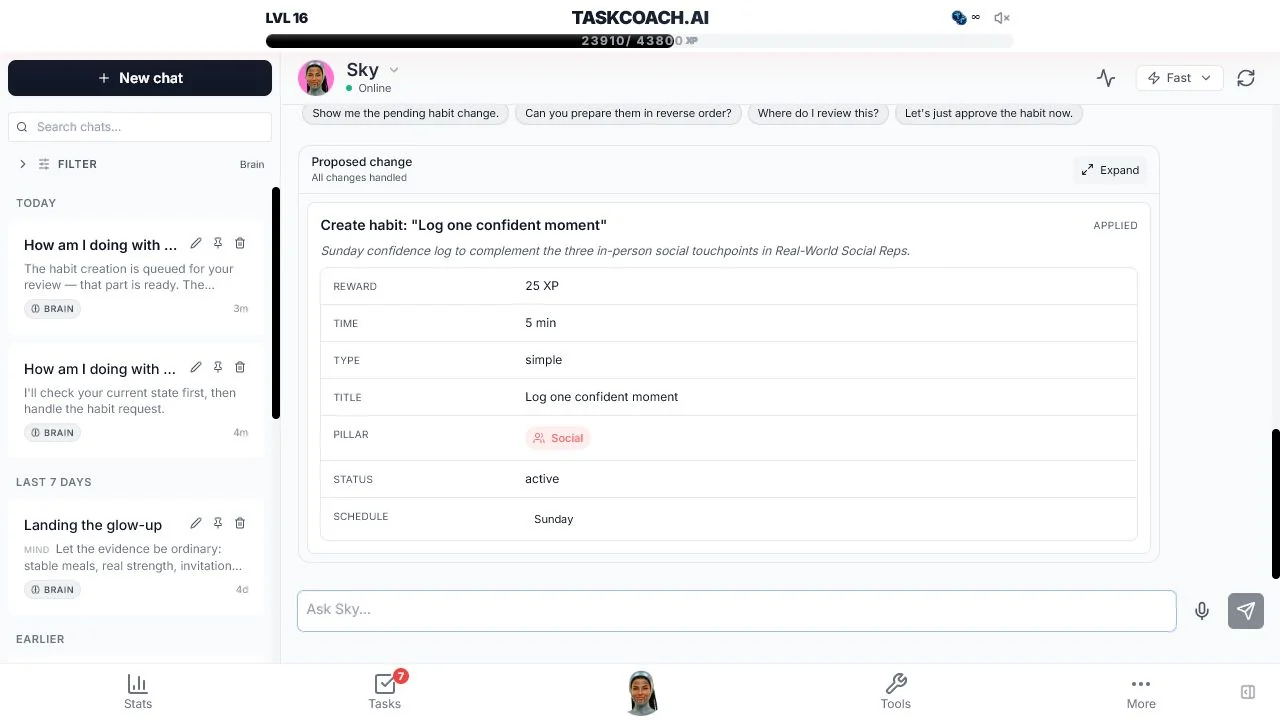
An integrated coach may propose a saved change for your review. A general chatbot may give you the wording to copy. Either can help; check where the resulting action actually lives.
End of week: use the result, including a miss
Spend ten to fifteen minutes answering three questions:
- What happened, compared with the plan?
- What made the action easier or harder?
- What single change should carry into next week?
“Didn't go” is a result, but an incomplete explanation. A changed shift calls for a flexible booking. Worry about arriving alone calls for a different conversation. Ask the coach to investigate before it prescribes more discipline.
Choose a coach that survives this test
The AI life coach app comparison covers product choices. During your own first week, look for four capabilities:
Continuity: does the next conversation use the constraint you already explained? Ask what information it retained and correct mistakes.
Useful questions: does it learn why a plan failed before offering another one?
Action: can you turn advice into a saved commitment without losing track of it?
Control: can you inspect changes, manage connected information, and understand deletion and export options?
A warm tone is welcome. It cannot compensate for a coach that repeatedly ignores your working hours.
Set boundaries before adding more context
Start with the relevant facts. Your shift pattern can be useful without uploading private workplace documents or other people's messages. Before connecting journals or calendars, check what the app can access, how it uses that information, and how to remove it.
Use coaching for everyday planning and reflection. For diagnosis, treatment, or crisis support, use qualified human care. You can also choose a human coach simply because you value a relationship, judgment, or accountability that software does not provide.
Using this routine in TaskCoach.AI
TaskCoach.AI is a strong fit when you want the conversation and the follow-through in one place. Goals, tasks, calendar, habits, and journal provide a home for the plan and a record to revisit.
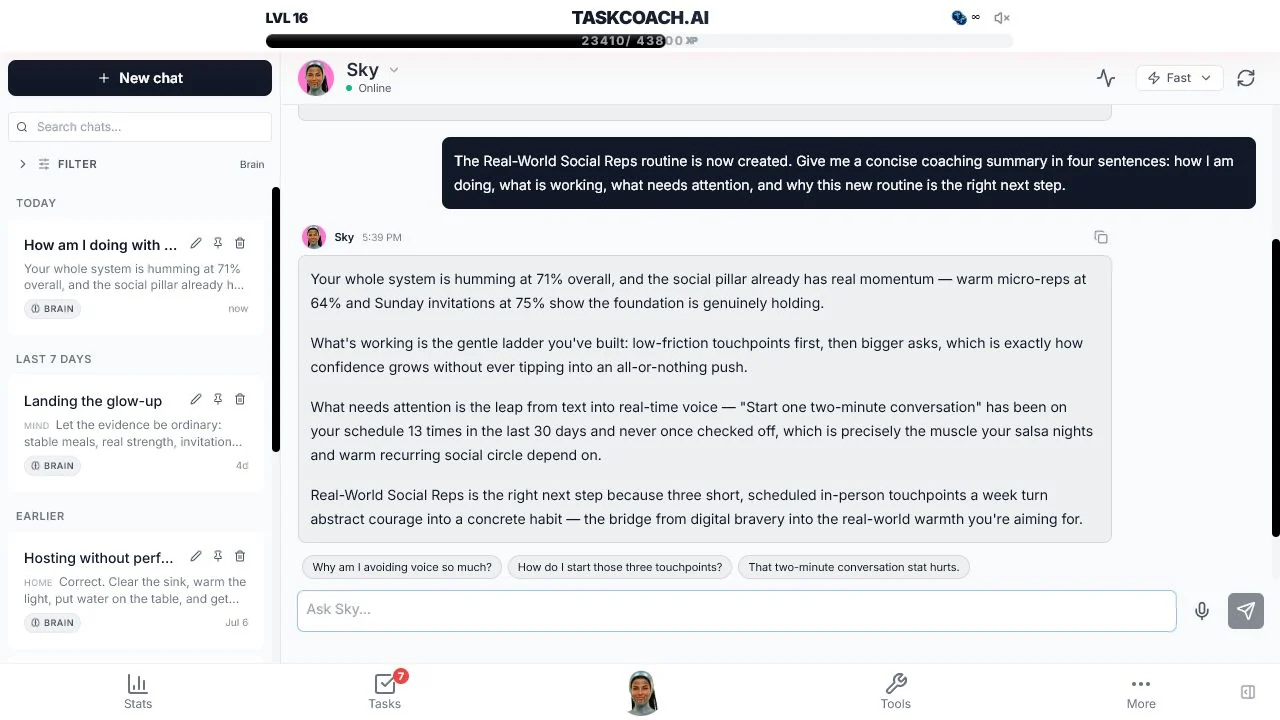
The free core includes planning tools and AI assistance inside selected features. Standalone Brain Chat is Premium. It can work with context from your TaskCoach records; review proposed changes before accepting them. The screenshots show actual product flows, not the fictional board-game example.
You can start with the free planning tools and decide whether you also want the connected coaching conversation.
After a week, judge the coach by one question: Did it make a real decision or action easier? If yes, build on that. If all you have is a beautiful plan you never used, simplify the next session before adding another goal.